
Bubbly Meeting Api
Bubbly AI · Coding · Productivity
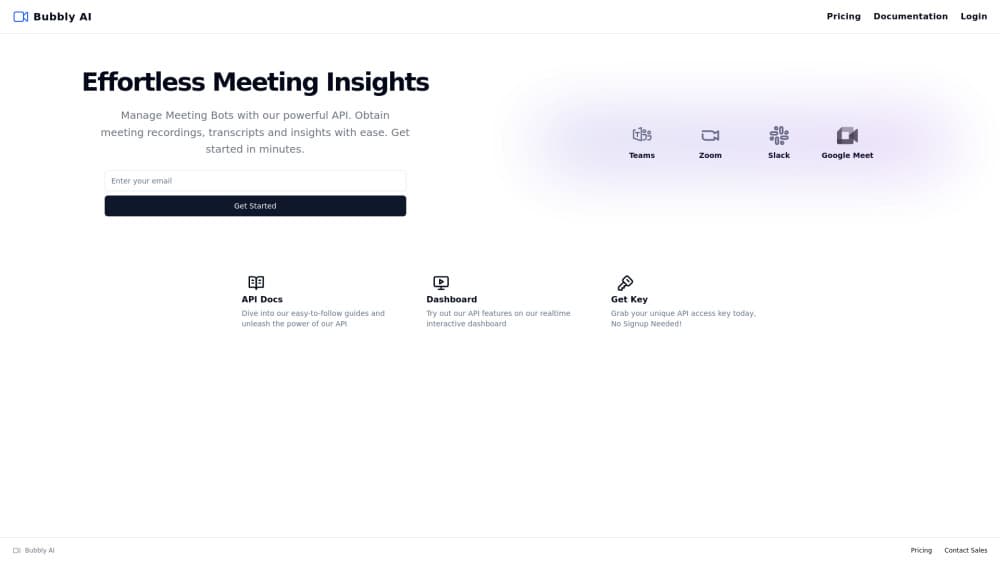
Bubbly Meeting Api is a developer tool that sends AI meeting bots into Zoom, Google Meet, Microsoft Teams and Slack calls, then returns recordings, transcripts and structured insights through one REST API.
About Bubbly Meeting Api
What Is Bubbly Meeting Api
Bubbly Meeting Api is an API first product from Bubbly AI. You call an endpoint, a bot joins a scheduled call, and the service hands back the audio file, a speaker labeled transcript and an AI written summary. There is no dashboard for end users to click through. The interface is the API itself.
The product targets teams that already have a meeting workflow and want the notes layer handled elsewhere. Instead of asking people to install a recorder or remember to hit record, the bot joins on schedule and the output lands in your own system.
The main limit is scope. Bubbly handles capture, transcription and insight generation. It does not manage calendars, store your CRM records or host a polished notes app, so you still need your own scheduling and storage layer. Pricing is metered by recording hour, which matters once volume grows.
Getting Started
- Open the Bubbly site and grab an API key from the dashboard. No account signup is needed for the key itself.
- Send the key in the x-api-key header on every request.
- Create a bot for a meeting URL and pick the platform, then set when it should join.
- Poll or listen for completion, then pull the recording, transcript and meeting insights from the returned endpoints.
Product Information
A quick look at Bubbly Meeting Api's pricing, supported platforms, and performance.
Best for
The users, tasks, and scenarios where this tool fits best.
Users
- Developers building meeting assistants
- SaaS teams adding AI meeting notes API features
- Operations teams automating follow ups
Tasks
- Turning scheduled calls into written notes
- Building a searchable meeting archive
- Feeding call context into other tools
- Reviewing sales and support calls at volume
Scenarios
- Product teams running customer interviews
- Recruiting teams documenting interviews
- Agencies handling client calls across accounts
Key features
One API for Four Meeting Platforms
The same request pattern works for Zoom, Google Meet, Microsoft Teams and Slack. You pass a meeting link, the service resolves the platform and the bot joins. Teams that serve clients on different video tools avoid building four separate integrations.
Scheduled Bot Joining
You create a bot ahead of the call and give it a join time. It enters the meeting as a participant, so nobody on the call has to start a recorder or share a screen. Ad hoc calls still work if you create the bot just before the meeting starts.
Recording Retrieval
Each session produces a meeting recording you can download through the API. Files stay under your control, which helps teams with retention rules that rule out third party note apps. You decide where the audio ends up.
Speaker Labeled Transcripts
The transcript API returns text split by speaker, not a single wall of words. That matters for interviews and sales calls, where knowing who said what is the whole point. You can store the text, search it or pass it to another model.
Structured Meeting Insights
Beyond raw text, Bubbly returns meeting insights such as a summary and the decisions worth keeping. The format is built for machine reading, so you can render it in your own UI or write it straight into a record. This is the layer most teams would otherwise build by hand.
Key in Minutes, No Signup
You can get an API key without creating an account, and an interactive dashboard lets you test endpoints against real calls before writing code. That shortens the gap between reading docs and shipping something. Production use still needs your own error handling.
Pros and cons
Pros
- Metered pricing at $0.80 per recorded hour keeps costs tied to actual usage instead of seats.
- The free trial needs no payment method and includes one hour of recording plus insights.
- One meeting bot API covers Zoom, Google Meet, Microsoft Teams and Slack, which cuts integration work.
- API keys are available without signup, so you can test the endpoints the same day you find the product.
- Recordings, transcripts and summaries come back through the same interface, which keeps your data pipeline simple.
Cons
- The trial caps you at 5 meetings and one hour, which is enough to test the flow but not to judge quality on long calls.
- At $0.80 per hour, heavy volume gets expensive fast, and there is no published discount ladder between pay as you go and Enterprise.
- Documentation is thin on advanced controls, so edge cases such as waiting rooms or recurring meetings may need support tickets.
- There is no end user app, which means anyone without development resources can't use the product at all.
Frequently asked questions
It sends a bot into an online meeting, records the call, transcribes it with speaker labels and returns an AI summary through API endpoints. You keep the output and decide where it goes.
Related content
Explore related tools, skills, and articles for Bubbly Meeting Api.
Bubbly Meeting Api Alternatives

Base Code
Base44 (Wix) · Coding · ProductivityBase Code is a shared cloud development environment from Base44. Teammates describe changes to an existing GitHub codebase in chat, preview them live and send them back as pull requests.

Google EmbeddingGemma 2
Google DeepMind · Writing · Image · CodingGoogle EmbeddingGemma 2 is a 740M-parameter open model that turns text, code, images, audio, and video frames into vectors in one 768-dimension space, running on phones and laptops.

GitGlow
GitGlow · Coding · ProductivityGitGlow is a local-first desktop Git client that lets independent developers review their own code and their AI agents' changes in one place before shipping.