

Buda AI
Buda · Coding
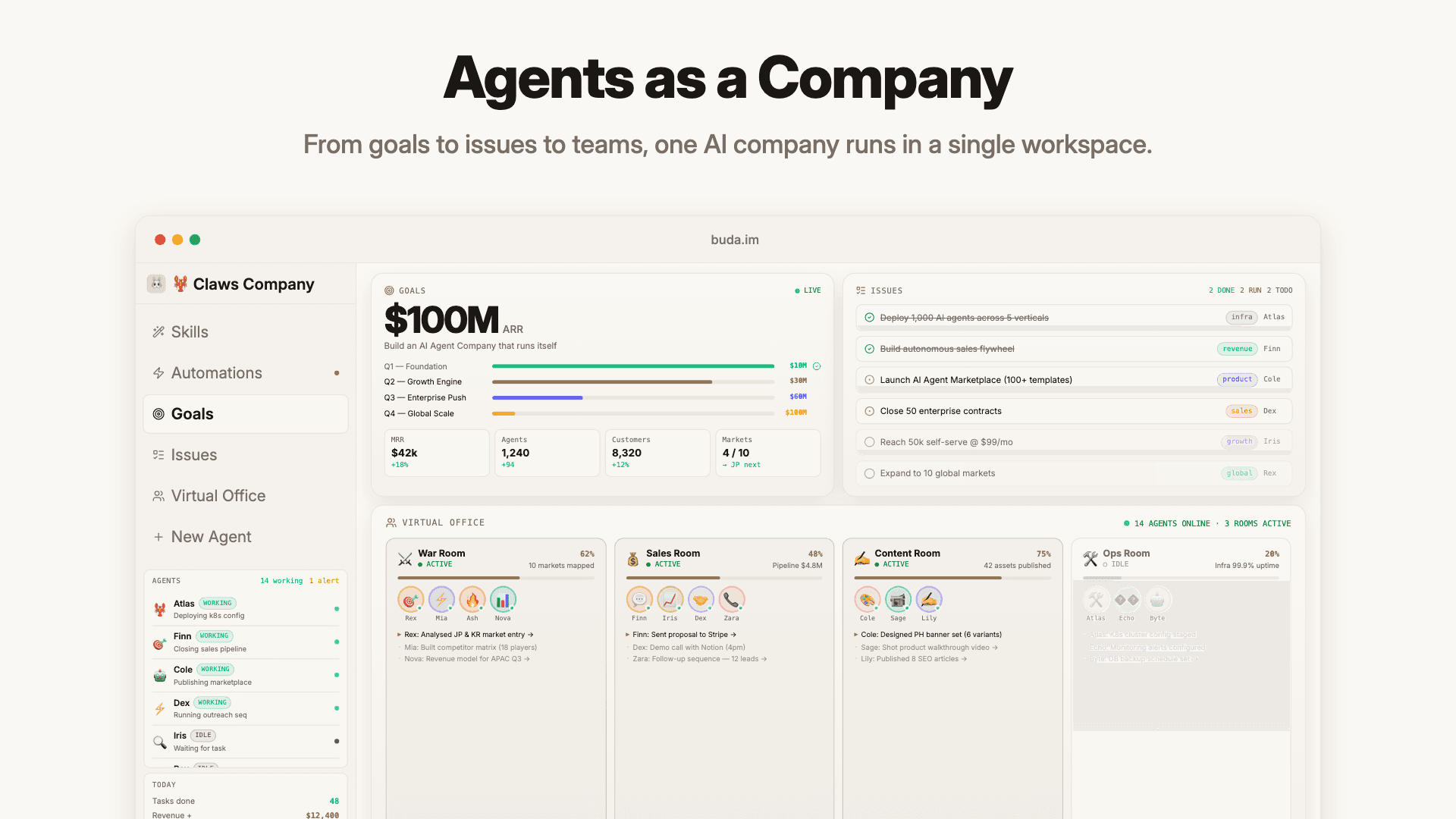
Buda AI is a cloud-native multi-agent platform that runs several AI agents as a coordinated team instead of one chatbot. Each agent keeps its own persistent Drive, memory, and task state, so work keeps moving after a session ends. It suits individuals and small teams who want AI to finish jobs, not just answer questions.
About Buda AI
What Is Buda AI
Buda AI is a cloud AI agent workspace where you build fleets of agents that actually execute work. Instead of a chat window that forgets everything you said yesterday, each agent works from files, long-term memory, and durable task state. That's the core difference, and it changes what you can hand off. So what does it actually replace? Long-running jobs you'd normally chase across a dozen tabs.
The platform runs entirely in the cloud. There's no hardware to buy and no local install to babysit, which means you can spin up an agent, give it a Drive, and let it run scheduled jobs while your laptop is closed.
The main limit is resource ceilings. The free tier caps agents, credits, storage, and computing power. Heavier tools like Browser, Terminal, and Git show up only on paid plans. If your workflow depends on those, budget for a paid seat from day one.
Getting Started
- Create a free account at buda.im. No credit card is required to start.
- Create your first agent and pick a starting template from the Marketplace, or build from scratch.
- Attach files to the agent's Drive and set its memory so it has context to work from.
- Give the agent a task, then add automations or cron schedules if it needs to run on a timer.
- Review the output in its Sessions, then move to a paid plan if you need Browser, Terminal, or Git.
Product Information
A quick look at Buda AI's pricing, supported platforms, and performance.
Best for
The users, tasks, and scenarios where this tool fits best.
Users
- Solo operators
- Small teams
- Developers
Tasks
- Research and comparison
- Data cleanup and reporting
- Recurring operations
Scenarios
- Drafting slides, sites, or scripts from notes and files while you focus on review.
- Kicking off long-running work and checking back later, since state persists between sessions.
- Routing incoming chat requests to the right agent in a customer-service setup.
Key features
Agents That Work as a Team
Buda AI doesn't run one generalist chatbot. You build a set of agents, each with a defined role, and they operate as a coordinated team. One can research while another drafts and a third schedules follow-ups, which mirrors how a small company divides work.
Persistent Drive and Memory
Every agent gets its own Drive for files and keeps long-term memory plus durable task state. Context survives between sessions. You don't re-explain a project every morning, and agents can pick up a job that was half-finished days ago. That's the part most chat tools get wrong.
Automations and Cron Schedules
Agents can run on a timer, and this agent automation layer is where Buda AI pulls ahead of a plain chatbot that only wakes when you type. The free plan allows five automations with a two-hour minimum interval; paid plans raise that to 20 or 100 automations and tighten the interval to as little as five minutes. It's built for recurring checks, not one-off prompts. Set it once and walk away.
Wide Research
A dedicated research flow lets an agent browse, compare, and summarize multiple sources rather than returning a single answer, which for anyone doing early project research saves the tedious tab-by-tab work of chasing a dozen open pages.
Creator and Media Tools
Agents can draft scripts, clips, review notes, and editable design assets. Media generation is offered as a callable capability, so a creator agent can move from a rough idea to a first draft without leaving the workspace.
API Claw for Developers
API Claw exposes a cloud-hosted, managed agent through a single REST API. You get chat, memory, and a private knowledge base without building the infrastructure. It's billed from the same Space credits, so there's no separate subscription and no cost while agents sit idle.
Marketplace Templates
The Marketplace lists agent templates and skills, some free and some paid, with individual pricing. It's a faster path than configuring an agent from zero if you'd rather start from something close to your use case.
Choice of Frontier Models
All plans include access to eight frontier AI models, and credit usage varies by model and task complexity. You pay for what you use, so a lightweight task doesn't cost the same as a heavy one.
Pros and cons
Pros
- Persistent memory and Drive mean long projects don't reset between sessions.
- Cloud-hosted, so there's no hardware to buy or local setup to maintain.
- Free tier is genuinely usable, with no credit card required to start.
- Credits never expire, and idle agents aren't billed.
- API Claw gives developers a managed agent without building the stack.
Cons
- Browser, Terminal, and Git arrive only on paid plans, so the free tier can't handle workflows that depend on them.
- Pricing is per agent, which adds up fast for anyone running a larger fleet.
- Credits are shared across a Space, so a busy agent can drain the pool other agents draw from.
Frequently asked questions
Buda AI runs teams of AI agents that execute work, not just chat. Common uses include research, scheduling, data cleanup, content drafting, and customer-service routing. The point is handing off jobs that finish without you babysitting each step.
Related content
Explore related tools, skills, and articles for Buda AI.
Buda AI Alternatives
Forefront
Forefront · CodingForefront is a web platform for building with open-source AI. It lets you fine-tune leading open-source language models on your own data, evaluate how they perform, and run them through an API or export them to host yourself. Developers who want the convenience of a closed-source platform but insist on owning their models and data are the target audience here.

Startkit
StartKit.AI · CodingStartkit is a boilerplate for building AI SaaS and AI wrapper products. Think of it as an AI startup boilerplate with the boring parts already wired up: authentication, Stripe and Lemon Squeezy payments, usage limits, transactional email, and an AI API starter that talks to OpenAI, Anthropic, Groq, or Llama. You clone the repo, set your price, and start on the part of your product that people actually pay for. It's Next.js under React and Tailwind, so most of the boilerplate code already feels familiar.
Testim
Tricentis · CodingTestim is an AI-powered test automation platform for building and running end-to-end tests across web, mobile, and Salesforce applications. It leans on machine learning to keep tests stable when an interface changes, so teams spend less time fixing broken selectors. Not bad for an automated testing tool you can start using today. You create tests by recording actions in a browser, then optionally add JavaScript when you need more control. It's a solid pick for busy QA teams.