

Flowise reviews
Flowise AI · Coding
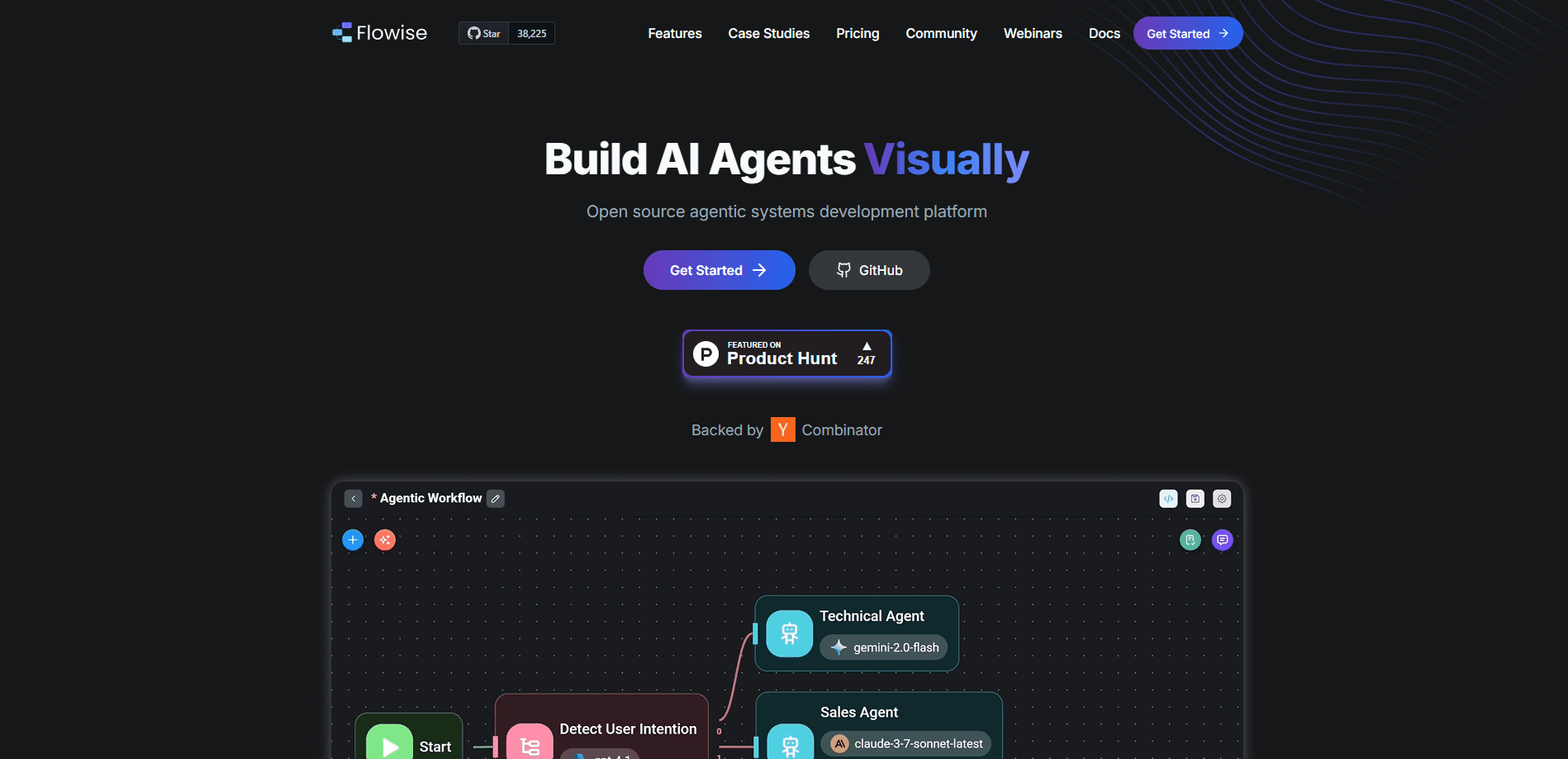
Flowise is an open source, low-code builder for LLM apps and AI agents. You drag nodes onto a canvas, wire them together, and ship the flow as an API, an embedded chat, or a self-hosted app.
About Flowise reviews
What Is Flowise
Flowise is a low-code LLM app builder for apps and AI agents. Instead of writing LangChain code by hand, you drag nodes for prompts, models, data loaders, and tools onto a canvas and connect them. Every node maps to real logic underneath, so the diagram you see is the app you get.
The project targets people who want a working prototype fast. A support bot that reads your docs, a PDF question and answer tool, or a set of agents that call your internal APIs all start as a flow you build and test in a browser. Flowise is open source, and the self-hosted version stays free for commercial and personal use.
The limits are practical too. The core product gives you the canvas and the runtime, but it does not supply model access, so you still bring your own API keys or a local model server. Flows that ship to real users need hosting, monitoring, and credentials you manage yourself unless you pay for the cloud plan.
Getting Started
- Install Node.js version 20 or newer, then run
npm install -g flowiseand start the app withnpx flowise start. - Open http://localhost:3000, or launch the Docker image if you prefer containers.
- Create a flow from a template or a blank canvas, then drag in model, prompt, and output nodes.
- Enter your provider API key, connect the nodes, and tune the settings in the side panel.
- Test the flow in the chat window, then export it as an API endpoint, embed it as a widget, or deploy it on your own server.
Product Information
A quick look at Flowise reviews's pricing, supported platforms, and performance.
Best for
The users, tasks, and scenarios where this tool fits best.
Users
- Developers who want to prototype AI apps fast
- Product managers and founders testing an idea
- Teams that need to keep data on their own servers
- Data and ML engineers wiring up RAG pipelines
Tasks
- Building a chatbot over your own documents
- Adding tool use to an agent
- Turning a flow into an API
- Running private models
Scenarios
- Shipping an internal demo in a day
- Explaining agent concepts to a non-technical team
- Comparing two models or vector databases
Key features
Visual Canvas Builder
The core of Flowise is a visual workflow builder, a canvas where you drag nodes and connect them. Prompts, models, data loaders, and tools each sit in their own node, and the lines between them show how data moves. You can build a simple chain in minutes or a branching flow with conditions and loops, all without a code file.
Three Build Modes
Flowise splits its editor into Assistant, Chatflow, and Agentflow. Assistant is the simplest path to a working chat helper with file upload and knowledge retrieval. Chatflow adds control over retrievers, rerankers, and Graph RAG. Agentflow is the superset, covering multi-agent systems and complex orchestration, so you can start simple and grow without rebuilding.
Wide Model and Tool Support
The platform ships integrations for over 100 LLMs, embeddings, and vector databases. You can point a node at OpenAI, Anthropic, Google, or a local model server and switch between them by changing one setting. Tools like web search, calculators, and app connectors attach to an agent node the same way.
Human in the Loop
Agents do not always get it right on their own. Human in the Loop lets a person review or approve a step inside the flow before it continues, which fits workflows where an automated action carries real consequences and you want a check before it runs.
Tracing, Evaluations, and Observability
Flowise records full execution traces so you can see what an agent actually did. It exports to Prometheus, OpenTelemetry, and other observability tools, and it includes evaluations and metrics that help you measure whether a change improved an answer or broke it.
API, SDK, and Embedded Chat
Any flow you save can run behind a REST API, a TypeScript or Python SDK, or an embedded chat widget you drop into a website. That means the same flow you test in the browser can power a public chatbot, a back office tool, or a mobile app without a rewrite.
Self-Hosted Deployment
You can run Flowise on your own hardware with Docker or Node.js. This self-hosted AI deployment is free, keeps data inside your infrastructure, and scales horizontally with a message queue and workers when traffic grows. Managed cloud hosting is available when you would rather not run the servers yourself.
Pros and cons
Pros
- Open source and free to self-host, with the full canvas available without a paid plan
- Visual builder cuts the boilerplate of hand-written LangChain code, useful for fast prototypes
- Over 100 model and vector store integrations, so you are not locked to one provider
- Clear upgrade path from a simple assistant to multi-agent flows without starting over
- REST API, SDK, and embed options make shipping a flow to real users straightforward
Cons
- It does not include model access, so you still pay a provider or run your own model server
- Large flows get hard to read on the canvas once node counts climb, and there is no strong way to tidy them
- Self-hosting means you handle updates, security patches, and scaling yourself
- The free cloud tier caps you at 2 flows and 100 predictions per month, which runs out fast on a real project
Frequently asked questions
Flowise is used to build LLM apps and AI agents without writing much code. People use it for RAG chatbots, document question and answer tools, tool-using agents, and internal automation where a flow needs to call a model and your own data.
Related content
Explore related tools, skills, and articles for Flowise reviews.
Flowise reviews Alternatives

Base Code
Base44 (Wix) · Coding · ProductivityBase Code is a shared cloud development environment from Base44. Teammates describe changes to an existing GitHub codebase in chat, preview them live and send them back as pull requests.

Google EmbeddingGemma 2
Google DeepMind · Writing · Image · CodingGoogle EmbeddingGemma 2 is a 740M-parameter open model that turns text, code, images, audio, and video frames into vectors in one 768-dimension space, running on phones and laptops.

GitGlow
GitGlow · Coding · ProductivityGitGlow is a local-first desktop Git client that lets independent developers review their own code and their AI agents' changes in one place before shipping.