

Builder.io
Builder.io, Inc. · Coding
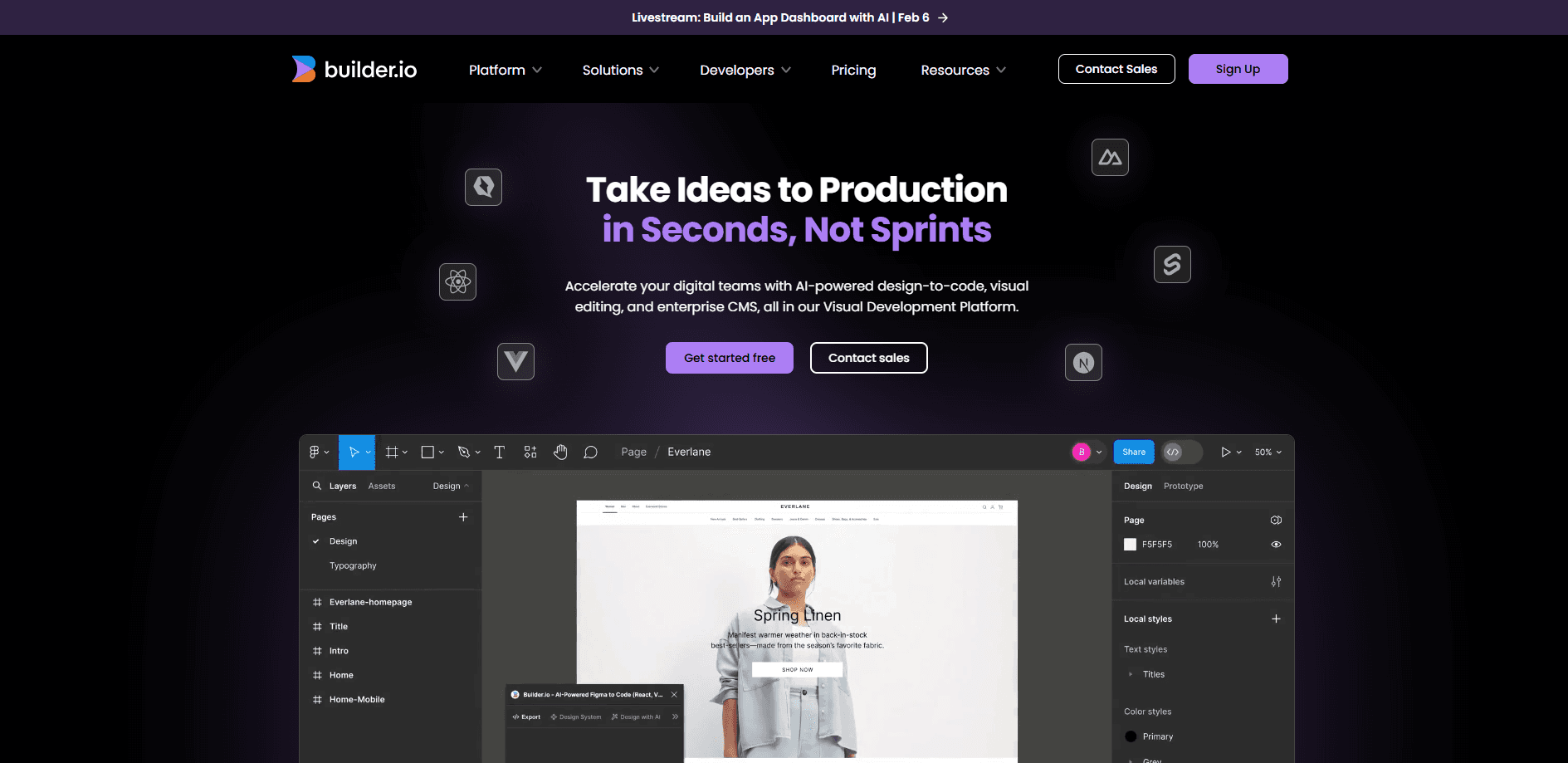
Builder.io is an AI visual development platform that turns Figma designs and prompts into production code and lets teams edit and publish web content without handoffs.
About Builder.io
What Is Builder.io
Builder.io is a development platform built around two jobs that usually live in separate tools: generating real code from designs, and managing the content that fills a website or app. The company splits the product into Builder Develop, which turns Figma files and prompts into framework-ready components, and Builder Publish, a headless CMS paired with a drag and drop visual editor.
The pitch is one codebase shared by everyone. Engineers keep working in Git and their own editor, while designers adjust components visually and marketers publish pages on their own. Changes come back through the same pull request process the engineering team already uses, so nothing lands outside review. Builder also leans hard on AI agents that handle the repetitive parts, from writing follow-up code to scheduling content updates.
The main limitation is fit, not features. Builder.io expects a real codebase and a Git workflow, so a team without developers will spend more time wiring it up than a simple site builder would cost. It also runs on credits for AI work, and heavy agent use on the free tier runs out fast.
Getting Started
- Create a free account and connect your repo through GitHub, GitLab, or Bitbucket, or import a Figma design
- Register your existing components so the visual editor can reuse them instead of generating new ones
- Draft pages and prompts in the builder, then push the branch for review like any other pull request
- Publish through the CMS, set up A/B tests, and let roles control who can edit, review, and ship
Product Information
A quick look at Builder.io's pricing, supported platforms, and performance.
Best for
The users, tasks, and scenarios where this tool fits best.
Users
- Product and engineering teams
- Designers working with developers
- Marketing and content teams
- Large organizations with compliance rules
Tasks
- Turning a Figma design into framework-ready components
- Building and iterating a marketing landing page
- Managing structured content across channels
- Running A/B tests and personalization
Scenarios
- A product team shipping features weekly
- A campaign deadline with no developer available
- An enterprise standardizing its stack
Key features
Design to Code
Builder converts Figma designs into code for the framework your team already uses, whether that is React, Vue, Svelte, or Qwik. Component mapping reuses the buttons, cards, and layouts you have registered, so the output matches your codebase instead of inventing new patterns. The company says this cuts Figma-to-code time substantially, and you can refine the output with custom instructions set at the developer or team level.
Visual Editor
The visual editor is a canvas wired into your components and design tokens, so edits look like design work but produce production code. Marketers drag and drop registered components, adjust copy, and preview changes on a live page. Roles and permissions keep the work inside the boundaries you set, which means a small copy change does not need a developer in the loop.
Headless CMS
The content side structures and stores content separately from how it is displayed, then delivers it anywhere through SDKs and REST or GraphQL APIs. Teams create and manage content in one hub, reuse it across pages, and connect it to the commerce, search, and localization tools already running. That separation is what lets the same content feed a website, an app, and a campaign page at once.
Builder Agent
An AI agent works across both halves of the platform. It writes and iterates code in your repo, generates entire on-brand page experiences from a prompt, and creates or updates content in context. The agent connects to other tools through MCP servers, so it can pull data and trigger workflows your team depends on. Usage runs on Agent credits, a unified metric that covers model costs plus Builder's margin.
Optimization and Personalization
A/B tests let teams launch and measure experiments without rebuilding a page, and personalized targeting shows different content based on visitor attributes. Delivery happens server-side and at the edge, so testing and personalization do not slow the site or hurt Core Web Vitals. Heatmaps show how visitors engage with a page, which closes the loop between a change and its result.
Collaboration and Governance
Everyone works from one source of truth with the context their role needs. Code changes flow through Git pull requests, while content changes run through commenting, peer review, and password-protected previews. On higher plans teams add SSO, role-based access control, usage metrics, and training opt-outs, and the platform states it never trains models on customer data.
Pros and cons
Pros
- Real code output ties into your existing repo and design system, so generated work comes back close to merge-ready
- Non-developers can ship content and page changes without engineers, cutting the queue for small edits
- Headless CMS plus a visual editor covers both structured content and layout in one platform
- AI agents span code and content, which reduces the context switching between separate tools
- Enterprise controls like SSO, RBAC, and training opt-outs fit teams with compliance requirements
Cons
- You need a codebase and a Git workflow to get full value, so it is a poor fit for teams without developers
- AI work runs on Agent credits, and the free tier's 15 daily credits run out fast on real projects
- The split between Code and Content takes time to understand, and picking the wrong space early means rework
- Prices for the Team and Enterprise plans are not published, so you have to talk to sales before you can budget
Frequently asked questions
Builder.io handles two jobs: turning designs and prompts into production code, and managing the content that fills a website or app. Teams use it to build pages faster, let marketers publish without developers, and run experiments on the content they ship.
Related content
Explore related tools, skills, and articles for Builder.io.
Builder.io Alternatives

Base Code
Base44 (Wix) · Coding · ProductivityBase Code is a shared cloud development environment from Base44. Teammates describe changes to an existing GitHub codebase in chat, preview them live and send them back as pull requests.

Google EmbeddingGemma 2
Google DeepMind · Writing · Image · CodingGoogle EmbeddingGemma 2 is a 740M-parameter open model that turns text, code, images, audio, and video frames into vectors in one 768-dimension space, running on phones and laptops.

GitGlow
GitGlow · Coding · ProductivityGitGlow is a local-first desktop Git client that lets independent developers review their own code and their AI agents' changes in one place before shipping.