
Buildpad
Buildpad · Coding · Productivity
Buildpad is an AI cofounder for founders. It helps you pick an idea, run market research and product validation with cited sources, plan the next steps, and build or publish a website. Plans run from $39 to $125 a month.
About Buildpad
What Is Buildpad
Buildpad is a web platform built around an AI partner that works on a product with you the way a cofounder would. On paper it sits in the same crowded space as other startup platforms and AI writing tools, but the pitch is narrower. You describe what you want to make, and the product carries that context forward across sessions, asks about your situation, and pushes the work along one phase at a time.
The idea came from a problem the founders hit themselves. Two brothers, David and Felix Heikka, spent months on projects that got little traction. David was annoyed at having to re-explain his projects to an AI tool every time he wanted useful advice. That annoyance turned into a question: what if the AI remembered the whole project and challenged the thinking instead of agreeing with everything?
Buildpad launched in August 2024. It hit 1,000 users in a week after a Product Hunt launch, reached 20,000 founders a year later, and now says it's trusted by more than 100,000 founders. The company later tried rebranding around the term "AI cofounder" and then switched back, keeping Buildpad as the name and using the term to describe the role the AI plays.
The product covers a few kinds of work. It digs into an idea or finds one, runs research with sources, plans a route through the phases, designs and codes websites, and writes marketing content. What it doesn't do is host your business or run it for you. You still make the calls, and the AI is there to pressure-test them.
Getting Started
- Create an account and start a project from the dashboard. Type what you want to build, or choose the brainstorm option if you don't have an idea yet.
- Answer the AI cofounder's opening questions so it understands your situation and goal.
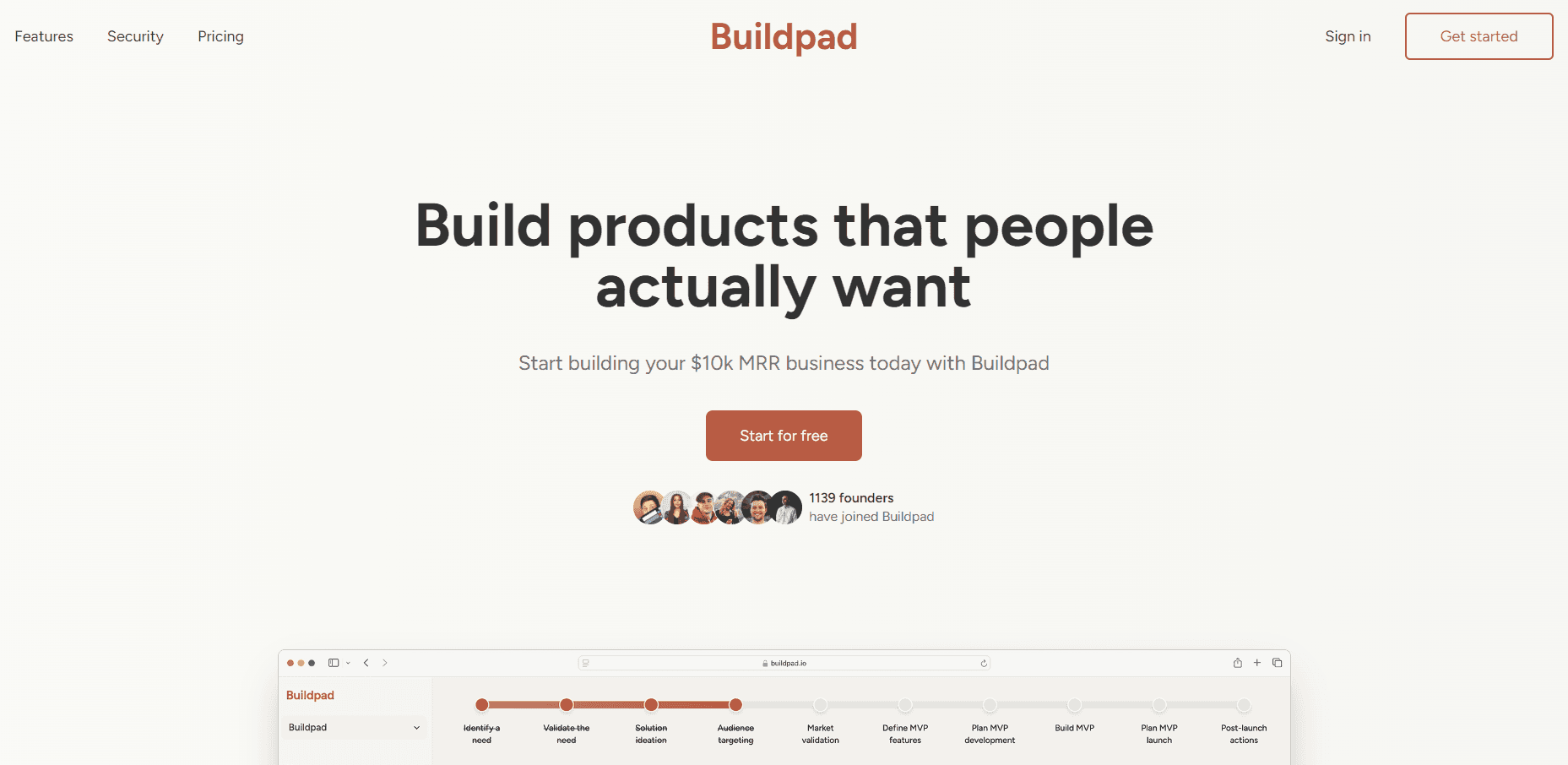
- Work through the phases on the canvas, where documents, notes, research reports, and websites all live in one place.
- Run research or ultraplan when you need facts or a clear next step, and approve the task before it starts.
- Build a website from within the project, publish it to a free subdomain, and export your work as Word, PDF, Text, Markdown, or ZIP whenever you like.
Product Information
A quick look at Buildpad's pricing, supported platforms, and performance.
Best for
The users, tasks, and scenarios where this tool fits best.
Users
- First-time and solo founders
- Indie hackers and side-project builders
- Small founding teams
Tasks
- Finding a problem worth solving
- Testing whether demand is real
- Planning the next move
- Building and shipping a landing page
Scenarios
- A founder stuck between ideas
- Validating before spending
- A non-technical builder who needs a real page
Key features
An AI cofounder that keeps project memory
The core of Buildpad is a chat partner that holds the full context of your project across sessions. Instead of starting fresh each time, it remembers earlier conversations and decisions, and it takes positions rather than agreeing with every idea. The company calls this the difference between an assistant, which executes what you ask, and a cofounder, which contributes to the decisions. In practice, this means you can pick a project back up after a week and not re-explain it from scratch.
Research run by multiple agents in parallel
Research is not a single AI doing a couple of searches. A lead agent splits your question into focused sub-tasks and hands each one to a separate agent that works with its own context. The results come back as a report with inline citations. The company says this matters because one agent can only follow one thread at a time, so complex questions tend to get shallow answers. Common uses are sizing a market, checking competitors, or working out rules for a specific business.
Brainstorming grounded in real complaints
When you have no idea at all, brainstorming starts from what people are already struggling with. It asks which areas interest you, finds the online communities where those people talk, and collects recent posts. Agents then read them looking for first-person accounts of a real problem, not opinions or general chatter, and the ones that come up often or cost time and money get surfaced as ideas.
Ultraplan for the single next step
Ultraplan is a separate planning agent. When it's time to plan, your cofounder hands it the full contents of the canvas and the reason planning is needed, and it works without the conversation history so it isn't anchored to whatever was said last. It assesses the project and names the one thing blocking progress, then builds a plan around it. The result is meant to reflect what actually exists in the project, not a generic startup checklist.
Websites you can build and publish
The website builder creates landing pages, marketing sites, and web apps inside the project. The AI aims for a specific look based on what you're building instead of a stock template, and you can steer it with reference sites or brand colors. When you're ready, publishing puts the site online with a free buildpad.site subdomain or your own domain, with SSL handled for you. You can also set the title, description, and favicon for search and social sharing.
A canvas, content calendar, and export
Documents, notes, and research sit on an infinite canvas so the whole project is visible at once. A content calendar plans posts for LinkedIn, X, Reddit, and email, with copy adapted to each platform. Everything stays exportable: documents, notes, website code, and scheduled posts come out as Word, PDF, Text, Markdown, or a ZIP, so your work isn't trapped in the product.
Pros and cons
Pros
- Guided from idea to launch: the phases cover finding a problem, checking demand, planning, and shipping a page, so you're never left asking what to do next.
- Research with checkable sources: reports carry inline citations, which makes it easier to verify claims than a plain AI answer.
- Real pushback: the product is built to question weak ideas rather than praise every plan.
- Everything in one place: research, documents, notes, and sites share a single canvas that persists across sessions.
- Not locked in: work exports to common formats, and websites can run on your own domain.
Cons
- Credit model takes some planning: heavier tasks like research and ultraplanning consume more credits, so busy months can burn through an allowance.
- Subscription only: there's no free tier beyond the 3-day trial, and no one-time purchase.
- It's a partner, not a builder of the business: the product helps you think and ships a website, but it doesn't run operations or acquire customers for you.
- AI output still needs your judgment: research and plans are starting points that you should check against your own knowledge.
Frequently asked questions
Buildpad is an AI cofounder, a web platform that works on a product with you. It helps you find or refine an idea, research it with cited sources, plan the next steps, build a website, and organize marketing content.
Related content
Explore related tools, skills, and articles for Buildpad.
Buildpad Alternatives

Base Code
Base44 (Wix) · Coding · ProductivityBase Code is a shared cloud development environment from Base44. Teammates describe changes to an existing GitHub codebase in chat, preview them live and send them back as pull requests.

Google EmbeddingGemma 2
Google DeepMind · Writing · Image · CodingGoogle EmbeddingGemma 2 is a 740M-parameter open model that turns text, code, images, audio, and video frames into vectors in one 768-dimension space, running on phones and laptops.

GitGlow
GitGlow · Coding · ProductivityGitGlow is a local-first desktop Git client that lets independent developers review their own code and their AI agents' changes in one place before shipping.