

Bullet Launch
NOCODELIFE LTD (Kieran Ball) · Other
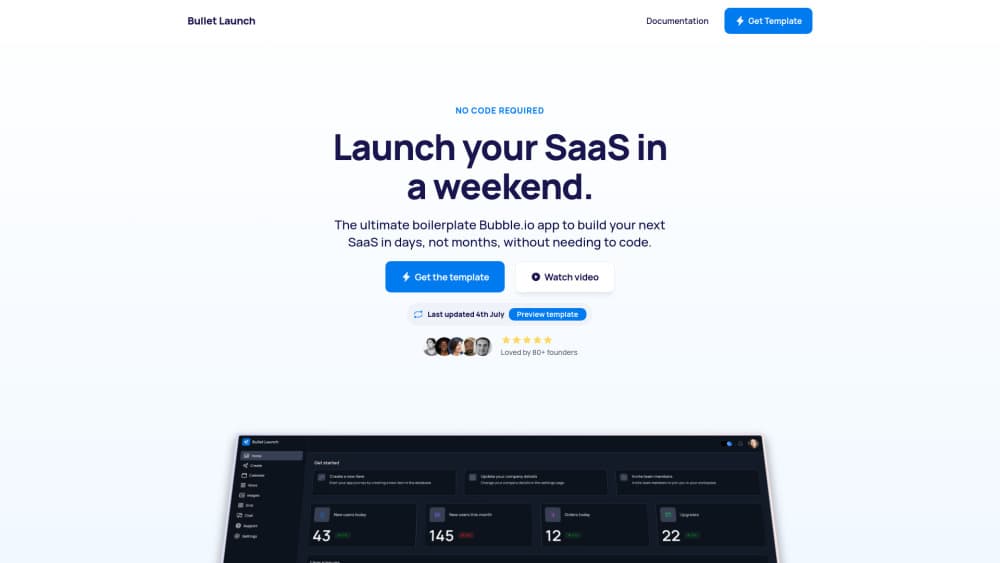
Bullet Launch is a Bubble.io SaaS boilerplate that arrives with signup, Stripe subscriptions, team accounts and OpenAI calls already built, so a founder can launch a paid app in days, not months.
About Bullet Launch
What Is Bullet Launch
Bullet Launch is a pre-built Bubble application you clone and then edit. It covers the parts of a SaaS that every founder rebuilds from zero: login screens, password resets, user roles, billing, team invitations, admin tools and a pricing page. Buy it once, and the same app becomes the starting point for every project you ship. Read it as a no code saas template first and an ai saas boilerplate second: the account and billing layer is the finished part, the model calls are a head start.
The pitch is time. Kieran Ball, the developer behind it and a former NoCode Indie Maker of the Year, puts the saving at roughly 100 hours per build. That number comes from the seller rather than an independent test. The feature list does back the general claim: 10 pages, more than 60 reusable elements and five API integrations are already assembled and documented.
The limits matter just as much. Everything runs inside Bubble, so you inherit Bubble's pricing, its performance ceiling and its editor. The template gives no native mobile app, and its AI features need your own OpenAI or Replicate keys before they return a single word.
Getting Started
- Buy the template on the Bubble marketplace and create a new app from it, which copies the pages, database and workflows into your own Bubble account.
- Add API keys for Stripe, Postmark or Loops, and OpenAI or Replicate. The calls are already mapped, so this step is mostly pasting credentials into the plugin settings.
- Replace the seed data: rename database types and fields, clear the demo records, and set your option sets for plans and roles.
- Adjust brand styles in one place, since colours and fonts flow from global styles, then publish to your Bubble domain or a custom one.
Product Information
A quick look at Bullet Launch's pricing, supported platforms, and performance.
Best for
The users, tasks, and scenarios where this tool fits best.
Users
- Non-technical founders
- Freelance Bubble developers
- Small teams adding an AI feature
Tasks
- Launching a paid MVP
- Wiring Stripe subscriptions
- Shipping an AI SaaS
- Standardising client builds
Scenarios
- A weekend build
- A client project with a fixed deadline
- Testing a SaaS idea before committing
Key features
Authentication and Role-Based Access
Signup, login, password reset and user roles are configured, with privacy rules attached to each role. That last part is the difference between a demo and something you can charge for: members see their own records, admins see everything, and the rules sit in the database layer rather than in hidden page elements.
Multi-Tenant Teams and Paywalls
Users can create an organisation, invite colleagues and hold a plan at the organisation level. Paywalls, data privacy rules and billing are connected, so a team account behaves like a team account from the first session. Solo builders who only need single-user accounts can ignore this layer. Removing it takes some care, since workflows reference it.
Subscription Billing Through Stripe
Owners subscribe, switch plans and cancel without leaving the app. Monthly and yearly prices come from option sets, which means changing a price is a data edit rather than a workflow rewrite. You still need your own Stripe account and keys, and you'll want to test the cancellation path before you take real money.
OpenAI and Replicate Calls Ready to Run
Text generation, image generation, image analysis, audio transcription, text to speech and music generation all arrive as working API calls. Add a key and they respond. The template won't choose your prompts or design your output screen, so treat these blocks as plumbing that's already installed rather than a finished AI product.
Admin Dashboard and Content Controls
An admin area handles user management, terms and privacy pages, and the general housekeeping that otherwise waits until launch week. Because it's a normal Bubble page, you can extend it, and most buyers will, with whatever moderation or reporting their product needs.
Documentation and Video Walkthroughs
The written documentation and the video course are the reason experienced Bubble developers rate this template. Setup order, architecture notes and common customisations are covered, and the seller keeps updating both, which matters more than any single feature because Bubble changes its editor regularly.
Pros and cons
Pros
- Saves the boring 80 percent: auth, billing, teams and admin screens arrive finished, so the first week of a build goes into your product instead of plumbing.
- Unusually complete documentation: video walkthroughs and written guides cover setup and customisation, which shortens the learning curve for buyers new to Bubble.
- Unlimited projects on one licence: agencies and serial builders can reuse the same architecture across clients without buying again.
- AI calls included: OpenAI and Replicate integrations are mapped out, which is a real shortcut for anyone building an AI SaaS on Bubble.
- Lifetime updates: the template keeps pace with Bubble's editor changes, and buyers get the updates without paying again.
Cons
- Bubble lock-in: the app only runs on Bubble, so you inherit its subscription cost and its page load times, and moving to code later means a rebuild.
- Learning curve is real: the structure is opinionated and well organised, but newcomers still need to understand reusables, option sets and privacy rules before they can change anything safely.
- No native mobile app: the output is a responsive web app, so an iOS or Android release needs a separate wrapper or a different stack.
- AI features need your own keys and budget: the template ships the calls, not the credits, and heavy usage shows up on your OpenAI or Replicate bill.
Frequently asked questions
No. Everything is built in Bubble's visual editor, and the documentation assumes no prior experience. You do need to learn Bubble itself, which is a different skill from coding and takes most people a few days before the editor stops feeling foreign.
Related content
Explore related tools, skills, and articles for Bullet Launch.
Bullet Launch Alternatives

Odyssey 3
Odyssey · OtherOdyssey-3 is Odyssey's foundation world model. It simulates physics in real time, turns a prompt into an interactive environment, and adapts to robots, cars and games.

JarvisCore
Prescott Data · Coding · Productivity · OtherJarvisCore is an open source Python runtime where AI agents work as equal peers on an agent mesh, claim tasks from a shared ledger, and reach external services through a zero-trust broker.
Clef
Cloudflare · Business · OtherClef is Cloudflare's open-source decision model for Workers AI. It returns calibrated probabilities for typed questions, not generated text, so agents can classify, route, and act fast.