

Bullet.so - Build websites from Notion
Bullet.so · Coding
Bullet.so is an AI-powered Notion website builder. The promise is simple: turn Notion pages into a website without touching code. You paste a Notion link, pick a template, describe the look you want, and publish. Then Bullet.so handles hosting, speed, and SEO metadata for your Notion website, so you never leave Notion to update your content.
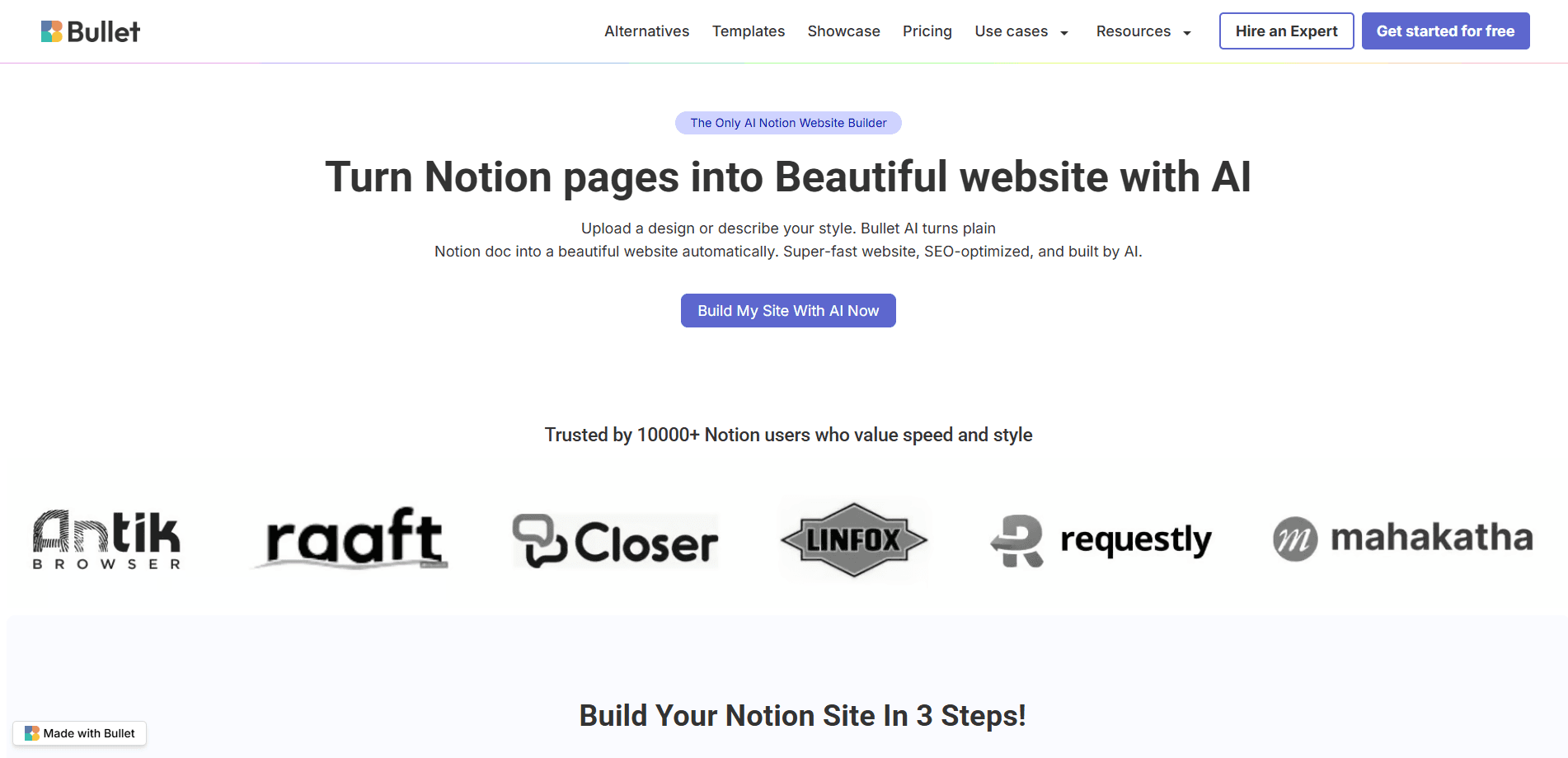
About Bullet.so - Build websites from Notion
What Is Bullet.so - Build websites from Notion
Bullet.so is a no-code website builder built specifically for people who already write and organize everything inside Notion. Instead of exporting pages or rebuilding them in a separate editor, you keep working in Notion and let Bullet.so handle the rest: layout, fonts, colors, spacing, hosting, and search engine basics. The pitch is simple. Notion is great for content, but it was never designed to present that content as a real website.
The main problem it solves is the gap between "I have organized content" and "I have a website people can find." Plain Notion pages tend to look like docs, load slowly, and show up poorly in search results. Bullet.so adds a design layer powered by AI plus an SEO layer that writes metadata and builds social sharing cards automatically.
The limits are worth knowing up front. Bullet.so depends entirely on Notion, so if your content isn't there yet, you have to move it there first. It's also a subscription product with no free tier, and its advanced options like membership and multilingual sites sit on the higher plan. I'd check the current plan details on the official site before committing, since pricing and feature bundles shift.
Getting Started
- Create a free Bullet.so account from the official dashboard and connect the Notion workspace that holds your pages.
- Copy the link to the Notion page you want to publish and paste it into the Bullet.so dashboard.
- Pick a template, or describe your preferred style in plain words and let the AI builder generate the layout, type, and color scheme.
- Tweak any individual block with a short instruction, then hit publish to make the site live.
- Connect a custom domain and share the site to start drawing traffic.
Product Information
A quick look at Bullet.so - Build websites from Notion's pricing, supported platforms, and performance.
Best for
The users, tasks, and scenarios where this tool fits best.
Users
- Notion power users
- Creators and coaches
- Small teams and startups
Tasks
- Turning a Notion doc into a public blog
- Building a landing page for a product
- Running a gated knowledge base
- Launching a multilingual site
Scenarios
- A freelancer who wants a portfolio live before a client call
- A solo founder validating an idea
- A community manager migrating off a slow site
Key features
AI Styling From a Text Prompt
This is the feature Bullet.so leans on hardest. You describe what you want, like "make it more modern" or "switch to dark mode," and the AI rebuilds the layout, fonts, and colors to match. The company runs a comparison table claiming no other Notion builder offers AI styling. In practice, it means you skip menu diving and skip touching code for basic design changes.
Block-Level Design Editing
Every block on your page can be adjusted on its own. Change one section without disturbing the rest of the layout. The builder keeps a manual publishing model too, so you decide when changes go live rather than having them pushed automatically. That control matters if you're editing a live page and don't want half-finished work visible.
Built-In Membership and Content Gating
Bullet.so turns a Notion page into something closer to a small business. You can add members, gate content behind access rules, and run lead-generation funnels with email capture and password protection. It targets creators, coaches, and community operators. The team said pricing from $499 for expert-built sites that use these tools at a larger scale.
SEO That Works Out of the Box
The company's own framing is blunt: most Notion sites get ignored by Google. Bullet.so counters that with fast load times, structured metadata, and automatic social sharing cards. You don't configure any of it. A SEO-friendly Notion site should look right to both readers and search engines the moment it's published. No plugins. No hand-written meta tags.
Your Content Stays in Notion
Nothing gets locked into a separate editor. Writing and organizing still happen in Notion, and Bullet.so handles publishing, hosting, speed, and security on top. For people already living in Notion, this removes the usual copy-paste step between a content tool and a website tool.
Pros and cons
Pros
- Confirmed AI styling lets you change the whole look with a plain-language prompt, which removes most manual design work.
- Content stays in Notion, so updates happen in one place and there's no second CMS to maintain.
- SEO metadata and social cards are generated automatically, which addresses the biggest weakness of raw Notion pages.
- Membership, gating, and email capture are available on the $19/mo plan, covering monetization needs in one tool.
- The three-step publish flow makes a live site achievable in minutes for non-technical users.
Cons
- There's no free plan, so the product starts at $9/mo with no way to test the workflow before paying.
- It's fully tied to Notion, which means any team that hasn't already built its content inside Notion has to migrate everything over before the builder becomes useful at all.
- Multilingual sites, membership, and other advanced features sit on the higher plan, pushing real-world cost toward $19/mo.
Frequently asked questions
Bullet.so turns a Notion page into a published website. You paste a Notion link, choose or generate a design, and it handles hosting, speed, and SEO. The content keeps living in Notion.
Related content
Explore related tools, skills, and articles for Bullet.so - Build websites from Notion.
Bullet.so - Build websites from Notion Alternatives
Forefront
Forefront · CodingForefront is a web platform for building with open-source AI. It lets you fine-tune leading open-source language models on your own data, evaluate how they perform, and run them through an API or export them to host yourself. Developers who want the convenience of a closed-source platform but insist on owning their models and data are the target audience here.

Startkit
StartKit.AI · CodingStartkit is a boilerplate for building AI SaaS and AI wrapper products. Think of it as an AI startup boilerplate with the boring parts already wired up: authentication, Stripe and Lemon Squeezy payments, usage limits, transactional email, and an AI API starter that talks to OpenAI, Anthropic, Groq, or Llama. You clone the repo, set your price, and start on the part of your product that people actually pay for. It's Next.js under React and Tailwind, so most of the boilerplate code already feels familiar.
Testim
Tricentis · CodingTestim is an AI-powered test automation platform for building and running end-to-end tests across web, mobile, and Salesforce applications. It leans on machine learning to keep tests stable when an interface changes, so teams spend less time fixing broken selectors. Not bad for an automated testing tool you can start using today. You create tests by recording actions in a browser, then optionally add JavaScript when you need more control. It's a solid pick for busy QA teams.