

BypassGPT
BypassGPT.co · Writing · AI Detection
BypassGPT is an AI humanizer that rewrites machine text into natural prose and aims to clear GPTZero and ZeroGPT. A free web tool handles short tests; paid plans raise the limits.
About BypassGPT
What Is BypassGPT
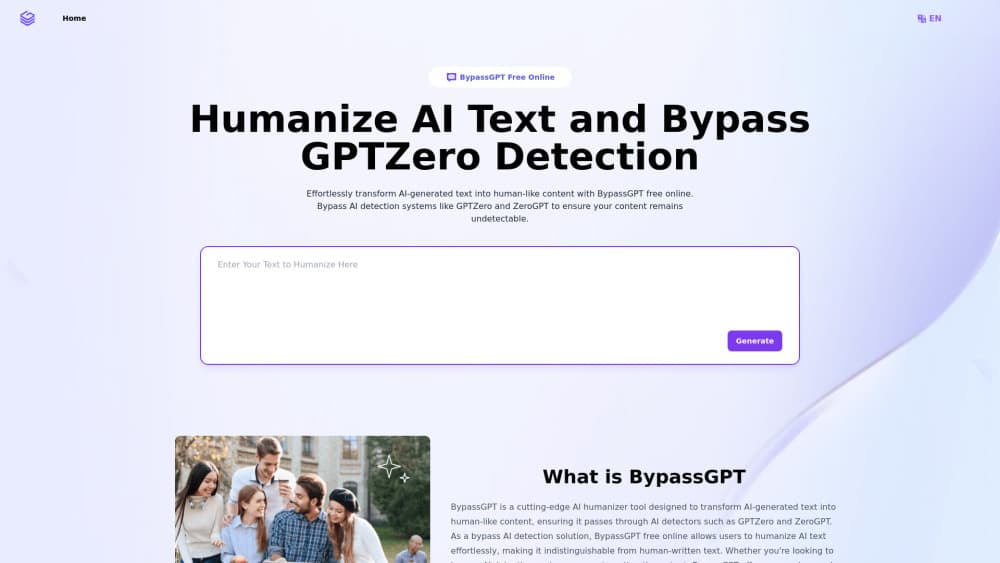
BypassGPT.co runs in a browser tab and does one job: take text that a language model wrote and rebuild it so the sentences read like a person typed them. The pitch is narrow and easy to test. Paste a paragraph, press generate, then compare the detector score before and after. If the score drops, the tool did what you paid it to do. The site markets the product as a way to humanize AI text and bypass AI detection, and the score is there so you can check that claim yourself.
The people who reach for an AI humanizer usually fall into three camps. Students want a second pair of eyes before an essay goes in. Marketers get a rough AI draft from a client and need it to sound less like a press release. Writers working in a second language want help smoothing grammar without losing their own point. BypassGPT serves all three with the same paste and click flow, which keeps the learning curve near zero.
There are real limits. Detectors update constantly, so a pass today says nothing about next month. The free page caps input at 200 characters, which is about a paragraph. There's no documented public API, no desktop app and no mobile app, so bulk work lives inside the browser. Nothing on the site promises a specific detection rate, and you should treat any humanizer as a helpful editor rather than a guarantee.
Getting Started
- Open bypassgpt.co in any modern browser. No account is needed for a first test.
- Paste or type your AI-generated text into the input box. The counter stops you at 200 characters on the free page.
- Pick a tone from the Customize panel. Standard keeps the original register, Professional and Casual push the wording in either direction.
- Hit the generate button and wait for the rewrite. Read the output side by side with your original before you copy it, because meaning shifts do happen on long passages.
- Create an account when you need more room. Basic starts at 80 requests and 48,000 characters per month.
Product Information
A quick look at BypassGPT's pricing, supported platforms, and performance.
Best for
The users, tasks, and scenarios where this tool fits best.
Users
- Students and applicants
- Content marketers
- Writers working in a second language
Tasks
- Rewriting ChatGPT paragraphs into plainer, shorter sentences for a blog intro.
- Cleaning up an AI-assisted product description so it stops reading like a spec sheet.
- Testing whether a draft trips GPTZero, then humanizing the lines that push the score up.
Scenarios
- A quick check the night before a deadline, when there's no time to rewrite by hand.
- Monthly bulk rewriting on the Ultra plan, where characters and requests are unlimited.
- One-off edits on a borrowed laptop, since the whole tool runs in the browser with no install.
Key features
One-Click Humanizer
Paste text, click generate, copy the result. That's the whole loop, and BypassGPT doesn't bury it under settings panels. The tool rewrites sentence structure rather than swapping synonyms, which is why the output usually keeps your meaning while changing the rhythm. For a single paragraph it takes a few seconds. Longer inputs take proportionally more time and need more careful reading afterward.
Built-In Detector Score
The interface pairs the humanizer with a detection readout, so you can judge whether a rewrite helped instead of guessing. Scores move between runs on identical text, and different detectors disagree with each other. The goal here is undetectable AI text in the narrow sense, meaning a lower machine score, not prose that no editor will ever question. Use the number as a rough signal and not as a certificate. A low score still doesn't tell you whether a teacher or editor will accept the writing.
Tone Selection
Every paid plan unlocks the Customize panel, where you choose how the rewrite should sound. Standard preserves your original voice, Professional tightens the phrasing for work documents, and Casual loosens it for social posts. Tone changes the vocabulary and sentence length rather than just swapping a few words, so the same paragraph can come out formal or chatty depending on the pick.
Character and Request Limits That Scale
BypassGPT sells volume, not features. Basic gives you 48,000 characters a month across 80 requests, with 600 characters per request. Pro moves to 300,000 characters, 200 requests and 1,500 characters per request. Ultra drops the monthly cap and the request cap entirely and allows 3,000 characters per request. All three tiers include tone selection, ad-free output and support.
Multi-Language Input
The humanizer accepts text in languages other than English, which matters if you localize content for several markets. Quality drops as you move away from English, and the tone controls are tuned around English phrasing. Test a sample in your target language before you commit to a monthly plan. Machine translated output often needs a native pass anyway.
Browser-Only Access With No Install
There's no download and no extension to manage. The site works on phones, tablets and desktops, so a last-minute fix on a borrowed machine is possible. The tradeoff is that you need a live connection and you're working inside a text box instead of your usual editor. Long documents are easier to handle in shorter sections.
Pros and cons
Pros
- Free entry point with a working humanizer and detector score, no card needed.
- Clear pricing across three plans, with character and request limits stated up front.
- Tone controls that change sentence structure, not just word choice.
- Runs in any browser, so there's nothing to install on a work laptop.
Cons
- The 200-character free cap covers roughly one paragraph, which is thin for real testing.
- No public API means no way to plug the humanizer into a publishing pipeline.
- Detector scores shift between runs, so results are hard to compare across sessions.
Frequently asked questions
It rewrites AI-generated text so it reads more like human writing and scores lower on detectors such as GPTZero and ZeroGPT. You paste text, pick a tone, and copy the output.
Related content
Explore related tools, skills, and articles for BypassGPT.
BypassGPT Alternatives

Google EmbeddingGemma 2
Google DeepMind · Writing · Image · CodingGoogle EmbeddingGemma 2 is a 740M-parameter open model that turns text, code, images, audio, and video frames into vectors in one 768-dimension space, running on phones and laptops.

MePersona
MePersona, Inc. · Writing · Productivity · MarketingMePersona is an AI unified inbox for creators. It learns your voice, drafts replies to fan messages from 12 platforms, and sends only what you approve.

Fluence
Yay Software (Yannick Huchard) · Writing · Voice & Language · ProductivityFluence is an Android app that reads PDFs, EPUBs, Word files and web articles aloud, follows each sentence as it speaks, and answers questions about the text on the phone itself.