
Cadabra
Cadabra · Writing · AI Detection
Cadabra is an AI email assistant that ran inside Gmail to draft replies, summarize long threads, and rewrite messages in your own tone. The Chrome extension is no longer distributed.
About Cadabra
What Is Cadabra
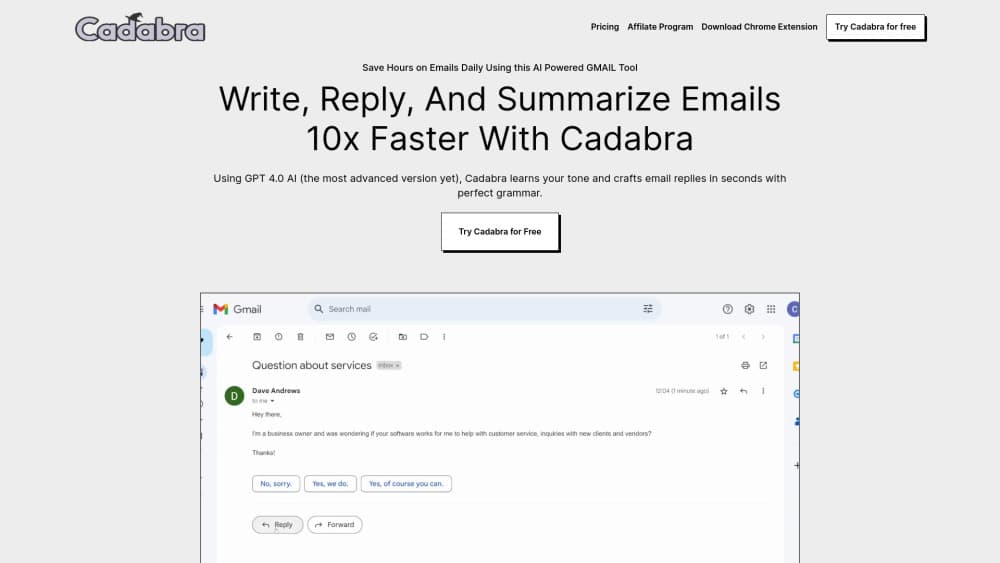
Cadabra was a browser-based email writing assistant that put a panel next to your Gmail inbox. Open a message, and it could produce a full reply from the thread context, boil a twelve-message chain down to four lines, or rewrite a draft you'd already typed. The company built it on GPT-4, which was the strongest publicly available model when the tool launched.
The problem it aimed at is reply debt. Most work emails need a short, polite, on-tone answer, and writing those answers eats the first hour of the day. Cadabra tried to remove that hour by learning how you phrase things, then handing you a draft you could send with small edits. That pitch is now standard across the category, and Cadabra was one of the early entrants.
Two limits matter for anyone reading this now. It worked only in Gmail on desktop Chrome, so Outlook users and phone users were out of luck from day one. And the product is gone: the Chrome Web Store listing returns "This item is not available," and trycadabra.io now publishes engineering essays instead of an email tool. Treat everything below as a record of what the product did, not as a live buying guide.
Getting Started
The flow below reflects how the extension worked while it was live. You can't run it today, but it shows what onboarding an AI email assistant asks of you.
- Install the Cadabra extension from the Chrome Web Store and pin it to your toolbar.
- Sign in with the Google account whose inbox you want to use.
- Grant the permissions the extension asks for, which included reading messages and creating drafts.
- Open any email in Gmail and pick an action: reply, summarize, or rewrite.
- Edit the generated text in the side panel, then insert it into the compose window and send.
Product Information
A quick look at Cadabra's pricing, supported platforms, and performance.
Best for
The users, tasks, and scenarios where this tool fits best.
Users
- Sales and support staff who answer the same five questions all day
- Founders and freelancers juggling client threads
- People writing in a second language
Tasks
- Clearing a reply backlog
- Summarizing long chains
- Rewriting a blunt draft
- Quick polish before sending
Scenarios
- Morning inbox triage
- Handing over an account
- Replying outside your first language
Key features
Reply Drafts From Thread Context
Cadabra read the conversation above your cursor and wrote a reply that answered the last message rather than the first one. You got a full draft with a greeting, a body, and a sign-off, which you could shorten or send as is. The value was in skipping the blank page, not in skipping the edit.
Thread Summaries
As an email summarizer, it collapsed long chains into a short block covering what was decided, who owed what, and what was still open. This was the feature people mentioned most in reviews, because catching up on a 30-message thread is the slowest part of returning from a day off.
Tone Matching
The assistant learned from your sent mail and produced drafts in your phrasing instead of generic corporate English. You could also nudge the output toward formal or casual before inserting it. Results depended on how much history you had, so new accounts got flatter drafts.
Rewrite and Shorten Controls
Select any paragraph you'd written and ask for a shorter, clearer, or friendlier version. It worked on your own text as well as on generated drafts, which made it useful for trimming a reply you'd already overthought.
Grammar and Clarity Cleanup
A pass over spelling, agreement, and awkward phrasing before the message left your outbox. For non-native speakers this was the difference between a draft that needed a colleague's review and one you could send alone.
Chrome Extension Delivery
Everything ran as a Gmail AI extension in the browser, with no separate app to install and no new inbox to check. The tradeoff was coverage: no Outlook, no desktop client, no mobile version, so the assistant disappeared the moment you left your laptop.
Pros and cons
Pros
- Drafts arrived with real thread context, so routine replies needed only small edits.
- Thread summaries were fast and readable, which saved time on long client chains.
- Tone matching produced text that sounded like the account owner, not like a chatbot.
- It lived inside Gmail, so there was no new tool to learn or tab to keep open.
- The free tier let people test the reply generator before paying.
Cons
- The product is discontinued. The Chrome Web Store listing is unavailable and the original site no longer sells the tool, so there's nothing to install.
- Gmail on desktop Chrome only. Outlook, Apple Mail, and phone users never had access.
- It needed permission to read your mail and create drafts, which is a lot of trust for a small extension with no published security documentation.
- No public API and no published price list, so teams couldn't budget for it or build on top of it.
Frequently asked questions
It wrote email. You opened a message in Gmail, and the extension generated a reply, summarized the thread, or rewrote text you'd selected, all inside a side panel. The model behind it was GPT-4.
Related content
Explore related tools, skills, and articles for Cadabra.
Cadabra Alternatives

Google EmbeddingGemma 2
Google DeepMind · Writing · Image · CodingGoogle EmbeddingGemma 2 is a 740M-parameter open model that turns text, code, images, audio, and video frames into vectors in one 768-dimension space, running on phones and laptops.

MePersona
MePersona, Inc. · Writing · Productivity · MarketingMePersona is an AI unified inbox for creators. It learns your voice, drafts replies to fan messages from 12 platforms, and sends only what you approve.

Fluence
Yay Software (Yannick Huchard) · Writing · Voice & Language · ProductivityFluence is an Android app that reads PDFs, EPUBs, Word files and web articles aloud, follows each sentence as it speaks, and answers questions about the text on the phone itself.