

CampEd Hire
CampEd Solutions Private Limited · Coding · Productivity · Business
CampEd Hire is a Chrome extension that pulls applicant names, emails, phones, profiles, and resumes off LinkedIn job posts, then exports them to CSV or pushes them to Flinkk Hire.
About CampEd Hire
What Is CampEd Hire
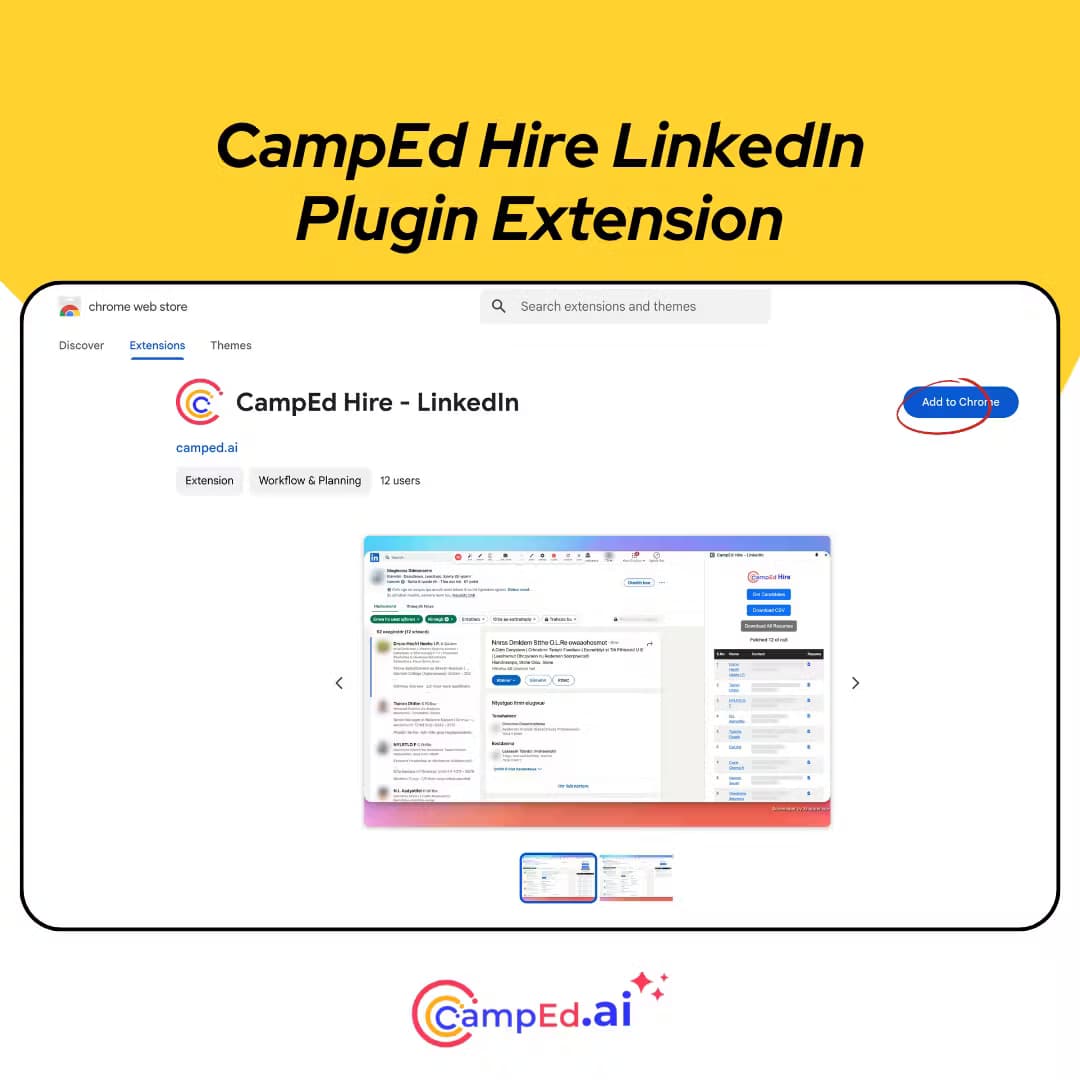
CampEd Hire is a Chrome extension for recruiters. It sits on top of a LinkedIn job post and collects the applicant details LinkedIn already shows you, then hands them back as a CSV file or sends them into Flinkk Hire, the hiring platform from the same developer. The company now markets the extension under the name Flinkk Hire (Previously CampEd Hire), so both names point to the same tool.
The case for it is simple. If you post jobs on LinkedIn and review applicants by hand, copying names, emails, phone numbers, and profile links one by one eats hours you could spend actually talking to people. As a LinkedIn candidate scraper and recruitment Chrome extension, it turns that pile of tabs into one spreadsheet.
Two limits are worth knowing before you install. It reads the applicant data that appears on a LinkedIn job post you can already access, so it needs you to be on that page and signed in, and it doesn't reach candidates who applied somewhere else. It also only works in Chrome, and the deeper automation, like AI phone screening, lives in the paid Flinkk Hire platform rather than the free extension.
Getting Started
- Install the extension from the Chrome Web Store and pin it to your toolbar.
- Open a LinkedIn job post you manage and sign in to your account.
- Click the Get Candidates button and let it collect the applicant list.
- Export the results to CSV, download the resumes in one ZIP file, or push everything to Flinkk Hire with a single click.
Product Information
A quick look at CampEd Hire's pricing, supported platforms, and performance.
Best for
The users, tasks, and scenarios where this tool fits best.
Users
- Recruiters and HR staff
- Hiring managers reviewing their own posts
- Talent acquisition teams already on Flinkk Hire
Tasks
- LinkedIn applicant data collection
- Export LinkedIn applicants to CSV
- Batch resume download
Scenarios
- A recruiter closing a high-volume role
- An agency that moves candidates between tools
- A hiring team on Flinkk Hire
Key features
Automated applicant data collection
This is the reason the extension exists. Open a LinkedIn job post, click Get Candidates, and it captures names, emails, phone numbers, LinkedIn profile links, answers to custom screening questions, and resumes. The work that used to be a copy-and-paste session becomes a single action.
CSV export
Every field the extension collects drops into a CSV file you can open in any spreadsheet tool. That matters when you want to sort by experience, deduplicate, or feed the list into an applicant tracking system that accepts CSV uploads. It's the plainest way to get LinkedIn applicant data into a system that LinkedIn won't hand it to directly.
Batch resume download
Instead of opening each profile and saving a PDF by hand, the extension gathers every candidate resume into one ZIP file, with each file named after the person it belongs to. For a post with hundreds of applicants, that's the difference between a coffee break and an afternoon of clicking.
Runs inside your browser
The extension works entirely in Chrome and reads what's already on the page you're viewing. Candidate information stays in your browser until you export it, which keeps the handling local rather than routing details through a third-party server. It also means there's nothing to install on a work machine beyond the extension itself.
One-click handoff to Flinkk Hire
The same developer runs Flinkk Hire, a hiring platform, and the extension can push candidate details and resumes into it with one click. That connects the free collection step to the paid screening step, so you gather applicants and start evaluating them without moving data between tabs by hand.
Feeds a wider recruiting workflow
Flinkk Hire adds AI phone screening, video interviews, coding assessments, and WhatsApp messaging on top of the extension's data collection. If you only need the applicant list, the extension stands alone. If you want the interviews run for you, the collected candidates are already in the right place.
Pros and cons
Pros
- Pulls a full applicant list off a LinkedIn post in a few clicks, which cuts the manual copying that high-volume roles pile up.
- Exports straight to CSV, so the data drops into spreadsheets or an ATS without retyping.
- Batch resume download saves every CV as one ZIP, named per candidate.
- The extension itself is free to install, with no account needed to collect and export.
- One-click push into Flinkk Hire links the collection step to AI screening.
Cons
- It only reads applicants who applied through the LinkedIn post you can already access, so it won't reach candidates from other channels.
- It's a Chrome only tool, with no Firefox or Safari version for teams that use another browser.
- It needs you signed in to LinkedIn and on the specific job post, so it can't run in the background.
- The screening features people often want, like AI interviews, sit behind a paid Flinkk Hire plan rather than in the extension.
- Flinkk Hire's pricing runs on credits and per-interview rates, so the total cost takes some working out before you commit.
Frequently asked questions
CampEd Hire is a Chrome extension that collects applicant data from LinkedIn job posts. It captures names, emails, phone numbers, profiles, custom question answers, and resumes, then exports them to CSV, downloads the resumes in a ZIP file, or pushes them to the Flinkk Hire platform.
Related content
Explore related tools, skills, and articles for CampEd Hire.
CampEd Hire Alternatives

Base Code
Base44 (Wix) · Coding · ProductivityBase Code is a shared cloud development environment from Base44. Teammates describe changes to an existing GitHub codebase in chat, preview them live and send them back as pull requests.

Google EmbeddingGemma 2
Google DeepMind · Writing · Image · CodingGoogle EmbeddingGemma 2 is a 740M-parameter open model that turns text, code, images, audio, and video frames into vectors in one 768-dimension space, running on phones and laptops.

GitGlow
GitGlow · Coding · ProductivityGitGlow is a local-first desktop Git client that lets independent developers review their own code and their AI agents' changes in one place before shipping.