

Campfire
Boring Infra Co. · Coding · Productivity
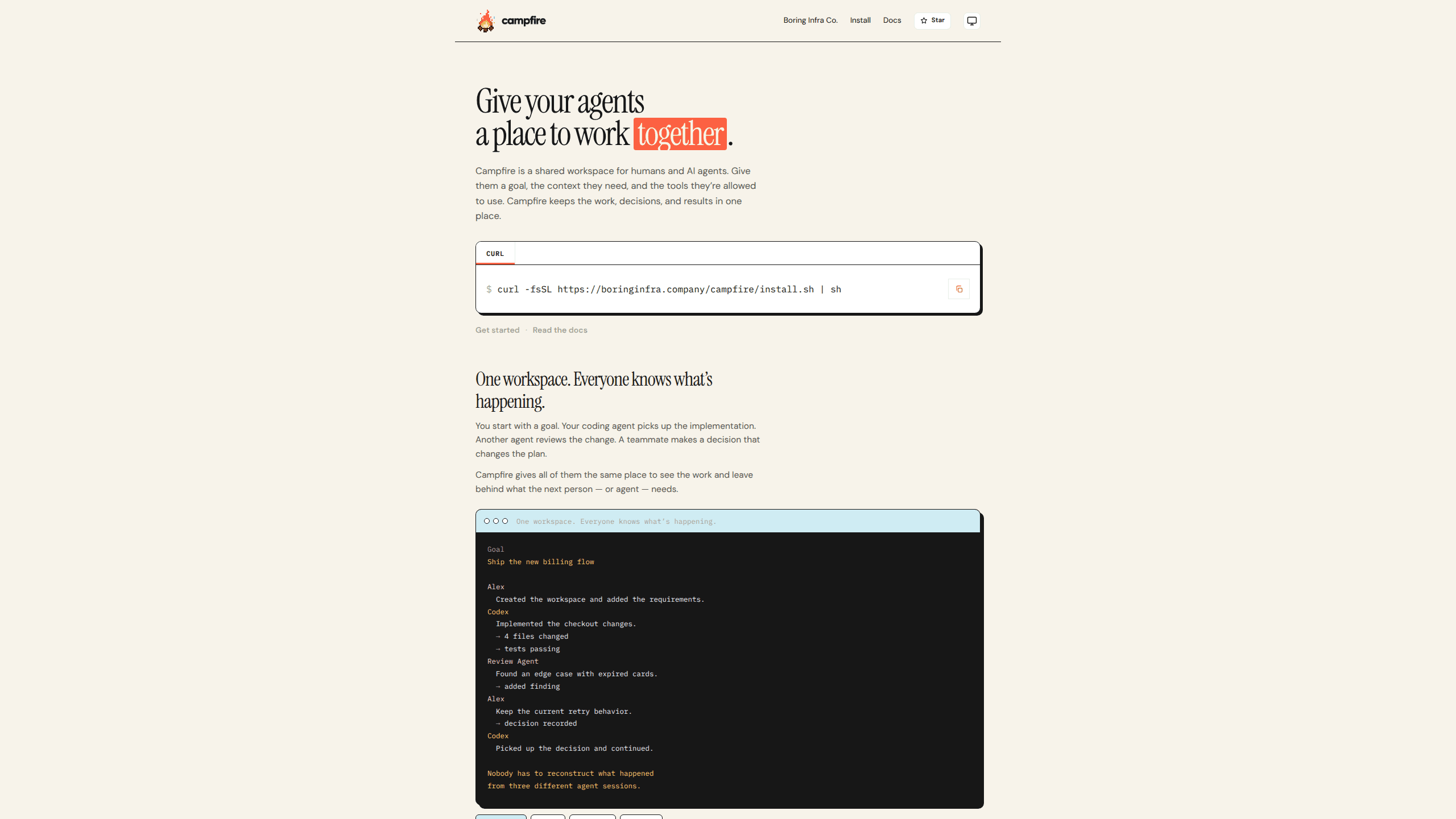
Campfire is an open source, local-first workspace where people and coding agents share one goal, the decisions made along the way, and the record of what changed.
About Campfire
What Is Campfire
Campfire is a shared workspace for coding agents and the people who work with them. It gives a team one place to put the goal, the files an agent touched, the findings it reported, and the decision a teammate made after reading them. Boring Infra Co. builds it, and the source is public on GitHub.
The problem it targets is narrow and familiar. One agent knows what it changed. A second knows what it found. A person answered a question in another terminal window two hours ago. When the session closes, that context goes with it, and the next agent starts from an empty prompt. Campfire keeps the work state on your machine so the next session, or the next teammate, picks up where the last one stopped. Keeping a human in the loop is a design choice, not a fallback: an agent can work, but a teammate still answers when the plan needs to change.
It does not orchestrate agents, and it does not replace Codex, Claude Code, OpenCode, or a custom harness. There is no graph to design and no runtime to adopt. The tool sits between the agents you already run and stores what they share: goals, sessions, decisions, artifacts, and provenance. Treat it as a base layer for AI agent collaboration rather than a controller that issues orders. The project is in active preview, so rough edges are part of the deal, and features ship on a fast release cadence.
Getting Started
- Check that Node.js 22 or newer is installed, then run the curl installer,
brew install boringinfraco/campfire/campfire, ornix profile install github:BoringInfraCo/Campfire. - Run
campfireonce. It records your name from git config or your login and creates a local profile under~/.config/campfire. - Run
campfire upto start the local API and the read-only viewer, and to connect any installed Codex or OpenCode harness. The viewer opens athttp://localhost:9415. - Open your agent and describe what you're working on. The agent creates the workspace and the goal with you, then registers the session.
- Keep working as usual. When a decision is needed, answer in the workspace so the next agent can read it, and check
campfire statusto see what's left.
Product Information
A quick look at Campfire's pricing, supported platforms, and performance.
Best for
The users, tasks, and scenarios where this tool fits best.
Users
- Developers running several coding agents on one codebase
- Tech leads who answer questions between agent runs
- Small product teams without a platform engineer
- Solo builders juggling client projects
Tasks
- Handing a half-finished refactor to another agent
- Reviewing what an agent changed overnight
- Answering a blocking question mid-run
- Limiting what an autonomous agent can touch
Scenarios
- Two agents working the same bug from different angles
- A contractor joining a project for a week
- A long migration that spans several days
Key features
A shared workspace instead of separate transcripts
The workspace is the unit of work. It holds the goal, the sessions attached to it, the decisions recorded by people, and the artifacts the agents produced. That makes a multi-agent workspace out of tools that otherwise share nothing but a repo. Everyone with access sees the same state, and nobody has to reconstruct the story from three terminal logs. A local viewer renders the current workspace at localhost:9415 and stays read-only, so opening it can't change the work.
Goals that outlive the agent session
A session ends when the agent stops. The goal doesn't. Campfire stores the goal title and the surrounding context, then gives the next agent a prompt that starts with what's already known. This is the difference between a fresh agent asking the same three questions and one that opens the file, reads the decision, and continues. A clean agent handoff depends on that written state, not on a longer prompt. Past private sessions are not imported, so you decide what enters the record.
Capability limits per workspace
A workspace config lists what an agent may do, using allow and deny entries such as repo:read, repo:write, tests:run, and deploy:prod. The agent gets the permissions it needs for this piece of work and nothing wider. For teams experimenting with autonomous runs, that boundary matters more than the model choice, because it limits the damage a bad tool call can do.
Decisions stored as part of the work
When an agent hits a fork, a person answers. Campfire records that answer as a decision attached to the goal, marked as proposed, accepted, needs review, or historical. The next agent reads it as context, not as a chat message it has to interpret. Teams that already lose decisions in Slack threads get a written trail that survives the thread.
History and provenance you can audit
Every action carries an actor and a timestamp, so the workspace answers who did something and what it changed. The record separates human actions from agent actions, which helps during a review or an incident. Campfire describes this as provenance: the goal, the alternatives, the failures, the evidence, and the artifacts stay linked to the work they belong to.
Bring your own agent and harness
Campfire connects to Codex, Claude Code, and OpenCode, and it exposes its own MCP server through campfire mcp. The MCP tools include read-only discovery for capabilities and read recipes, so an agent can look up what the workspace supports without changing state. A CLI with JSON output handles setup and scripting, including campfire onboard for a non-interactive first run that prints credentials once.
Pros and cons
Pros
- Free and open source, with the code on GitHub, so you can read what runs on your machine before installing it.
- Keeps Codex, Claude Code, and OpenCode in place. There's no new agent runtime to learn or migrate to.
- Work state survives the session, which cuts the re-explaining that eats the first ten minutes of every agent run.
- Capability allow and deny lists give a concrete boundary for autonomous work, written in a plain TOML file.
- Ships a CLI, a local API, and an MCP server, so the workspace fits both manual and scripted workflows.
Cons
- Active preview status means breaking changes and rough edges. The project says so on its own site.
- Requires Node.js 22 or newer and comfort with a terminal. There's no hosted dashboard for non-technical teammates.
- Cloud sharing is a controlled alpha. A teammate accepts an invitation in the installed CLI, and there is no browser signup or click-to-accept link.
- It stores shared state but doesn't coordinate agents. Teams expecting automatic task routing between agents need a different tool.
Frequently asked questions
Campfire keeps the shared state of agent work in one place: the goal, the sessions, the decisions, the artifacts, and the history. You use it when more than one agent or person works on the same problem and the context keeps getting lost between sessions.
Related content
Explore related tools, skills, and articles for Campfire.
Campfire Alternatives

Base Code
Base44 (Wix) · Coding · ProductivityBase Code is a shared cloud development environment from Base44. Teammates describe changes to an existing GitHub codebase in chat, preview them live and send them back as pull requests.

Google EmbeddingGemma 2
Google DeepMind · Writing · Image · CodingGoogle EmbeddingGemma 2 is a 740M-parameter open model that turns text, code, images, audio, and video frames into vectors in one 768-dimension space, running on phones and laptops.

GitGlow
GitGlow · Coding · ProductivityGitGlow is a local-first desktop Git client that lets independent developers review their own code and their AI agents' changes in one place before shipping.