

Campion AI Feedback
AlongX Software · Writing · Marketing
Campion is a web based AI survey platform from AlongX Software that writes questions for you, gathers answers through several channels, and turns responses into reports with suggested next steps.
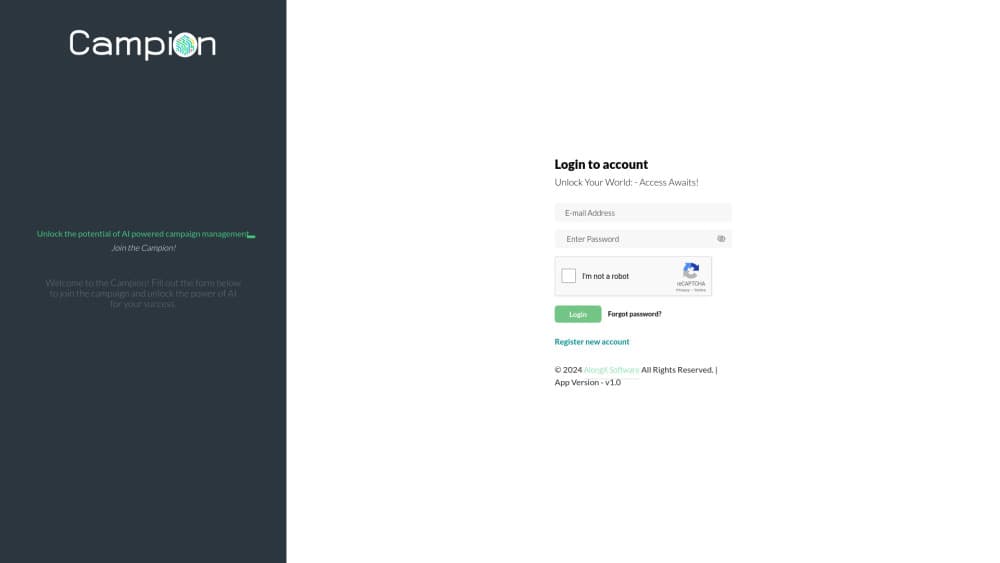
About Campion AI Feedback
What Is Campion
Campion is a customer survey software product built by AlongX Software, a SaaS vendor that also sells a school ERP and a news app. The pitch is simple: most teams can collect answers, but they stall when it's time to read them. Campion handles both halves in one place, working as an AI feedback tool that drafts the questionnaire and explains what the responses mean.
The tool is aimed at small and mid sized teams rather than research departments. You import an audience list, send a form over email, link or messaging channel, watch replies land in real time, and get a report that names the likely cause behind a complaint instead of handing you a chart and walking away.
The main limit is scope. Campion is a feedback loop, not a research suite: no panel of paid respondents, no advanced quota sampling, and no published API for piping results into a warehouse. Pricing is listed in Indian rupees, which signals the home market, and the trial runs 15 days on a single Startup plan that already includes unlimited campaigns.
Getting Started
- Sign up at campionapp.com with your work email and start the 15 day free trial. No card is needed at this stage.
- Add an audience list, either by bulk importing a spreadsheet of contacts or by typing segments that match the groups you plan to survey.
- Let the AI generated questions get you started, then edit the wording, answer types and order until the form sounds like your brand.
- Pick the channels you want to share on, launch the campaign, and read submissions as they arrive or wait for the AI survey reports to build up.
Product Information
A quick look at Campion AI Feedback's pricing, supported platforms, and performance.
Best for
The users, tasks, and scenarios where this tool fits best.
Users
- Small business owners
- Marketing teams
- HR and internal comms
- Agencies and consultants
Tasks
- Drafting a questionnaire from scratch
- Finding out why customers churn
- Reporting results to people who weren't in the room
- Running the same survey on a schedule
Scenarios
- A shop that wants feedback after every order
- An event team collecting reactions on the day
- A small company checking how a policy change landed
Key features
AI Generated Questions
Describe what you want to learn and Campion drafts the questions for you, along with sensible answer types. You keep editing control, so the output is a starting draft, not a locked template. For a team that runs surveys a few times a year, this is the feature that saves the most time.
Actionable AI Reports
Every campaign ends with a written read of the responses: sentiment, recurring complaints and the root cause the AI thinks sits behind them, plus the metrics that moved. The report suggests what to do next, which is the part most survey tools leave to you.
Precision Targeting and Audience Groups
You can sort your audience into groups and send a form to just one of them, then compare that group against everyone else. That's the difference between a survey that answers a question and one that just produces a number.
Multi Channel Form Sharing
Forms go out by link, email or embedded on a page, so you can meet customers where they already are instead of forcing them onto a new tool. Answers from every channel land in the same dashboard.
Live Feedback Streaming
Submissions show up on the dashboard as they happen. Early answers are usually enough to tell you whether the wording works, which saves you from discovering a confusing question after the campaign closes.
Individual and Cohort Tracking
Campion keeps respondent level records alongside collective trends, so you can follow one person's answers across campaigns or look at how a whole segment shifted. Useful for account teams and for anyone running a longitudinal pulse.
Bulk Import and Activity Log
Audience lists arrive through a spreadsheet import rather than one contact at a time, and an activity log records who did what inside the account. Both matter once more than two people share the workspace.
Pros and cons
Pros
- One subscription covers unlimited campaigns, users and data, so the bill doesn't move as your survey volume grows.
- AI writes the questions and reads the answers, which shortens the loop from idea to decision for teams without research staff.
- Live streaming and respondent level tracking cover both the quick check and the follow up question.
- The 15 day trial needs no credit card, so you can test it against a real audience before paying.
Cons
- Pricing is quoted in rupees on a single Startup plan, so teams outside India have to ask for a converted quote and there's no cheaper entry tier to start on.
- There's no permanent free plan. Once the trial ends you either pay or lose access to your campaigns, which is awkward for a one off survey.
- No public API or integrations are documented, so results have to be exported by hand if your reporting lives in a BI tool.
- It's a web app only. There's no mobile app for checking responses on the go, so field teams are stuck with a browser.
Frequently asked questions
Campion collects customer and employee feedback and then explains it. You build a survey, share it, and get a report that covers sentiment, recurring themes and suggested next steps.
Related content
Explore related tools, skills, and articles for Campion AI Feedback.
Campion AI Feedback Alternatives

Google EmbeddingGemma 2
Google DeepMind · Writing · Image · CodingGoogle EmbeddingGemma 2 is a 740M-parameter open model that turns text, code, images, audio, and video frames into vectors in one 768-dimension space, running on phones and laptops.

MePersona
MePersona, Inc. · Writing · Productivity · MarketingMePersona is an AI unified inbox for creators. It learns your voice, drafts replies to fan messages from 12 platforms, and sends only what you approve.

Fluence
Yay Software (Yannick Huchard) · Writing · Voice & Language · ProductivityFluence is an Android app that reads PDFs, EPUBs, Word files and web articles aloud, follows each sentence as it speaks, and answers questions about the text on the phone itself.