

Caplo
Shanghai Spark Light Technology Co., Ltd. · Writing
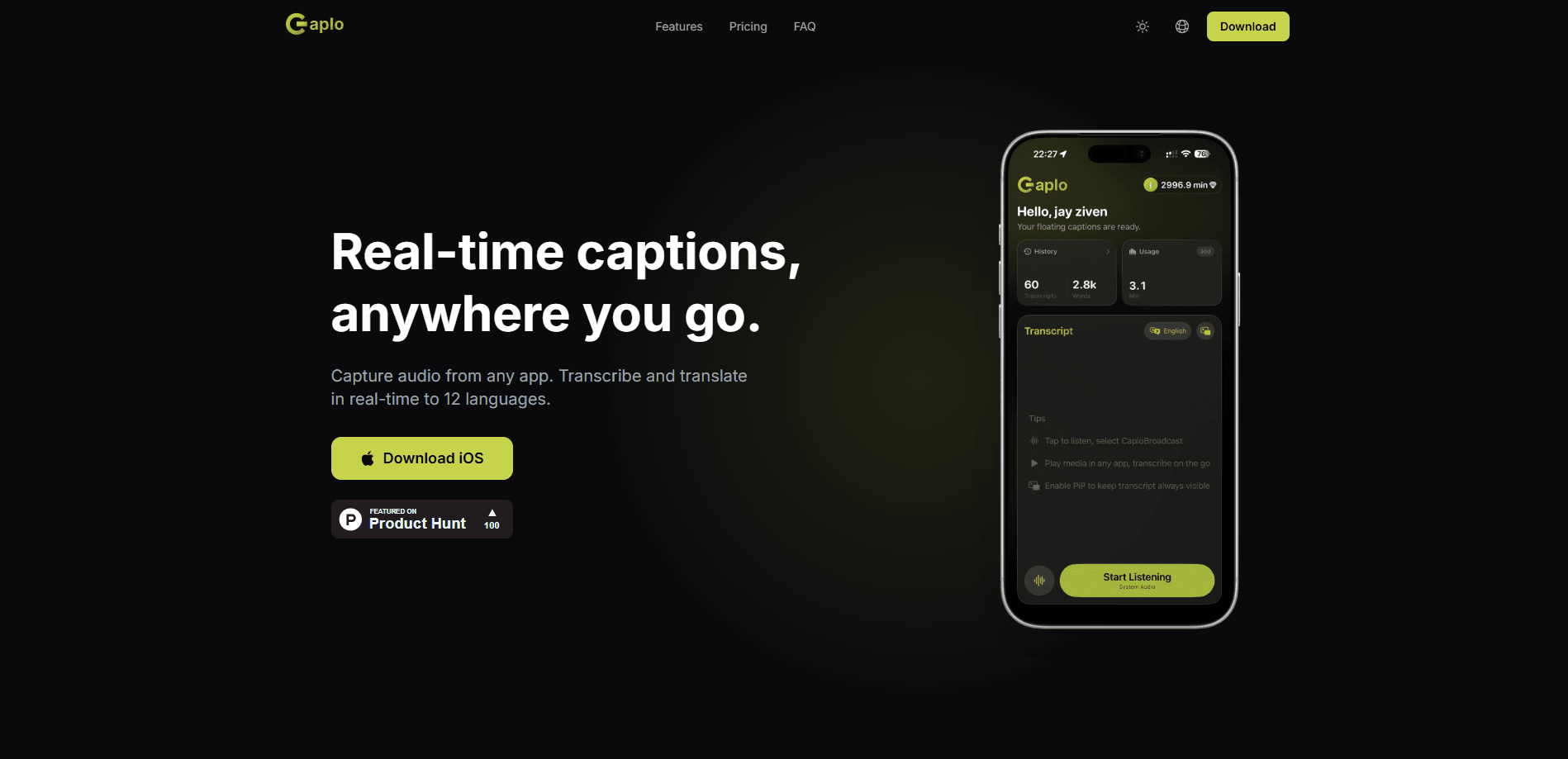
Caplo is an iOS caption translator that listens to audio from other iPhone and iPad apps and shows real-time translated captions in a floating Picture-in-Picture window. It works as a live caption app for iPad and a real-time caption app for iPhone owners who follow foreign live streams, anime, sports commentary, podcasts, online courses, and news feeds with missing or delayed subtitles. You start it through the iOS screen broadcast flow, pick the languages, and read along while the original app keeps playing. Setup takes about a minute.
About Caplo
What Is Caplo
Caplo is a caption app built by Sparklight AI for iPhone and iPad. It captures audio that plays inside other apps, transcribes it on the fly, and translates the result into a language you can read. The captions float in a Picture-in-Picture window, so they sit on top of whatever you're watching instead of forcing you to switch screens.
The problem it solves is simple. A lot of live content ships with subtitles that are missing, delayed, or only offered in one language. Crunchyroll episodes, Weverse replays, and regional sports feeds often leave viewers guessing. So what do you do when the subtitles simply never show up? Caplo fills that gap as a real-time aid, not as a permanent subtitle track.
The main limit to know upfront: it doesn't touch video calls. Zoom, FaceTime, Microsoft Teams, and Google Meet are all out of scope. Accuracy is also approximate. Live speech recognition and machine translation can lag or drop details, so treat the captions as a helpful crutch rather than a word-for-word transcript.
Getting Started
- Install Caplo from the App Store on an iPhone or iPad running a recent iOS version.
- Open the app, then start the iOS screen broadcast from Control Center so Caplo can hear audio from other apps.
- Pick your spoken language and the language you want the captions translated into.
- Switch to the app you want to watch. Captions appear in a floating PiP window you can move around.
- Review the session afterward in your history, then copy the text or export it to Markdown.
Product Information
A quick look at Caplo's pricing, supported platforms, and performance.
Best for
The users, tasks, and scenarios where this tool fits best.
Users
- Language learners
- Anime and K-drama viewers
- Sports fans
Tasks
- Reading translated captions during a live stream
- Following an online course taught in another language
- Capturing a spoken podcast as text
Scenarios
- Watching a Crunchyroll episode the night it drops before subtitles appear
- Catching a Weverse live from a favorite creator
- Following international news or a product launch in a foreign language
Key features
Real-Time Transcription
Caplo turns live speech into text as it plays, using on-device capture plus speech recognition. The transcript updates continuously rather than in chunks, so you can follow a conversation or a broadcast without long pauses. It's the base layer everything else builds on.
Translated Captions in 60 Languages
The app supports 60 languages, including English, Simplified Chinese, Japanese, Korean, Spanish, French, German, Portuguese, Russian, Arabic, Hindi, and Thai. It can translate captions in real time from a foreign audio source into your own language, which is the core use case for cross-language viewing. Language names come straight from the app's own list, and picking the pair takes a couple of taps.
Captions That Travel With You
Captions float in a Picture-in-Picture window that stays above other apps. You keep watching the original video full-screen and read the translated text in a movable panel. Picture-in-Picture captions are what separate Caplo from a standard subtitle track, since the text travels with you across apps.
History and iCloud Sync
Every session is saved to your history, and you can sync it through your personal iCloud account when you turn that on. Records are stored locally on the device by default. From there you can copy the text or export it to Markdown for notes or study material.
Built Around Specific Streaming Apps
The app leans into a handful of real scenarios instead of pretending to cover everything. It's tuned for anime on Crunchyroll, creator streams on Weverse, live sports, international news, podcasts, courses, and game streams. Each one gets its own use case on the site, which tells you where the team thinks it works best. Not every app, then. Just the ones people actually complain about.
Pros and cons
Pros
- Captions float over other apps, so you never leave the video you're watching
- Covers 60 languages with a simple spoken-to-translated pairing
- Session history saves transcripts and exports them to Markdown
- Records stay on your device and sync through your own iCloud
- Free tier available, with a credit pack for occasional use
Cons
- No support for Zoom, FaceTime, Teams, or Google Meet, so calls are off the table
- Live translation lags and can miss details, so it isn't a substitute for official subtitles
- iPhone and iPad only, with no Android or desktop version
Frequently asked questions
Yes. It captures audio from other apps through the iOS screen broadcast flow and shows live captions in a floating PiP window. Video call and conferencing apps are the exception. Zoom, FaceTime, Microsoft Teams, and Google Meet aren't supported.
Related content
Explore related tools, skills, and articles for Caplo.
Caplo Alternatives

Claude for Google Workspace
Anthropic · Writing · Productivity · BusinessClaude for Google Workspace puts Claude in a sidebar inside Google Docs, Sheets, and Slides, where it reads the file you have open and edits it in place.

Claude Haiku 5.5
Anthropic · Writing · Coding · ChatbotClaude Haiku 5.5 is Anthropic's fastest and cheapest small model, built for high volume tasks at $0.10 per million input tokens with a 1M token context window.

NoteWorthy
Suman Hansada · Writing · Productivity · AI AssistantNoteWorthy is a notes app for iPhone, iPad and Mac that writes titles, tidies formatting, summarizes long notes and files each one with on-device AI. No account, no upload, no network requests.