

Captioner
Captioner (Simon) · Writing
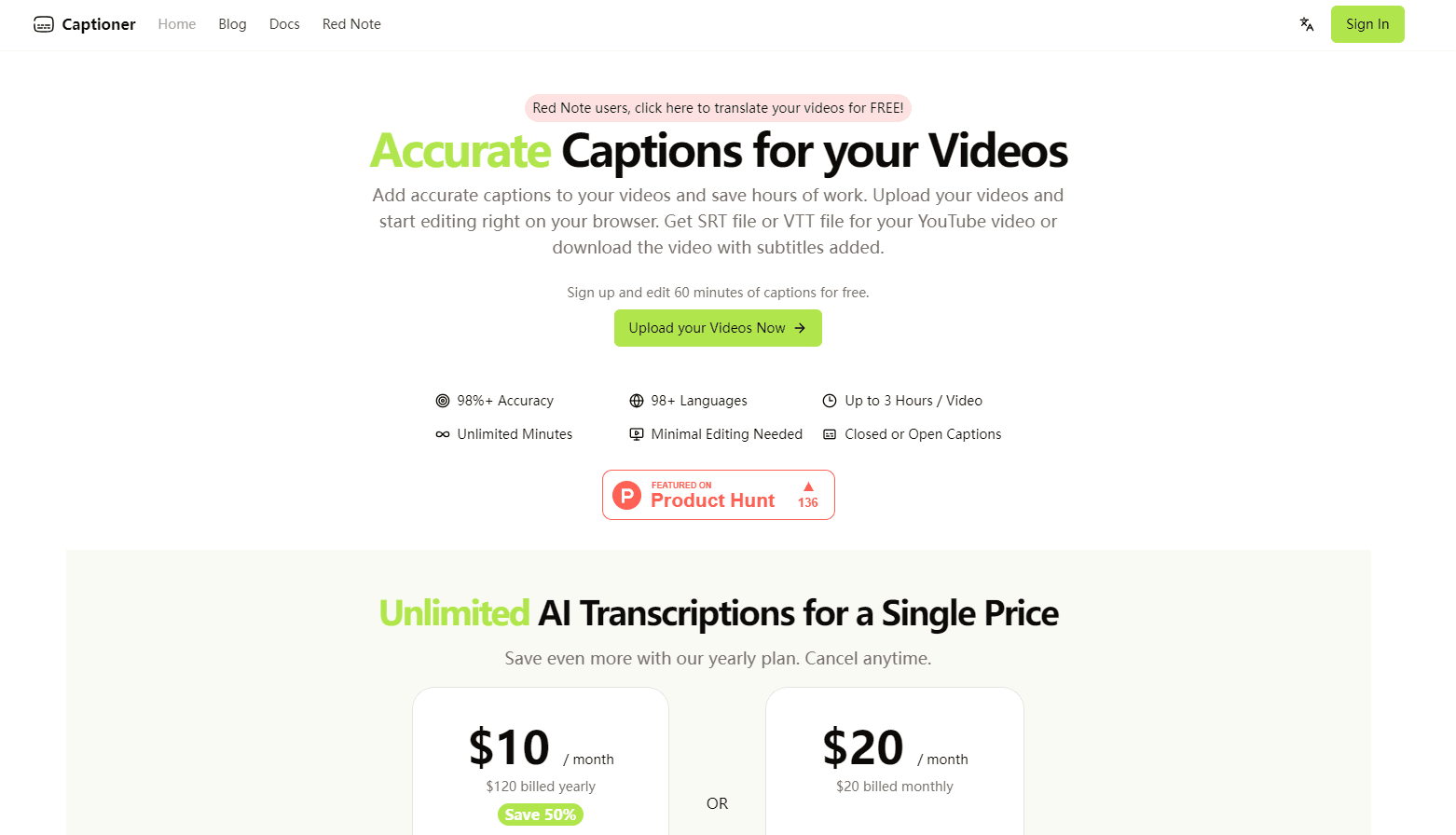
Captioner is an AI subtitle generator that turns video speech into accurate captions in 98+ languages, with precise timestamps and easy browser editing.
About Captioner
What Is Captioner
Captioner is a browser-based video captioning tool that generates subtitles for your videos. You upload a clip, run speech to text, then edit and export the captions without leaving the tab. It runs on a fine-tuned Whisper model, the same speech technology behind many popular transcription apps.
The product solves a specific chore: captioning video by hand eats hours. Captioner transcribes the audio, lines the text up with the timeline, and hands back files you can drop into YouTube or a video editor. It also translates subtitles into another language in one click.
The main limits are upload size and speed. Videos cap at 2 hours and 2 GB, and the team openly trades speed for accuracy, so a 30-minute clip takes around 5 to 6 minutes. Renders with burned-in captions take longer still.
Getting Started
- Create a free account at captioner.io and land on the dashboard.
- Upload an MP4 or MOV file, up to 2 hours long and 2 GB in size.
- Run transcription and let Captioner detect the spoken language and align timestamps automatically.
- Open the built-in editor to fix wording, adjust timing, and translate the subtitles if you need another language.
- Export subtitles as SBV, SRT, or VTT, or render the video with captions burned in.
Product Information
A quick look at Captioner's pricing, supported platforms, and performance.
Best for
The users, tasks, and scenarios where this tool fits best.
Users
- YouTubers and video podcasters
- Social media creators
- Translators
Tasks
- Adding closed captions to a talking-head video
- Syncing an existing script to footage
- Localizing a finished video
Scenarios
- Turning a long interview into a searchable, captioned upload
- Captioning a lecture or webinar recording
- Preparing a client video for broadcast
Key features
Accurate Speech to Text in 98+ Languages
Captioner leans on a fine-tuned Whisper model to transcribe video audio rather than skim it. The team claims 98%+ accuracy and tunes the engine hardest for English and Chinese, with added support for Cantonese. Accuracy does vary by language, so testing a short clip first is worth the few minutes.
Precise Timestamps and Word-Level Sync
Not every transcription tool hands back timing you can trust. Captioner adds a processing pass that lines subtitles up with the spoken audio, then offers word-level timestamps when you want finer control. That saves the tedious step of nudging caption blocks by hand.
In-Browser Subtitle Editor
After transcription, everything happens in the browser. You fix wording, adjust timing, and reflow captions without opening another app. The editing tools were built by creators, so the layout is aimed at the parts people actually change, not at a wall of settings.
Import and Align Existing Transcripts
If you already wrote a script or transcript, you can import it and let Captioner match it to the audio. It works like YouTube's auto-sync feature but keeps the text editable, which helps when your version is more accurate than the machine's.
Subtitle Translation
One click turns subtitles into another language, and it works as a subtitle translator for clips you plan to republish. Captioner covers target languages such as Spanish, Portuguese, French, German, Russian, Arabic, Hindi, Thai, and more, so the same clip can serve several audiences without a second editing pass.
Flexible Export: Files or Burned-In Captions
Captioner exports SBV, SRT, and VTT files, the formats most editors read. If you'd rather ship the video with captions baked in, pick a font style in the editor and render an open-caption video directly, so viewers see text even with captions switched off.
Background Noise Handling
A built-in voice extraction step separates speech from music and noise before transcription. You don't have to mute the soundtrack first, and captions stay readable on videos that carry background audio.
Pros and cons
Pros
- Transcription and translation run in the browser, so there's nothing to install.
- Timestamp alignment and word-level timing remove most manual caption cleanup.
- SRT, VTT, SBV export plus burned-in rendering covers both file-based and on-screen captioning.
- Pay-as-you-go credit model with a one-time Week Pass for short projects.
- Broad language coverage, including fine-tuned Cantonese support.
Cons
- Videos cap at 2 hours and 2 GB, so long or high-bitrate files need compressing first.
- The service prioritizes accuracy over speed, so short clips still take several minutes.
- Free exports carry a watermark, and subtitle file downloads require a paid plan.
- Only MP4 and MOV uploads are accepted, so other formats need converting first.
Frequently asked questions
Captioner generates subtitles for videos by converting speech to text. You upload a clip, it transcribes the audio in 98+ languages, aligns the captions to the timeline, and exports files you can use on YouTube or in editing software.
Related content
Explore related tools, skills, and articles for Captioner.
Captioner Alternatives

Google EmbeddingGemma 2
Google DeepMind · Writing · Image · CodingGoogle EmbeddingGemma 2 is a 740M-parameter open model that turns text, code, images, audio, and video frames into vectors in one 768-dimension space, running on phones and laptops.

MePersona
MePersona, Inc. · Writing · Productivity · MarketingMePersona is an AI unified inbox for creators. It learns your voice, drafts replies to fan messages from 12 platforms, and sends only what you approve.

Fluence
Yay Software (Yannick Huchard) · Writing · Voice & Language · ProductivityFluence is an Android app that reads PDFs, EPUBs, Word files and web articles aloud, follows each sentence as it speaks, and answers questions about the text on the phone itself.