

Castmagic
Castmagic · Writing · AI Detection
Castmagic is an AI content tool that transcribes podcasts, videos and meetings, then drafts show notes, blog posts, captions and clips from each recording.
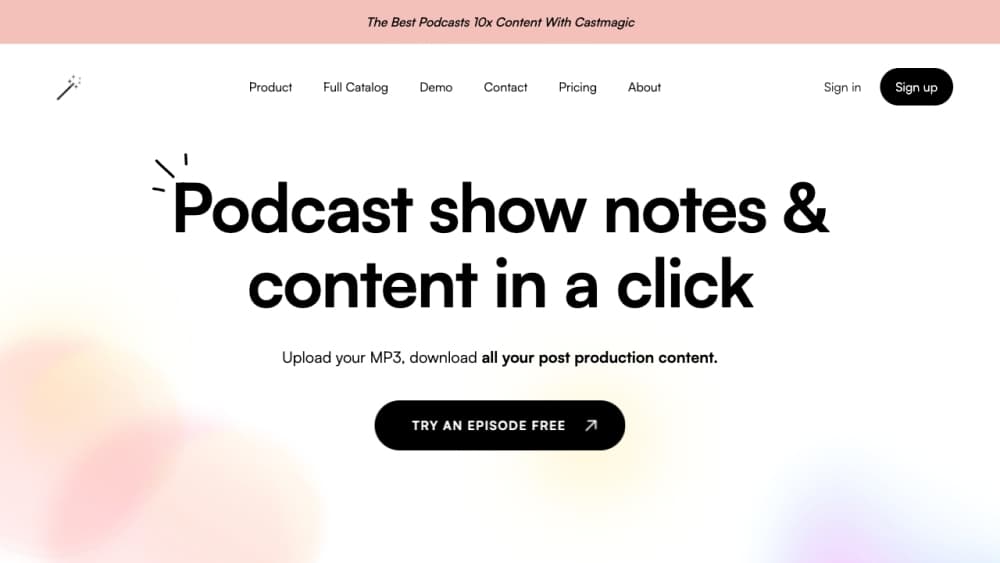
About Castmagic
What Is Castmagic
Castmagic takes one long recording and turns it into the written and visual pieces a show needs. It started as a fix for the show notes problem: hosts finish an episode and still face an hour of typing before anything can be published. Upload the file, and a speaker labelled transcript comes back in minutes, followed by a stack of drafts built from that transcript.
The tool sits somewhere between an AI podcast transcription service and a content agency. A podcast team gets show notes, chapters, a newsletter and social captions without briefing anyone outside the team. A marketing team gets the same treatment for webinars, interviews and meeting recordings, with meeting transcription handled the same way as an episode. Pricing runs from a cheap hobby plan to a custom enterprise contract.
The limits are worth knowing before you commit. Your workspace is built around billed transcription hours, and those hours accumulate in a library rather than reset every month, so heavy importers need to buy more. Everything is web based, and the output is a draft, not a finished article. Someone still has to read it and add judgment.
Getting Started
- Sign up at castmagic.io and pick a plan. Paid tiers come with a block of transcription hours, and buying extra hours stays possible at any point.
- Create a space for the show, client or brand, then upload a file, paste a YouTube or Spotify link, or connect an RSS feed so new episodes arrive on their own.
- Wait for the transcript. It arrives speaker labelled and time stamped, usually within minutes of the upload, and you can correct names or jargon in place.
- Open the content pipeline and choose what you need: show notes, a blog post, a newsletter, a LinkedIn post, a caption set. Custom prompts keep the writing in your voice.
- Export the text, download clips and carousels from the studio, or push everything through the API into the tools your team already uses.
Product Information
A quick look at Castmagic's pricing, supported platforms, and performance.
Best for
The users, tasks, and scenarios where this tool fits best.
Users
- Podcast hosts who dread show notes
- Marketing teams running webinars
- Agencies managing several clients
- Coaches and consultants
Tasks
- Generating podcast show notes
- Transcript to blog post
- Cutting podcast clips for social
- Drafting newsletters and social captions
- Summarising meetings
Scenarios
- Running a weekly show with a two person team
- Covering a live event
- Building a lead magnet from a back catalogue
- Interviewing customers without scheduling a call
Key features
Transcription in More Than 60 Languages
Castmagic handles AI podcast transcription for audio and video in over 60 languages, with speaker labels, timestamps and filler words stripped out. Files up to 10GB go in, concurrent uploads are allowed, and the transcript stays editable in place while timestamps hold their position. Formats including SRT, VTT, PDF and DOCX come out the other side, so the transcript can also serve as a subtitle file for the video edit.
AI Content Pipeline That Runs on Autopilot
The AI content pipeline is the part that saves the most time. You define a set of outputs once, such as show notes plus a newsletter plus three social posts, and every recording you import gets all of them drafted without further input. Brand voice settings and custom prompts shape the tone, and the same set can run across a whole back catalogue when you connect an RSS feed.
Studio for Podcast Clips, Carousels and Audiograms
The studio works from the transcript, which is why clips line up with what was said. Vertical clips come in 9:16, 1:1 or 16:9 with karaoke captions, and a multi clip timeline lets you stack several moments from one episode. Swipeable image carousels get drafted slides and a caption you can restyle in your brand colours, and the built in audiogram maker covers the audio only moments that do not need a picture.
Ask and the Content Strategist
The strategist has read your library, so you can ask what to publish this week and get a plan grounded in episodes you already recorded, with links back to the moments it cites. The Ask feature goes wider: point it at any set of recordings and question them as a group, which is handy for finding every time a guest mentioned pricing or a specific tool.
Chatbots Trained on Your Episodes
One script tag puts a chatbot on your site that answers from your actual episodes and cites the moment it drew from. Questions outside the library get declined rather than answered with invented detail, and after a few free questions the visitor hits an email gate, which turns regular readers into leads.
REST API and Claude Connector
The v1 REST API covers the core loop: import a recording, pull the transcript, fetch the generated content. That makes Castmagic usable as a backend for client dashboards and automations, and API access is included from the Starter plan upward. The Claude connector goes further in a different direction, handing an AI agent your whole library as searchable context for long guide or course projects.
Pros and cons
Pros
- One recording feeds a full set of outputs, so show notes, a blog draft and social captions stop being separate jobs.
- Speaker labelled transcripts with timestamps hold up as subtitle files, which saves a second pass in the video editor.
- Recurring prompts fire on every import, so the routine work happens whether or not anyone remembers to start it.
- The strategist and Ask features cite the exact moment, which makes checking a claim quick.
- Clips, carousels and audiograms live in the same workspace as the transcript, so nothing has to be reuploaded for a different format.
Cons
- Every plan is paid, and the cheapest one caps the library at 30 transcribed hours, so anyone testing the tool pays before they know whether it fits.
- Hours live in the library rather than resetting monthly, which means a big back catalogue eats the allowance and pushes you into extra purchases.
- Drafts still need a human pass. The pipeline writes fast, but tone and factual details on specialised topics can drift from the source.
- API access starts on the Starter plan, so automations are out of reach on the entry plan.
Frequently asked questions
It transcribes audio and video, then drafts written and visual content from that transcript. Typical outputs are show notes, blog posts, newsletters, social captions, vertical clips and image carousels. The transcript itself stays available for export as subtitles or a document.
Related content
Explore related tools, skills, and articles for Castmagic.
Castmagic Alternatives

Google EmbeddingGemma 2
Google DeepMind · Writing · Image · CodingGoogle EmbeddingGemma 2 is a 740M-parameter open model that turns text, code, images, audio, and video frames into vectors in one 768-dimension space, running on phones and laptops.

MePersona
MePersona, Inc. · Writing · Productivity · MarketingMePersona is an AI unified inbox for creators. It learns your voice, drafts replies to fan messages from 12 platforms, and sends only what you approve.

Fluence
Yay Software (Yannick Huchard) · Writing · Voice & Language · ProductivityFluence is an Android app that reads PDFs, EPUBs, Word files and web articles aloud, follows each sentence as it speaks, and answers questions about the text on the phone itself.