

Censornet
Censornet (now TrustLayer), United Kingdom · Other
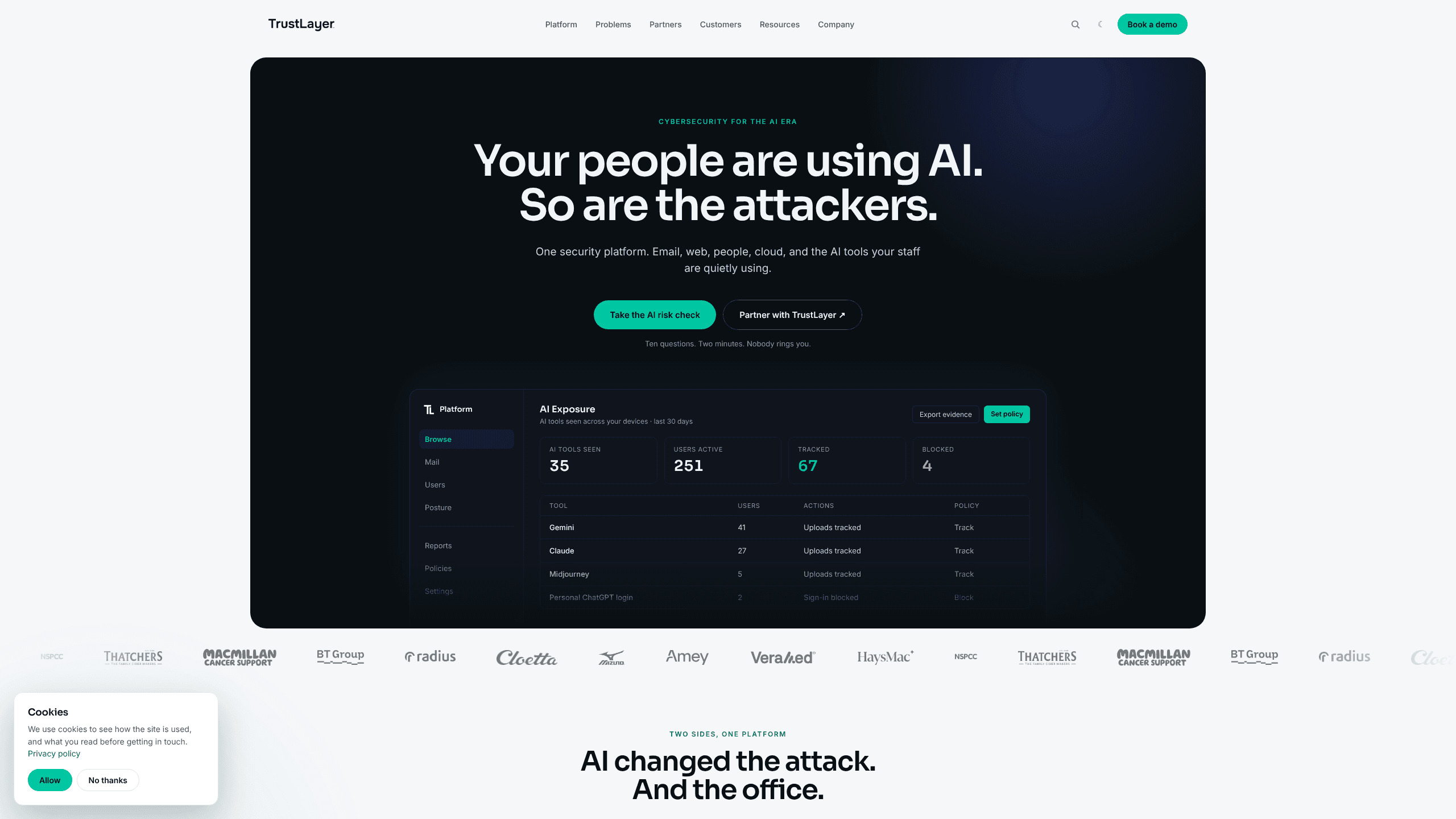
Censornet, now sold as TrustLayer One, is a UK Censornet cloud security platform that puts email security, web filtering, CASB and security awareness training behind one admin portal built for mid-sized teams.
About Censornet
What Is Censornet
Censornet is a British cybersecurity vendor that has packaged four separate security jobs into one cloud platform. Email protection, web and cloud app control, user training and SaaS posture checks all run from the same console, with shared user directories and shared reporting. The company started in 2004 and renamed itself TrustLayer on 8 May 2025, so most current documentation, pricing pages and partner listings use the TrustLayer name.
The product targets organisations of roughly 100 to a few thousand staff, plus the managed service providers and resellers who look after them. Instead of buying a secure email gateway from one vendor and a web filter from another, an IT team buys layers from one supplier and turns them on as needed.
The catch is the sales model. There is no self-serve signup, no credit card checkout and no free tier. Pricing runs per user per month per layer, and the published figures assume 750 or more users on an annual upfront contract. Smaller teams pay more, and the final number comes from BT, an MSP or a reseller rather than the website.
Getting Started
- Ask for a quote through the partner route, either your existing reseller or the partner finder on the TrustLayer site.
- Choose layers: Browse for web and cloud apps, Mail for email, Users for training and secure access, Posture for Microsoft 365 configuration checks.
- Connect the pieces. Mail works without changing MX records, Browse uses an endpoint agent or cloud gateway, and user accounts sync from Active Directory.
- Set policies by user, group or application, then check the dashboards for blocked actions, risky apps and training completion.
Product Information
A quick look at Censornet's pricing, supported platforms, and performance.
Best for
The users, tasks, and scenarios where this tool fits best.
Users
- IT managers at mid-sized companies
- Managed service providers
- Security leads in regulated sectors
Tasks
- Stopping phishing and invoice fraud
- Controlling shadow IT
- Preparing for an audit
- Hardening Microsoft 365
Scenarios
- A 300 person firm with one IT generalist
- An MSP onboarding a new client in a day
- Employees quietly pasting work into AI chatbots
Key features
Email Protection Without MX Changes
The Mail layer filters inbound mail for phishing, malware and invoice fraud before messages reach the inbox. Sandboxing opens suspicious attachments and links in an isolated environment, and SecureMail adds extra checks on outbound content. Because it works through an API-style connection rather than MX record changes, a rollout does not reroute your whole mail flow on day one.
Web Filtering and Cloud App Control
Browse inspects web traffic through an endpoint agent or cloud gateway and applies policy by user, group or application. The CASB side keeps an inventory of the SaaS services people actually use, including ones nobody approved, and records actions such as uploads, shares and downloads. That combination covers both the browsing session and the app behind it.
AI Tool Governance
A newer part of the Browse layer tracks which AI tools staff open and what they do inside them. Admins can allow a tool, block it outright or track usage without blocking, and can restrict uploads or downloads per tool. Censornet positions this as evidence gathering for auditors and insurers as much as a security control.
Security Awareness Training
The Users layer runs short training modules and simulated phishing campaigns, then reports completion by person and by department. Training content is chosen for the risks a tenant actually sees, so a team hit by invoice fraud gets a matching simulation. Multi-factor authentication sits in the same layer, which keeps sign-in policy next to the people it applies to.
Microsoft 365 Posture Management
Posture checks compare a Microsoft 365 tenant against a baseline and flag risky settings, stale accounts and configuration drift. It is licensed per connector rather than per user, which suits organisations with a single large tenant. Findings land in the same dashboard as email and web events, so a misconfiguration and the phishing attempt that followed appear side by side.
One Portal for Multi-Tenant Administration
Everything runs from a single cloud console with isolated tenant schemas, which is why the platform sells well through MSPs. Policies can be cloned across customers, and reporting rolls up per tenant or across the estate. For a mid-sized business buying direct through a partner, the practical benefit is fewer logins and one support path.
Pros and cons
Pros
- Four security controls share one console and one user directory, which cuts daily admin work compared with stitching tools together.
- Email protection deploys without MX changes, so a rollout does not risk a mail outage.
- The CASB and AI tool governance view answers a question most suites still skip: which AI tools are staff actually using.
- Per-layer pricing lets a small team start with web or email and add training later.
- Strong fit for MSPs, with tenant isolation and template policies built in.
Cons
- No self-serve purchase, no free plan and no public price for teams under 750 users, so budgeting takes a sales conversation.
- Desktop AI applications are not inspected, which leaves a gap if staff install local AI clients.
- Buying all four layers costs more than the headline bundles suggest once archive and sandbox add-ons are included.
- The 2025 rebrand means documentation, invoices and support pages mix two brand names, which slows down searching for answers.
Frequently asked questions
No. The company renamed itself TrustLayer on 8 May 2025 and the platform is now TrustLayer One. Existing contracts and the censornet.com domain still point to the same products.
Related content
Explore related tools, skills, and articles for Censornet.
Censornet Alternatives

Odyssey 3
Odyssey · OtherOdyssey-3 is Odyssey's foundation world model. It simulates physics in real time, turns a prompt into an interactive environment, and adapts to robots, cars and games.

JarvisCore
Prescott Data · Coding · Productivity · OtherJarvisCore is an open source Python runtime where AI agents work as equal peers on an agent mesh, claim tasks from a shared ledger, and reach external services through a zero-trust broker.
Clef
Cloudflare · Business · OtherClef is Cloudflare's open-source decision model for Workers AI. It returns calibrated probabilities for typed questions, not generated text, so agents can classify, route, and act fast.