

Cerebrium
Cerebrium · Coding
Cerebrium is a serverless GPU platform for running real-time AI apps in the cloud. It bills compute by the second and deploys to multiple regions.
About Cerebrium
What Is Cerebrium
Cerebrium is infrastructure for AI workloads that have to answer quickly. You package Python code into a container, deploy it, and Cerebrium turns it into an endpoint that scales on its own. The platform runs CPUs and NVIDIA GPUs, and it targets jobs where cold starts and latency decide whether a product works at all: voice agents, streaming model output, and high-traffic inference.
Speed here comes from two things. Containers spin up in one to three seconds, and a system called Content-Aware Storage pulls only the files a new instance needs instead of the whole image. For heavier jobs, memory and GPU checkpointing snapshots a running process, so the model skips imports and CUDA compilation on the next start. Cerebrium says checkpointing cuts cold starts sharply, and the feature is still in beta.
Pricing runs on usage, not seats. You pay per second for the vCPUs, memory, and GPUs a workload holds while it runs, so per-second billing keeps cost tied to real use. The Hobby plan is free to start and bills compute on top; Standard adds 100 dollars per month plus compute for unlimited seats and apps. Teams that need reserved capacity, volume discounts, or ML engineering help go to Enterprise. Compute runs on Google Cloud, AWS, and Azure, and Cerebrium routes work to whichever suits the job.
Getting Started
- Install the CLI with pip install cerebrium, or use Homebrew on macOS and a binary package on Linux.
- Run cerebrium login, then open the dashboard to create an API key and find your project ID.
- Run cerebrium init my-first-app to create a project with main.py and cerebrium.toml.
- Test code with cerebrium run main.py::run, then ship it with cerebrium deploy.
- Call the deployed endpoint at its api.cerebrium.ai URL, or set up a custom domain.
Product Information
A quick look at Cerebrium's pricing, supported platforms, and performance.
Best for
The users, tasks, and scenarios where this tool fits best.
Users
- AI engineers shipping inference APIs
- Teams with bursty traffic
- Builders of voice and streaming apps
- Companies with data residency rules
Tasks
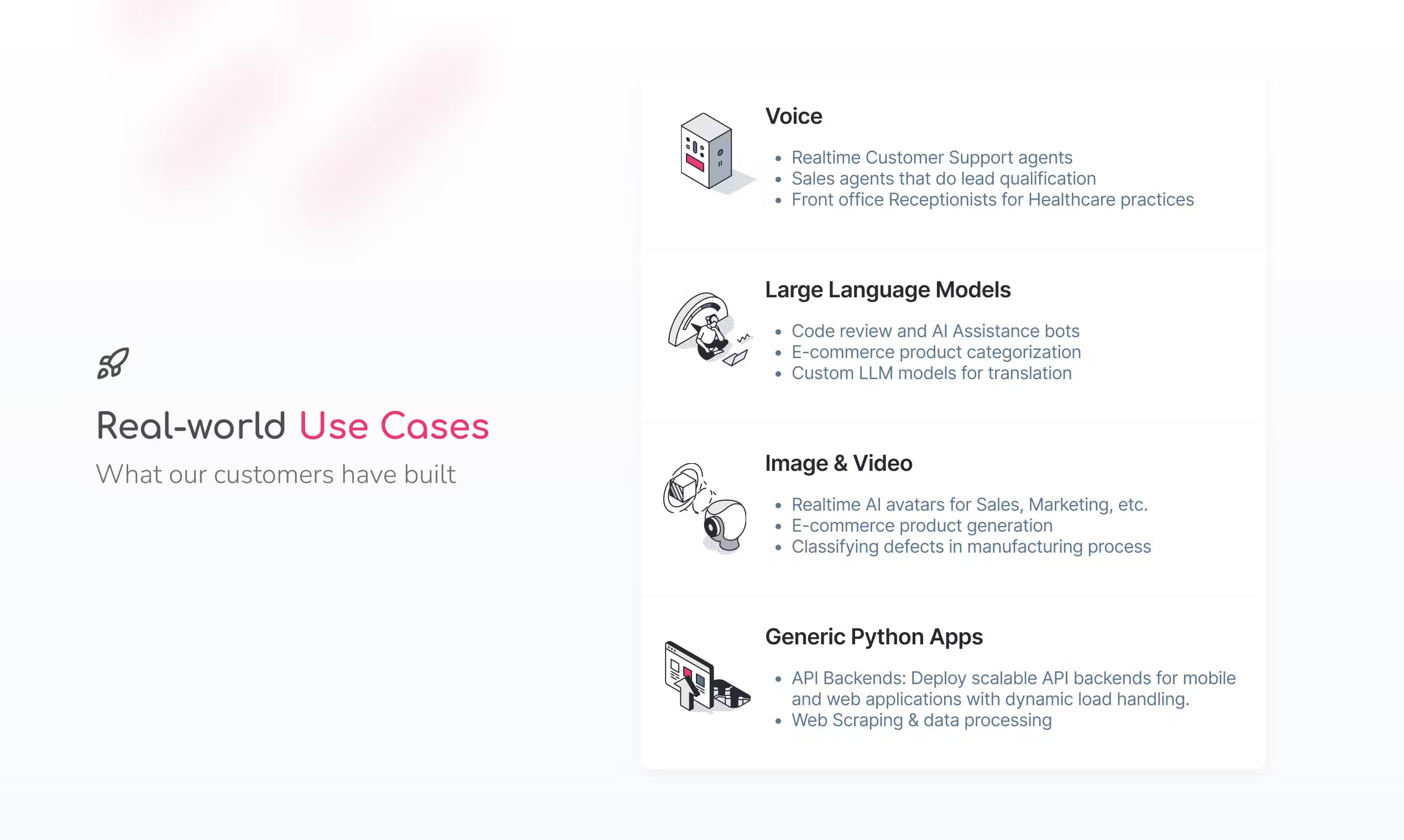
- Serving open-weight LLMs
- Generating images and video
- Transcribing long audio
- Building real-time voice agents
- Running embeddings and reranking
Scenarios
- A phone support bot that answers while the caller is still talking
- A launch day traffic spike
- An overnight batch of transcriptions
- A global app with regional users
Key features
Sub-Second Container Starts
Cerebrium launches containers in one to three seconds by combining Content-Aware Storage, which pulls only needed files, with memory and GPU checkpointing that skips imports, model loading, and CUDA compilation. Fast starts matter most for real-time apps, where a slow first request reads as a broken product to a user.
Serverless GPUs and CPUs
You set GPU type and count, vCPU cores, and memory in cerebrium.toml, choosing from NVIDIA cards such as H100, A100, and L40s. Instances scale with traffic, so a quiet hour costs little and a busy one does not. You pay per second only for the resources you allocate.
Multi-Region Deployment
A single deploy can run across several regions for lower latency and higher availability, or stay pinned to one for data residency. Cerebrium runs on Google Cloud, AWS, and Azure, and it reports 99.999 percent uptime with failover that reroutes traffic when a region goes down.
Flexible Endpoint Types
Apps can serve a REST API, a streaming endpoint over server-sent events, a WebSocket for two-way audio, or any ASGI-compatible web server. That range lets one platform host both a simple JSON call and a live voice session without swapping infrastructure.
Autoscaling and Batching
You configure replicas, scaling metrics, and compute tiers, then tune concurrency and batching for real traffic. Framework-native batching with vLLM or LitServe raises GPU throughput, which lowers the cost of each request under load.
Persistent Storage
Volumes store model weights and files across deployments, with upload, download, and list commands in the CLI and per-project resizing up to 1TB. Weights persist between launches, so containers do not re-download them on every start.
Security and Isolation
Each workload runs on gVisor in a hardened sandbox, which gives strong container isolation without a big performance hit. The platform supports SOC 2, HIPAA, GDPR, and ISO requirements, and secrets are encrypted and exposed as environment variables.
CI/CD and GitHub Integration
Apps can link to a GitHub repository so a push or merge triggers a deploy, using service account keys in a pipeline. Gradual roll-out settings shift traffic between revisions over a set window, which softens the risk of a bad release in production.
Pros and cons
Pros
- First requests land in one to three seconds, so real-time and voice apps do not stall on startup.
- Per-second billing across GPU, CPU, and memory keeps costs tied to actual work, and it makes AI inference infrastructure affordable to run.
- A free Hobby tier and a 100 dollar Standard plan make it cheap to try and to run small apps.
- Multi-region deploys and compliance coverage suit teams with global users or regulated data.
- Support for REST, streaming, WebSockets, and custom Docker or ASGI servers fits many stacks.
Cons
- Memory and GPU checkpointing are still in beta, so the biggest cold-start wins are not fully settled yet.
- The pricing page does not list fixed per-GPU rates, so you estimate cost with a calculator or a quote.
- AWS and GCP credits cannot be applied, which surprises teams already committed to those clouds.
- Guaranteed GPU capacity needs a minimum monthly spend, which rules it out for small projects.
Frequently asked questions
Cerebrium is a serverless GPU platform for real-time and high-performance AI workloads. You deploy a container and it becomes a scaling endpoint that runs CPUs or NVIDIA GPUs, billed by the second.
Related content
Explore related tools, skills, and articles for Cerebrium.
Cerebrium Alternatives

Base Code
Base44 (Wix) · Coding · ProductivityBase Code is a shared cloud development environment from Base44. Teammates describe changes to an existing GitHub codebase in chat, preview them live and send them back as pull requests.

Google EmbeddingGemma 2
Google DeepMind · Writing · Image · CodingGoogle EmbeddingGemma 2 is a 740M-parameter open model that turns text, code, images, audio, and video frames into vectors in one 768-dimension space, running on phones and laptops.

GitGlow
GitGlow · Coding · ProductivityGitGlow is a local-first desktop Git client that lets independent developers review their own code and their AI agents' changes in one place before shipping.