

Chariot
Chariot AI · Coding
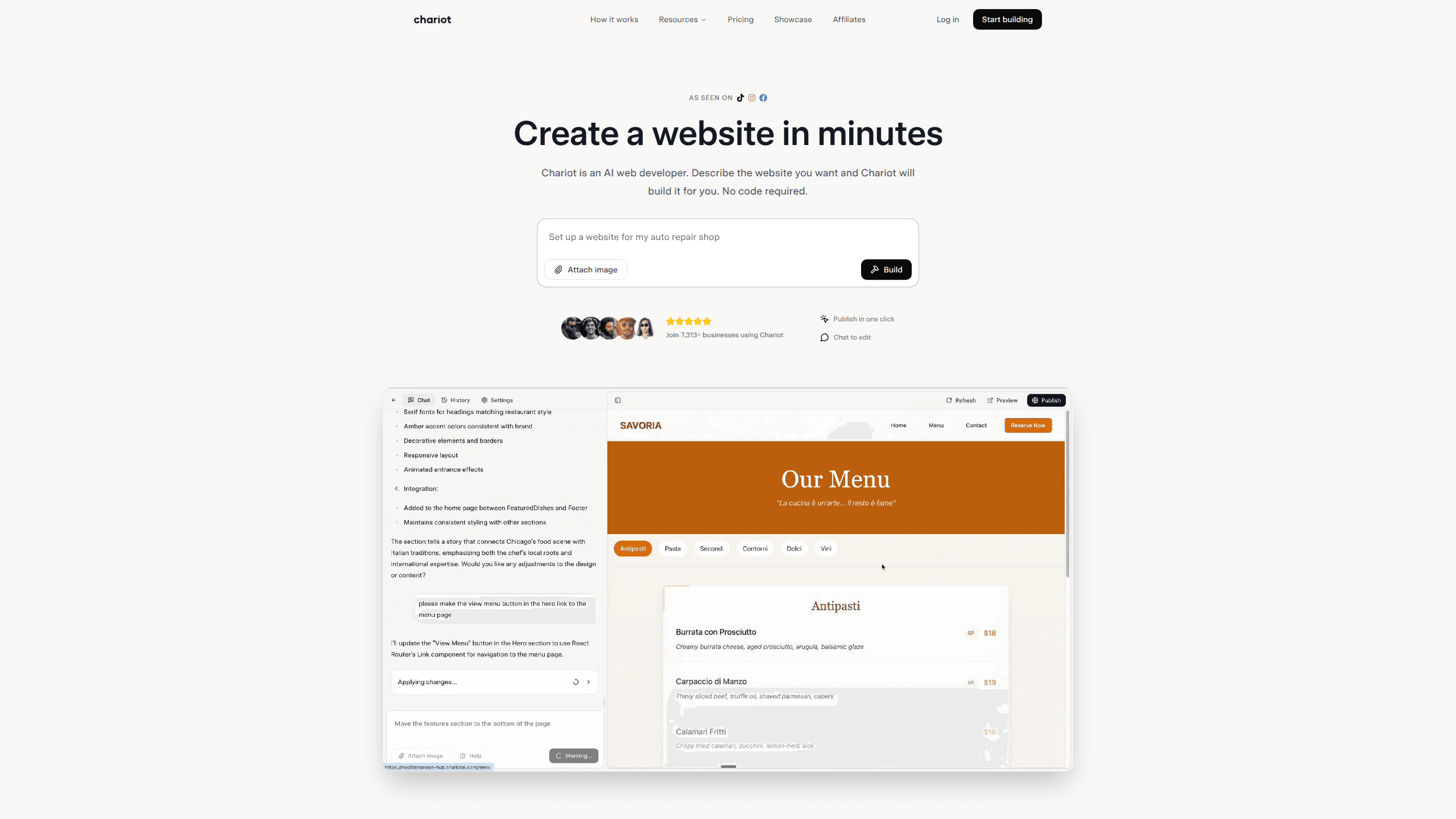
Chariot is an AI website builder that turns a short description of your business into a finished, published website. You type what you need, the AI writes the copy and lays out the pages, and you refine it by chatting. It handles hosting, domains and basic SEO for you, so a no-code website builder like this fits owners who want something live today, not in a month.
About Chariot
What Is Chariot
Chariot is a web-based AI web developer. Instead of dragging blocks around a canvas, you tell it what you do and who you serve, and it produces a multi-page site with copy, images and a layout designed for phones and desktops. The pitch is simple: if you can hold a conversation, you can build a website with AI, and you never touch code. That's a big promise, so it's worth asking what that actually means in practice for a site you plan to keep.
It fills a specific gap. Hiring an agency runs from $1,000 to $10,000 and takes weeks. Traditional DIY builders like Wix and Squarespace cost $20 to $50 a month and still expect you to wrestle with templates and settings. Chariot sits at $17/month and claims a build time measured in minutes, with unlimited revisions folded in.
The limits matter as much as the strengths. Chariot is built for content and marketing sites, not full applications. The company itself says it isn't the tool for online stores with carts and payments, user logins, or anything needing a real database or server-side logic. For those jobs it points people toward Lovable, Bolt or Shopify. So if your project is a booking system or a SaaS dashboard, look elsewhere. For a business site, portfolio or landing page, it's aimed straight at you.
Getting Started
- Sign up on the Chariot website. No credit card is required to create an account.
- Describe the website you want in plain language. Mention your business, your goals and what you'd like the pages to cover. You can attach an image for reference.
- Review the generated site and request changes by typing them out. Chariot keeps adjusting until you're happy, and revisions are unlimited on paid plans.
- Connect a custom domain or use the provided address, then publish with one click.
Product Information
A quick look at Chariot's pricing, supported platforms, and performance.
Best for
The users, tasks, and scenarios where this tool fits best.
Users
- Small business owners
- Freelancers and solo consultants
- Agencies handling multiple sites
Tasks
- Launching a marketing or landing page
- Building a simple business site
- Setting up a portfolio
- Editing live pages
Scenarios
- A local shop needs to be findable online fast
- Testing a new offer before committing
- Replacing an expensive agency quote
Key features
Build by conversation
The core of Chariot is a chat interface, not a drag-and-drop editor. You describe the site and it builds pages, copy and layout. There's no template gallery to browse and no code to write, and the company says the process is closer to having a conversation than filling out a form.
Ready in minutes, not weeks
Speed is the whole point. Where an agency timeline runs four to eight weeks and DIY builders take two to four, Chariot reports delivery in minutes. A description becomes a working draft almost immediately, which matters when you need something live before an event or a launch.
Chat to edit, unlimited revisions
Once the site exists, you change it the same way you made it. Type what you want different and the page updates. Paid plans include unlimited revisions, so the back-and-forth that agencies charge for or cap doesn't cost extra here.
Custom domain, hosting and SSL included
Chariot connects your domain with a couple of records and handles hosting, SSL and deployment behind the scenes. That removes the part most people get stuck on. You don't configure a server or buy certificates, and the site is secure by default. If you'd rather not deal with DNS at all, you can start on the provided address and point your own domain later.
SEO built in
Published sites ship with proper HTML structure, meta tags and page performance work done automatically. For a small business site, that covers the basics search engines look for without you installing a plugin or editing tags by hand. It won't replace keyword strategy, but it stops the technical side from being an afterthought.
Mobile responsive by default
Layouts are built to look right on phones as well as desktops. Since most local searches happen on a phone, a site that breaks on mobile quietly costs you customers, and Chariot treats responsiveness as a default rather than a setting to find.
No lock-in
You can cancel anytime and download your site files. The company's stated position is that you own what you build, which lowers the risk of committing to a new tool you haven't tested.
Pros and cons
Pros
- Fast turnaround. Describing a site and getting a draft in minutes beats the weeks a traditional build takes.
- Revisions are unlimited on paid plans, so tweaking copy and layout doesn't run up a bill.
- Hosting, SSL and domain connection come included, which removes the technical setup most beginners stall on.
- Clear about what it can't do. The company steers e-commerce, logins and app-style projects toward other tools instead of pretending to cover them.
- You can download your files and cancel, so there's less lock-in than with some builders.
Cons
- No free plan, and no credit card is taken at signup only because a card is needed later. You can't test a full published site for free.
- Credits cap your usage. Starter includes 1,000 per month across up to 3 websites, and Pro gives 2,500, so heavy iteration or many sites can hit the ceiling.
- It won't build full apps, stores or anything needing a database or user accounts, which rules it out for a real chunk of projects.
- The $17/month headline drops to that rate only on annual billing. Monthly billing costs more.
Frequently asked questions
It's an AI website builder. You describe the site you want in plain language, and Chariot writes the content, designs the layout and publishes it for you. It's meant for business sites, portfolios and landing pages rather than full web apps.
Related content
Explore related tools, skills, and articles for Chariot.
Chariot Alternatives
Forefront
Forefront · CodingForefront is a web platform for building with open-source AI. It lets you fine-tune leading open-source language models on your own data, evaluate how they perform, and run them through an API or export them to host yourself. Developers who want the convenience of a closed-source platform but insist on owning their models and data are the target audience here.

Startkit
StartKit.AI · CodingStartkit is a boilerplate for building AI SaaS and AI wrapper products. Think of it as an AI startup boilerplate with the boring parts already wired up: authentication, Stripe and Lemon Squeezy payments, usage limits, transactional email, and an AI API starter that talks to OpenAI, Anthropic, Groq, or Llama. You clone the repo, set your price, and start on the part of your product that people actually pay for. It's Next.js under React and Tailwind, so most of the boilerplate code already feels familiar.
Testim
Tricentis · CodingTestim is an AI-powered test automation platform for building and running end-to-end tests across web, mobile, and Salesforce applications. It leans on machine learning to keep tests stable when an interface changes, so teams spend less time fixing broken selectors. Not bad for an automated testing tool you can start using today. You create tests by recording actions in a browser, then optionally add JavaScript when you need more control. It's a solid pick for busy QA teams.