

Chat.sh
chat.sh · Writing · Business · Chatbot
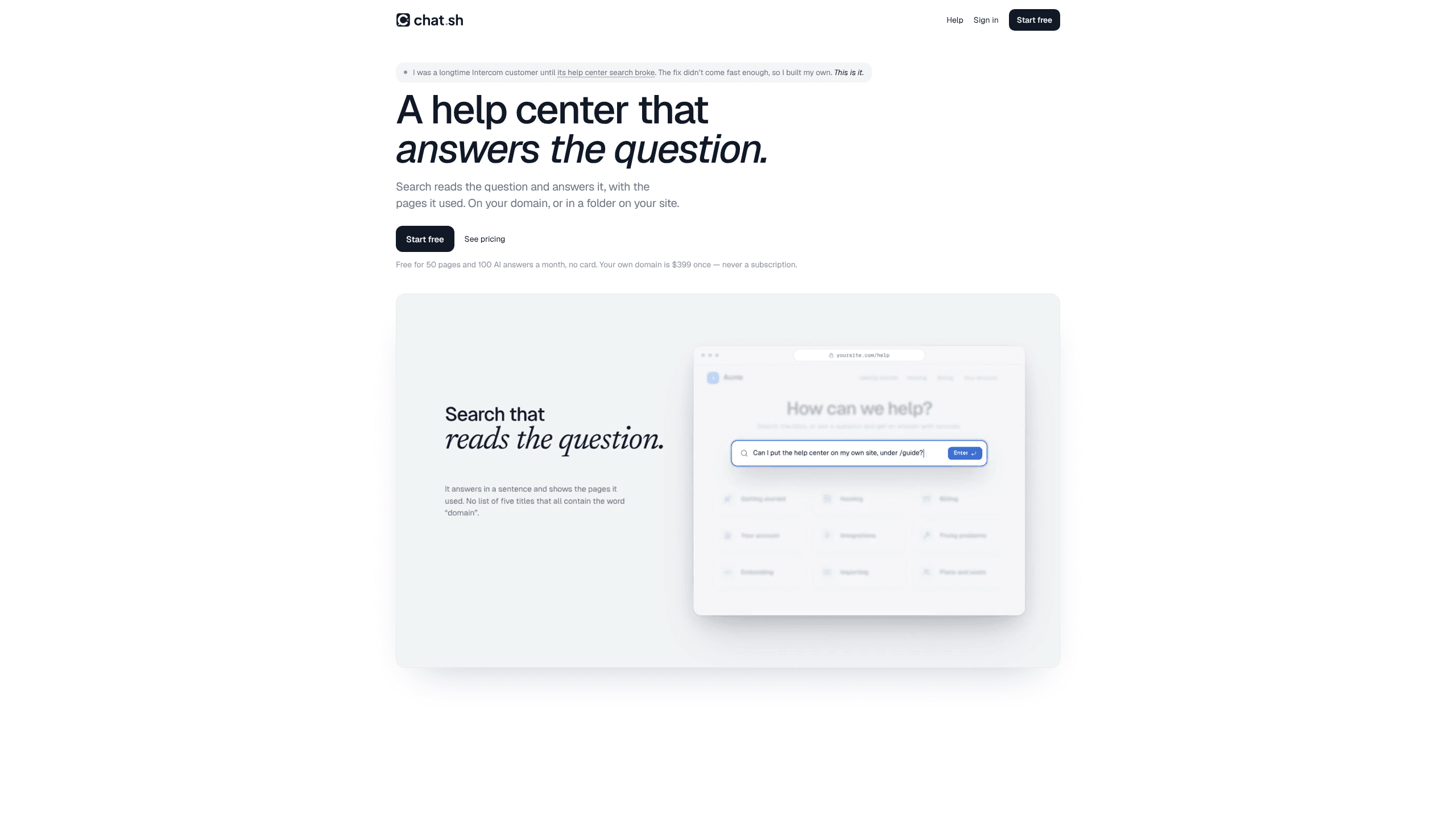
Chat.sh is an AI help center, support chatbot, and shared inbox that answer from your own articles, web pages, and PDFs, with a numbered source on every reply.
About Chat.sh
What Is Chat.sh
Chat.sh is help center software built around one set of sources. The articles, pages, and PDFs you add to a workspace feed the public help center, the chat widget on your site, and the inbox your team answers from. Write an article once and all three surfaces use it.
The project started because Intercom's help center search matched a common word and returned nothing useful. Chat.sh builds answers instead of lists of links. A reader asks in their own words, gets two to four sentences drawn from your documentation, and sees a number after each claim that opens the page it came from.
Most teams find it while shopping for an Intercom alternative that costs less. Pricing runs per workspace, not per seat, so a solo founder pays the same whether one person or five use the Hobby plan. The limits are worth knowing before you start. This is a support tool, not a CRM. There is no ticket pipeline and no voice channel, and the page allowance caps how much text the AI can read.
Getting Started
- Create an account at chat.sh, name the workspace, and pick a plan. Each workspace holds one help center, and the first subscription starts with a 7-day trial.
- Write an article or import one from Intercom, Help Scout, Notion, or a Markdown file. Add the pricing page and the manual PDF your readers keep asking about.
- Put the help center on your own domain, like help.yourbrand.com, or in a folder such as yourbrand.com/help. Paste one script tag to load the messenger on your site.
- Forward your support address so email lands in the same inbox, invite teammates, and add https://chat.sh/mcp to Cursor, Claude, or ChatGPT if you want an agent drafting replies.
Product Information
A quick look at Chat.sh's pricing, supported platforms, and performance.
Best for
The users, tasks, and scenarios where this tool fits best.
Users
- Solo founders with a side project
- Support teams of two to five
- Teams leaving Intercom or Help Scout
Tasks
- Deflecting repeat questions
- Writing the articles you never had time for
- Running chat and email together
- Giving an agent a support job
Scenarios
- Launching public documentation with a new product
- Replacing a help center search that misses the point
- Covering support alone before the first hire
Key features
AI answers with sources
Readers ask a question in plain language and get a short answer written from your published articles, web pages, and PDFs. Every claim carries a number that links to the page behind it, so a doubtful reader can check the reasoning in one click. When the sources don't cover a question, the answer says so and points to your team instead of inventing a fix.
Help center on your domain or in a folder
Each workspace gets a hosted help center, and you can serve it from help.yourbrand.com or from yourbrand.com/help. Search runs while readers type and covers articles, pages, and PDFs. Fonts, colors, and a dark mode switch let the site match the product it documents.
Messenger that hands over to a person
One script tag adds an AI chatbot for customer support that answers from the same sources as the help center, in the language the visitor writes in. Visitors with accounts can be identified through the JavaScript API, and analytics show what people ask about. When an answer isn't there, the visitor taps Talk to a person, and the conversation moves to the inbox. The handover is their choice, not an automatic cutoff.
One customer support inbox
Chats and email to your support address land in one queue, with urgent threads on top. The inbox shows which conversations the AI is handling and flags the ones that stalled. Macros fill in replies you write often, braces like {first name} get filled from the conversation, and the send delay leaves a few seconds to undo a message. Slack alerts and signed webhooks fire when a thread needs a human.
MCP server for AI agents
The MCP server at chat.sh/mcp lets Cursor, Claude Code, Claude, and ChatGPT work inside a workspace. There's no API key to copy. You paste one address, sign in, and tick the permissions the app gets: read articles, create drafts, publish, delete, read the inbox, or answer conversations. Reading articles stays on by default, and every app can be revoked. An agent can turn a customer's question into a draft article, or check an answer against your code before a reply goes out.
Imports that keep old links working
Intercom, Help Scout, and Notion imports bring collections, articles, images, and videos across in one run, and old /articles/ links redirect to the new pages. You see a count of collections and articles before anything moves. Running the import again matches existing articles instead of duplicating them, and anything past your page allowance arrives as a draft.
Pros and cons
Pros
- Answers cite the page they came from, which makes wrong output easy to spot and fix at the source.
- One source set feeds the help center, the messenger, and the inbox, so there's no second knowledge base to keep current.
- Per workspace pricing keeps a small team's bill predictable as people are added.
- Intercom and Help Scout imports preserve old URLs, which protects search traffic after a migration.
- MCP support means an agent can clear the drafting backlog without a separate integration build.
Cons
- There's no permanent free tier. The 7-day trial needs a card, and the workspace pauses when a subscription ends.
- The Hobby plan caps you at one inbox person and 100 pages, so a growing docs site hits the limit quickly.
- Support is email only. There's no phone line or live chat for account problems.
- Reporting is thin compared with mature platforms. You get messenger analytics and unanswered questions, not a full dashboard with CSAT tracking.
Frequently asked questions
Chat.sh ships three connected pieces: a public help center with AI answers, a chat messenger you embed on your site or app, and a shared inbox for chat and email. All three read from the same articles, web pages, and PDFs, so an article you publish is available everywhere at once.
Related content
Explore related tools, skills, and articles for Chat.sh.
Chat.sh Alternatives

Google EmbeddingGemma 2
Google DeepMind · Writing · Image · CodingGoogle EmbeddingGemma 2 is a 740M-parameter open model that turns text, code, images, audio, and video frames into vectors in one 768-dimension space, running on phones and laptops.

MePersona
MePersona, Inc. · Writing · Productivity · MarketingMePersona is an AI unified inbox for creators. It learns your voice, drafts replies to fan messages from 12 platforms, and sends only what you approve.

Fluence
Yay Software (Yannick Huchard) · Writing · Voice & Language · ProductivityFluence is an Android app that reads PDFs, EPUBs, Word files and web articles aloud, follows each sentence as it speaks, and answers questions about the text on the phone itself.