

Chatbox AI: Powerful AI Client
Chatbox · Other · Chatbot
Chatbox AI is a multi-model AI client for Windows, macOS, Linux, iOS, Android, and web. It chats with hosted models or your own API keys.
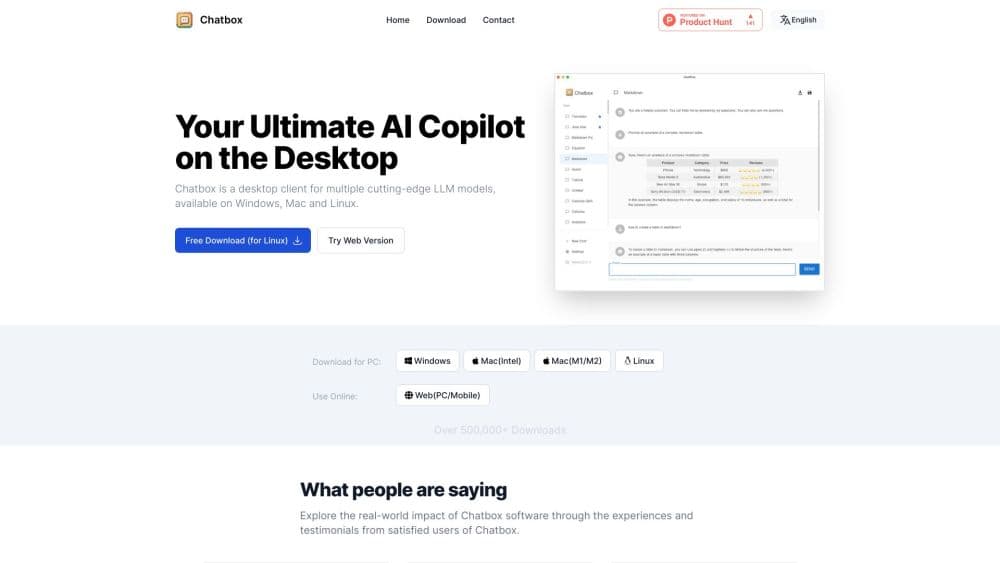
About Chatbox AI: Powerful AI Client
What Is Chatbox AI
Chatbox AI is a cross-platform LLM client from Chatbox, and a multi-model AI chat app in one window, that puts many leading models behind one interface. Instead of juggling a separate tab for every provider, you add your OpenAI, Anthropic, Google Gemini, DeepSeek, or open-source model once and switch between them in the same window. The multi-model AI chat side lets you pull answers from several providers at once, and on desktop this LLM client adds heavier tools like a local knowledge base and MCP support.
The product gives you two ways to pay for that access. Chatbox AI, the hosted service, is a subscription with preset models and unified billing, which suits people who don't want to touch API settings. Bring your own API key (BYOK) does the opposite. You plug in keys you already hold, pay providers for what you use, and can point the app at local models through Ollama or LM Studio.
The trade-off is scope. This is a client, not a model. The quality of any answer depends on the model you route it to, and free usage of the hosted service is capped by a daily compute-point allowance. It also won't do everything: MCP and the knowledge base are desktop-only, and the web version keeps chat history in the browser cache.
Getting Started
- Download Chatbox AI for your platform, or open web.chatboxai.app. No account is required to start chatting with your own API key.
- Pick a service. Subscribe to Chatbox AI for preset models, or add your own provider by pasting an API key and picking a model.
- Adjust settings like model, context length, and prompt if you want to tune replies before you start.
- Send a message, attach a PDF, Word file, spreadsheet, or image, and use web search or the knowledge base when you need fresh or private context.
- Switch between models any time in the same thread, then back up or export your history if you want a copy.
Product Information
A quick look at Chatbox AI: Powerful AI Client's pricing, supported platforms, and performance.
Best for
The users, tasks, and scenarios where this tool fits best.
Users
- Multi-model tinkerers
- Privacy-minded users
- People who'd rather not configure anything
Tasks
- Comparing model answers side by side
- Querying your own documents
- Writing and running code
- Checking something recent
Scenarios
- Researching across providers
- Private document work
- Switching devices mid-task
Key features
Multi-Model Access in One App
Chatbox AI connects to a wide lineup that covers OpenAI, Google Gemini, Anthropic, DeepSeek, xAI, Mistral, MiniMax, Qwen, and Moonshot AI, plus aggregators and cloud platforms like OpenRouter, SiliconFlow, Azure AI, and AWS Bedrock. You can also reach local models through Ollama and LM Studio. The practical effect is that provider switching costs you one click, and you're never locked into a single company's models.
Two Ways to Pay: Hosted or BYOK
The hosted Chatbox AI service bundles preset models under one monthly subscription with unified billing, so there's no key to paste. Bring your own API key does the reverse: you keep your own keys and pay each provider for what you use. Both routes meet in the same interface, which means you can subscribe for convenience on some tasks and stay on BYOK for others.
Local Knowledge Base
On desktop, you can build a knowledge base from your own documents so the app remembers and answers against them. Everything stays in local storage, so your files don't leave your machine. It's the feature that turns a general chat client into something closer to a personal second brain for the files you return to.
Document, Image, and Code Understanding
Give Chatbox AI a PDF, Word document, spreadsheet, image, or code snippet and it reads the content, summarizes the key points, and answers questions about it. Real-time web search then fills in anything current. Together they mean you're not stuck pasting text; you can hand over the actual file and ask.
Work Mode and MCP Support
Work Mode turns the chat into an agent that can break down a task, write and run code, use tools, and take actions on its own. On desktop, MCP lets you connect external tools and services in a few clicks, and the integrated MCP service is included from the Pro plan up. Code generation comes with live preview so you can watch and test output as it changes.
Code, Formula, and Chart Rendering
Replies render Mermaid charts, LaTeX formulas, and Markdown formatting cleanly, which matters for academic writing, technical notes, and structured documents. AI image generation turns a text description into a visual, and rich formatting keeps complex answers readable instead of a wall of plain text.
Pros and cons
Pros
- One client covers Windows, macOS, Linux, Android, iOS, and web, so a single AI desktop app handles both laptop work and phone chats under one account.
- Connecting providers is quick: Chatbox AI for preset models, or your own keys for anything else, including local Ollama and LM Studio.
- The desktop knowledge base keeps documents local, so private files don't have to leave your machine.
- Document and image understanding, real-time web search, and Work Mode cover research, reading, and coding in one place.
- A free tier plus BYOK means you can use serious models without a subscription if you already have keys.
Cons
- It's a client, not a model, so answer quality depends entirely on whichever model you connect.
- MCP and the knowledge base only work on desktop, so phone and web users miss the strongest features.
- The free hosted tier caps you at 10,000 compute points per day and 5 images, which runs out fast with heavy use.
- The web app stores chat history in the browser cache, so a cleared cache can wipe it.
Frequently asked questions
Chatbox AI is an AI client you use to chat with many models from one place. You connect providers with your own API keys or subscribe to the hosted service, then read documents, search the web, generate images, and run agent tasks in the same app.
Related content
Explore related tools, skills, and articles for Chatbox AI: Powerful AI Client.
Chatbox AI: Powerful AI Client Alternatives

Odyssey 3
Odyssey · OtherOdyssey-3 is Odyssey's foundation world model. It simulates physics in real time, turns a prompt into an interactive environment, and adapts to robots, cars and games.

JarvisCore
Prescott Data · Coding · Productivity · OtherJarvisCore is an open source Python runtime where AI agents work as equal peers on an agent mesh, claim tasks from a shared ledger, and reach external services through a zero-trust broker.
Clef
Cloudflare · Business · OtherClef is Cloudflare's open-source decision model for Workers AI. It returns calibrated probabilities for typed questions, not generated text, so agents can classify, route, and act fast.