

ChatChit AI
Generatech Studio, Inc · Other · Chatbot
ChatChit AI puts ChatGPT inside WhatsApp, so you can ask questions, generate images and send voice notes from a chat app you already use, in over 100 languages.
About ChatChit AI
What Is ChatChit AI
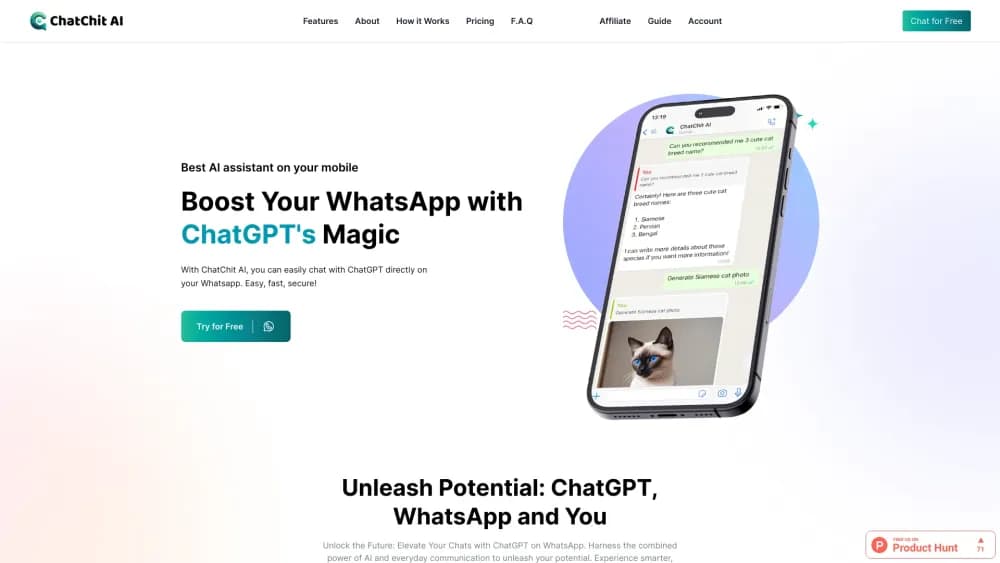
ChatChit AI is a ChatGPT for WhatsApp assistant that lives inside the app instead of a separate browser tab. You connect once, and the assistant shows up as a contact you message like anyone else. From there it answers questions, drafts text and replies in the same thread where the rest of your chats live.
The appeal is location. Most people already keep WhatsApp open all day, so an AI assistant that answers there skips the step of switching tools. ChatChit AI covers more than 100 languages, handles voice messages, and generates images straight in the chat when you type the right command. The company behind it is Generatech Studio.
Two limits are worth knowing up front. The bot runs on ChatGPT technology, so it inherits the strengths and the blind spots of a large language model, which means you should still check important answers. And image creation happens through a command, so a plain request will not always trigger a picture. The free tier is enough to try it, while heavier use needs a paid plan.
Getting Started
- Create an account with the sign-up button on the ChatChit AI site. No card is required to start free.
- Press Connect and open WhatsApp, which adds the AI assistant to your chat list automatically.
- Send a message to start. Ask questions, paste text to rewrite, or send a voice note as you would to a friend.
- Type the /image command followed by a short description to generate a picture, then pick a style like wallpaper, anime or oil painting.
- Move to a paid plan from your account page when the free allowance stops covering your usage.
Product Information
A quick look at ChatChit AI's pricing, supported platforms, and performance.
Best for
The users, tasks, and scenarios where this tool fits best.
Users
- Everyday WhatsApp users
- People who work across languages
- Voice-first users
Tasks
- Asking quick questions in chat
- Generating images from a line of text
- Rewriting and drafting short text
- Sending voice queries
Scenarios
- Replying to a message you do not fully understand
- Making a quick visual for a group chat
- Studying or researching on a phone
Key features
ChatGPT Inside WhatsApp
ChatChit AI runs on ChatGPT technology but keeps the whole experience inside WhatsApp. There is no second app to install or browser tab to open, because the assistant appears as a contact in your chat list. You message it exactly like anyone else, and the replies land in the same place as the rest of your conversations.
Support for Over 100 Languages
The bot understands and replies in more than 100 languages, so you can write in the one you think in. A student drafting a reply in English and a traveller asking in Spanish both get answers without switching tools or settings. This is the feature that makes it usable outside English-speaking markets.
Image Generation on Command
Typing the /image command followed by a few words produces an AI image directly in the chat. You choose a style, with wallpaper, anime and oil painting among the options, and the result is ready to download or forward. In practice it doubles as a WhatsApp image generator, turning a passing idea into a shareable picture without a separate design tool.
Voice Communication
You can send voice messages rather than typing, and the assistant responds in the chat. That suits hands-busy moments like commuting or cooking, where typing is awkward. It keeps the same thread, so a spoken question and a typed one sit side by side.
Three-Step Setup
Getting started takes three moves: sign up, press Connect to link WhatsApp, and start messaging. The assistant is added to your chats automatically once you connect, so there is no manual configuration to work through. That low barrier is the main reason it fits casual users.
Monthly and Yearly Plans
ChatChit AI sells ChatGPT access at a lower price than a standalone subscription, and you can pay monthly or yearly. The yearly option carries a discount of about 20 percent, which suits anyone who plans to keep using it. The free tier covers light use, so the paid step is a choice rather than a requirement to begin.
Pros and cons
Pros
- Works inside WhatsApp, so there is no new app to install or separate account to manage.
- Supports more than 100 languages, which covers most non-English users out of the box.
- Generates images with a single /image command in styles like wallpaper, anime and oil painting.
- Accepts voice messages, so you can ask questions without typing.
- Offers a free tier and a yearly plan that cuts the price by about 20 percent.
Cons
- It runs on ChatGPT technology, so it can still produce confident but wrong answers, and important replies need a check.
- Image generation needs the /image command, so a plain request will not always produce a picture.
- Everything happens in WhatsApp, so there is no web dashboard or desktop interface if you want a larger screen.
- There is no documented public developer API, so you cannot wire the bot into your own product or workflow.
Frequently asked questions
ChatChit AI is an AI assistant that runs inside WhatsApp on top of ChatGPT technology. You connect your WhatsApp account once, then message it like a normal contact to ask questions, draft text, send voice notes and generate images.
Related content
Explore related tools, skills, and articles for ChatChit AI.
ChatChit AI Alternatives

Odyssey 3
Odyssey · OtherOdyssey-3 is Odyssey's foundation world model. It simulates physics in real time, turns a prompt into an interactive environment, and adapts to robots, cars and games.

JarvisCore
Prescott Data · Coding · Productivity · OtherJarvisCore is an open source Python runtime where AI agents work as equal peers on an agent mesh, claim tasks from a shared ledger, and reach external services through a zero-trust broker.
Clef
Cloudflare · Business · OtherClef is Cloudflare's open-source decision model for Workers AI. It returns calibrated probabilities for typed questions, not generated text, so agents can classify, route, and act fast.