

ChatCSV
ChatCSV (acquired by Flatfile) · Coding
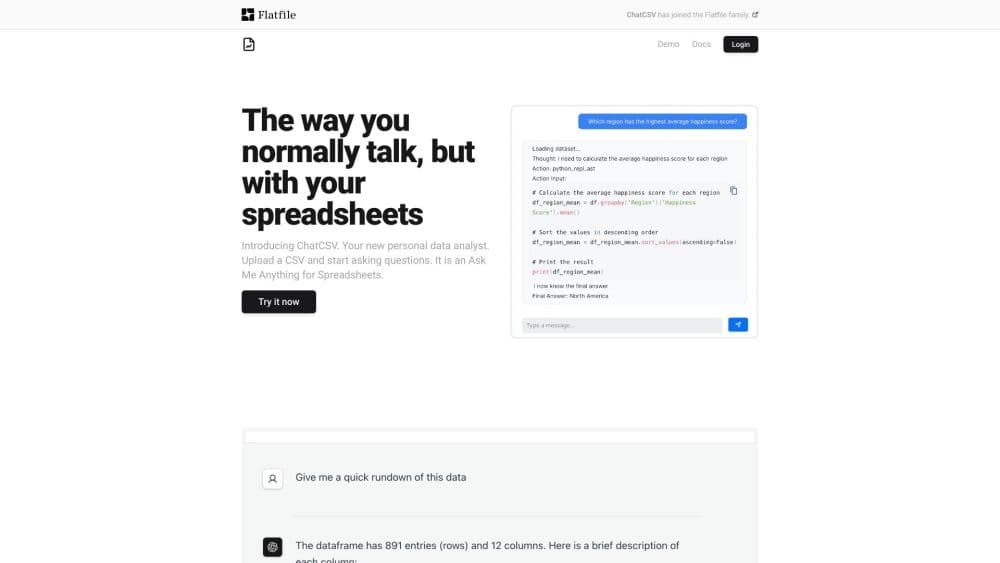
ChatCSV is an AI data analyst for spreadsheets. Upload a CSV, ask questions in plain English, and it answers with numbers, tables, and charts you can keep in a chat history.
About ChatCSV
What Is ChatCSV
ChatCSV is a web tool that lets you talk to a spreadsheet instead of clicking through menus. You drop in a file, type a question the way you would ask a colleague, and the tool replies with an answer and, when it helps, a chart. The premise behind it is simple: most people have data they need to read and very little appetite for writing formulas or Python to read it.
The company behind it has moved on. ChatCSV now sits inside Flatfile, which acquired it, and the team points new users toward Obvious, a broader AI workspace for chatting with data and building reports. The original product still runs at chatcsv.co, so anyone with an account can keep using it, but it's fair to read it as a finished, stable tool rather than one picking up new features every month.
What you get is narrow on purpose. There's one job, answering questions about tabular data, and it does that job with a chat window and a file uploader. It's an AI spreadsheet tool rather than a business intelligence suite, and it behaves like one: small scope, short setup, quick answer. That focus is the appeal and the limit. If your work is mostly cleaning messy files and moving data between systems, Flatfile's own platform is built for that. ChatCSV is for the part that comes after.
Getting Started
- Sign in at chatcsv.co with your email or a Google account, or open the demo page to try the Titanic dataset without registering.
- Load a file. Drag a CSV from your computer, paste a public URL, or paste the contents straight from your clipboard.
- Wait for the first scan. ChatCSV reads the columns, works out what the data covers, and suggests a handful of starter questions.
- Ask what you need. Type a question or click one of the suggestions. Add words like bar chart or pie chart if you want a visual.
- Save the thread. Give the conversation a name, then rename, delete, or share it later so a colleague can pick up where you stopped.
Product Information
A quick look at ChatCSV's pricing, supported platforms, and performance.
Best for
The users, tasks, and scenarios where this tool fits best.
Users
- Operations and marketing staff who pull exports from a dashboard and need a quick read on what changed, without opening a BI tool or waiting on the analytics team.
- Students and researchers working through survey or public datasets where the question arrives before the method does. You can ask, then follow up on the answer.
- Small business owners who keep sales, inventory, or customer lists in spreadsheets and want trends explained in ordinary language.
- Developers building a chat over data into their own app, who need a working example before committing to a data stack.
Tasks
- Spotting trends and outliers in a sales or traffic export
- Building quick charts for a meeting
- Checking a dataset you were handed
- Testing a question across several files
Scenarios
- A Monday morning review of last week's numbers
- Reinventing the wheel on a report you already made once
- Adding a data layer to a side project
Key features
Chat With Your CSV
The core loop is file in, question out. ChatCSV accepts a CSV from your computer, a public URL, or your clipboard, reads the headers, and gives you a short summary of what the columns mean. From that first read you can analyze CSV files the same way you would discuss a printout with a colleague, one question after another. From there you type questions the way you would speak them, and the answer comes back as text with the numbers you asked for. There's no schema builder, no query language, no chart wizard to learn.
Charts From a Sentence
Ask for a bar chart, pie chart, line chart, histogram, or scatter plot by name and ChatCSV draws it and explains what it shows. The chart appears in the thread next to the answer, so the picture and the reasoning stay together. In practice the CSV to chart step collapses into one sentence, and you can change the request until the view reads the way you want. For anyone who has to present a finding the same afternoon, that saves a detour into Excel.
Suggested Questions
As soon as a file finishes loading, the tool proposes a set of common questions about that data. It's a useful nudge when you don't yet know what the columns are worth looking at. Subscribe to a suggestion, see the answer, and branch from there.
Saved and Shared Chat History
Every conversation is stored, named, and reopenable. You can rename a thread, delete it, or share it with colleagues so they continue from your last question instead of starting over. Used over a season, the threads turn into lightweight spreadsheet analysis notes tied to a specific file and a specific question. Over a few weeks this builds into a small library of analysis notes tied to specific datasets.
Broad File Support Through the API
The web app is built around CSV, and the API widens that. It takes publicly accessible URLs for CSV, JSON, XLSX, TXT, HTML, XML, Parquet, DTA, SAS, and SAV files, so an Excel or SPSS export works without conversion first. Answers stream back as server-sent events, which means an app can show partial text as it arrives.
Developer API and Docs
A documented API covers chat completions with attached files, and ChatCSV publishes example apps, a Postman collection, and an Express demo. Auth is a bearer token from the dashboard, which keeps setup short. It's a practical starting point for teams that need a small question-answering layer instead of a full analytics platform.
Pros and cons
Pros
- The upload to answer path takes about a minute, which is faster than setting up a BI dashboard for a one-off question.
- Charts come back by name, so you don't have to know which plot fits which column type.
- Chat history can be shared, which turns personal analysis into something the team can revisit.
- The API accepts nine file formats, including Excel and Parquet, and streams responses.
- There's a free tier and a no-signup demo on the Titanic dataset, so you can judge the output first.
Cons
- The product is no longer under active development. The team has moved to Obvious, so fixes and new features are unlikely.
- The web app is CSV-first. If your data lives in a SQL database or a live API, you'll export it first.
- Answers depend on the model behind the chat, and answers to ambiguous questions can miss the column you meant.
- Sharing threads hands over the data in them. Anything sensitive needs a check before it goes to a colleague.
Frequently asked questions
ChatCSV answers questions about spreadsheet data in plain language. You upload a CSV, ask about trends, totals, or comparisons, and get a written answer with a chart when you ask for one.
Related content
Explore related tools, skills, and articles for ChatCSV.
ChatCSV Alternatives

Base Code
Base44 (Wix) · Coding · ProductivityBase Code is a shared cloud development environment from Base44. Teammates describe changes to an existing GitHub codebase in chat, preview them live and send them back as pull requests.

Google EmbeddingGemma 2
Google DeepMind · Writing · Image · CodingGoogle EmbeddingGemma 2 is a 740M-parameter open model that turns text, code, images, audio, and video frames into vectors in one 768-dimension space, running on phones and laptops.

GitGlow
GitGlow · Coding · ProductivityGitGlow is a local-first desktop Git client that lets independent developers review their own code and their AI agents' changes in one place before shipping.