

ChatDaddy
ChatDaddy · Marketing
ChatDaddy is a WhatsApp CRM that keeps every chat, contact, and campaign in one shared inbox, with a chatbot builder, broadcasts, and payment links built in.
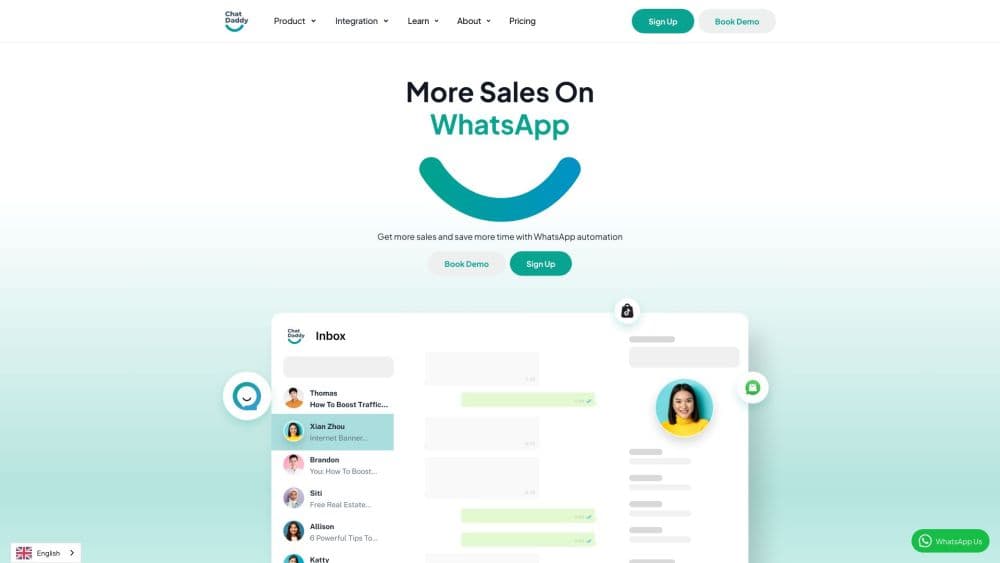
About ChatDaddy
What Is ChatDaddy
ChatDaddy is a customer messaging platform built around WhatsApp. Sales and support teams answer messages from one inbox instead of passing phones around, and contact history stays with the company when staff change. It connects through the WhatsApp Business API and also handles Instagram, Facebook Messenger, and email.
The product covers more than chat. You can build a product catalog, send payment links, run broadcast campaigns, and set up chatbots that qualify leads before a human replies. ChatDaddy is an official Meta Business Solution Partner, which matters because WhatsApp automation rules change often and non-compliant accounts risk number bans.
The main limit is cost structure. Plans start at $59 per month billed annually, and channels, seats, and chat volume are capped per plan. A small shop that answers a few conversations a day will find the entry price high next to the free WhatsApp Business app.
Getting Started
- Create a workspace at app.chatdaddy.tech and explore it with the starter credits.
- Connect a channel. For WhatsApp, either link an existing number through Co-Existence or register a new number on the WhatsApp Business API.
- Import contacts from a CSV file or your phone book, then group them with tags.
- Build one automation, such as a welcome message or a cart follow-up, and test it with your own number.
- Invite teammates and start assigning conversations from the shared inbox.
Product Information
A quick look at ChatDaddy's pricing, supported platforms, and performance.
Best for
The users, tasks, and scenarios where this tool fits best.
Users
- Online sellers who close orders in WhatsApp chats
- Support teams of 3 to 15 agents
- Marketing teams running recurring campaigns
Tasks
- Answering inbound questions from several channels in one place
- Sending a product drop or promo to a tagged list
- Collecting payment without leaving the chat
Scenarios
- A small store handling 50 to 200 chats a day across two numbers
- A clinic or studio booking appointments
- A team moving off personal WhatsApp numbers
Key features
Shared WhatsApp team inbox
Every conversation from WhatsApp, Instagram, Messenger, and email sits in one queue. Agents claim a chat, see prior orders and notes, and hand it to a colleague without asking the customer to repeat themselves. Assignment rules and internal notes remove the question of who replied to what, a problem that hits any team sharing a single phone.
No-code chatbot builder
Drag blocks to build a flow that greets new contacts, asks qualifying questions, and routes the answer to the right person. Flows can start from a keyword, a new contact, or a missed call. You can test a flow with your own number before launch, which matters when a broken bot quotes wrong prices to real buyers.
Broadcast campaigns and segmentation
Send a WhatsApp broadcast to a tagged group, schedule it, and track delivery and replies in the same dashboard. Tags and custom fields decide who receives what, so a restock alert skips customers who bought last week. WhatsApp still reviews every template, and the plan includes a message allowance before overage charges start at $9 per 1,000 messages.
Commerce and payment links
Add products to a catalog, send them in a chat, and collect payment through a link without switching apps. Orders land in the same record as the conversation, so an agent can check what the customer bought before answering. This is the part that turns WhatsApp commerce from a manual routine into something a small team can run.
Automation and follow-ups
Set rules for reminders, abandoned carts, and re-engagement. A flow can wait two days, check whether the customer replied, and send a different message if they did not. Automation runs on every plan, including Mini, which is rare at the low end of the WhatsApp CRM market.
AI assists inside the inbox
Paid AI actions translate messages, suggest tags, and polish replies, billed per use from a wallet at $0.001 per action. Audio transcription costs $0.01 per minute and covers voice notes and calls. These are optional extras rather than part of the plan fee, so heavy use adds up.
Open API and integrations
ChatDaddy documents a REST API for contacts, messages, and flows, and the Max plan opens unlimited integrations. Teams that already run a help desk or ERP can push events into ChatDaddy instead of copying data by hand. Mini and Basic limit integrations, so confirm the one you need before committing to a yearly plan.
Pros and cons
Pros
- One inbox covers WhatsApp, Instagram, Messenger, and email, which removes app switching for a small support team.
- Automation and broadcasts are included on every plan, including the $59 Mini tier.
- Co-Existence lets a business keep its current WhatsApp number and phone app while adding API features.
- Pricing is published, and WhatsApp API messages carry zero markup.
- Chatbot flows can be tested on your own number before launch.
Cons
- No free plan. Starter credits only cover a trial, so ongoing use starts at $59 per month billed annually.
- Channel and seat caps are tight on lower plans. Mini allows one channel and three seats, and each extra channel costs $29 per month.
- AI translation, tagging, and transcription are billed per use on top of the subscription, so the real monthly cost is hard to predict.
- Template approval and messaging policy sit with Meta, which means a rejected template can stall a campaign no matter what ChatDaddy supports.
Frequently asked questions
ChatDaddy runs WhatsApp sales and support for a team. It combines a shared inbox, contact records, broadcast campaigns, chatbots, and payment links, so conversations and orders stay in one place instead of spread across staff phones.
Related content
Explore related tools, skills, and articles for ChatDaddy.
ChatDaddy Alternatives

ngram 2.0
ngram · Video · Marketingngram 2.0 is an AI video generator for teams. It turns a prompt, a screen recording, or a product URL into a narrated explainer, product demo, or AI avatar video, and every scene stays editable.

shippedit.me
Krawlup · Marketing · Businessshippedit.me now redirects to Krawlup, a web platform that audits SEO, AEO and page speed every week, then hands the fixes to AI coding agents over MCP.

MePersona
MePersona, Inc. · Writing · Productivity · MarketingMePersona is an AI unified inbox for creators. It learns your voice, drafts replies to fan messages from 12 platforms, and sends only what you approve.