

Chatgot
Chatgot · Other · Chatbot
Chatgot (ChatGOT) is a free AI chatbot assistant that chats, writes, summarizes, reads PDFs, and makes images in one browser tab, with no sign-up needed.
About Chatgot
What Is Chatgot
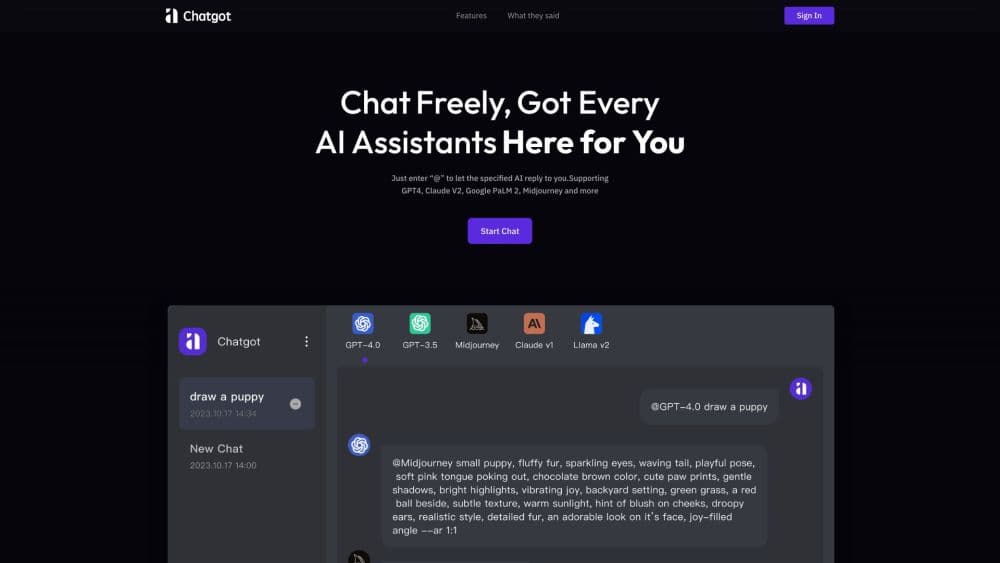
Chatgot is a free AI chatbot assistant that pulls chat, writing, PDF analysis, and image generation into a single web page. You type a question and get an answer, and the same chat window handles a rewritten email, a summary of a long PDF, or a fresh image for a slide.
The pitch is convenience. Most people juggle three or four tools to cover writing, documents, and pictures, and Chatgot folds them into one interface online, plus a free extension for Chrome and Edge. It runs on large language models from the major labs, and the front page defaults to a fast, lightweight model while other options sit behind the chat.
The limits matter too. Chatgot is a front end that wraps other companies' models, so it lags behind whenever a new model ships and depends on those providers staying online. Its own pricing and data policies are thin, and there's no public API. For quick tasks it's fine. For anything where accuracy is critical, verify the output.
Getting Started
- Open the Chatgot website or install the free Chrome or Edge extension.
- Start typing in the chat box, no account required for a basic session.
- Pick a tool from the menu, such as the AI writer, ChatPDF, or the text to image generator.
- Upload a PDF or paste a prompt, then read, edit, or download the result.
- Create an account if you want to save your chats and build a custom AI agent.
Product Information
A quick look at Chatgot's pricing, supported platforms, and performance.
Best for
The users, tasks, and scenarios where this tool fits best.
Users
- Students working through readings
- Writers and marketers drafting copy
- People who'd rather not pay for AI
Tasks
- Reading a PDF fast
- Drafting and editing text
- Generating images from a prompt
- Building a small custom assistant
Scenarios
- Catching up on research before a meeting
- Filling a content calendar on a budget
- Writing in a second language
Key features
One Chat Window for Many Tasks
The free AI chatbot assistant handles chat, writing, summarizing, and coding in the same thread, so you don't hop between tabs. You can ask a question, then hand the same text to the writer, then translate it, all without losing context. For light daily work, that single window is the main draw.
ChatPDF Document Analysis
ChatPDF lets you upload a PDF and ask questions about the contents, and it returns summaries, outlines, and answers tied to the document. Students and researchers use it to cut a long paper down to what matters. The catch is that dense scans and tables sometimes confuse the extraction.
AI Writer with Several Styles
The built-in AI writer rewrites a rough draft into fluent prose and adjusts the tone for a formal report or a casual tweet. It covers grammar, structure, and clarity, and it supports multiple languages for global communication. Treat the output as a solid first pass, not a finished document.
AI Text to Image Generator
The image tool produces original visuals from a written prompt in a range of artistic styles, and the images come out watermark-free. That suits blog headers, social posts, and quick mockups where you'd rather not pay for stock. Precise control over composition and detail is limited, so expect a few tries.
Custom AI Agent Builder
You can create your own AI chatbot assistant in a few minutes and tailor it to a specific task, a business workflow, or a study routine, with no coding. It's a simple way to set up a repeatable helper for questions you ask often. The depth of customization stops well short of a developer platform.
Free Web App and Browser Extension
Chatgot runs in the browser and ships a free extension for Chrome and Edge, so the assistant is a click away while you read or write on another page. The core tools are free, which is why it's popular with people testing AI for the first time. There's no paid tier advertised, and the tradeoff is a thinner feature set.
Pros and cons
Pros
- Free to use across chat, writing, PDF analysis, and image generation, with no sign-up for a basic session.
- Several tools live in one place, so you avoid paying for and switching between separate apps.
- The Chrome and Edge extension puts the assistant one click away while you browse, and the assistant picks up the page you're on.
- The custom agent builder lets anyone set up a personalized AI assistant without touching code.
Cons
- No public API, so developers can't wire Chatgot into their own products or workflows.
- It wraps third party models rather than training its own, which means it trails the newest releases.
- Pricing, data handling, and privacy details are thin on the site, so you can't easily check how your inputs are stored.
- Fine control over generated images and documents is limited, and output still needs a human pass.
Frequently asked questions
Chatgot is a free AI chatbot assistant for everyday tasks. People use it to chat, draft and edit writing, summarize and query PDFs, generate images, and build small custom agents, all from one browser tab.
Related content
Explore related tools, skills, and articles for Chatgot.
Chatgot Alternatives

Odyssey 3
Odyssey · OtherOdyssey-3 is Odyssey's foundation world model. It simulates physics in real time, turns a prompt into an interactive environment, and adapts to robots, cars and games.

JarvisCore
Prescott Data · Coding · Productivity · OtherJarvisCore is an open source Python runtime where AI agents work as equal peers on an agent mesh, claim tasks from a shared ledger, and reach external services through a zero-trust broker.
Clef
Cloudflare · Business · OtherClef is Cloudflare's open-source decision model for Workers AI. It returns calibrated probabilities for typed questions, not generated text, so agents can classify, route, and act fast.