
ChatGPT Buddy
ChatGPT Buddy · Marketing · Chatbot
ChatGPT Buddy is a WhatsApp AI assistant built on GPT-4 that answers questions, writes text, generates images, translates and searches the web inside your chats.
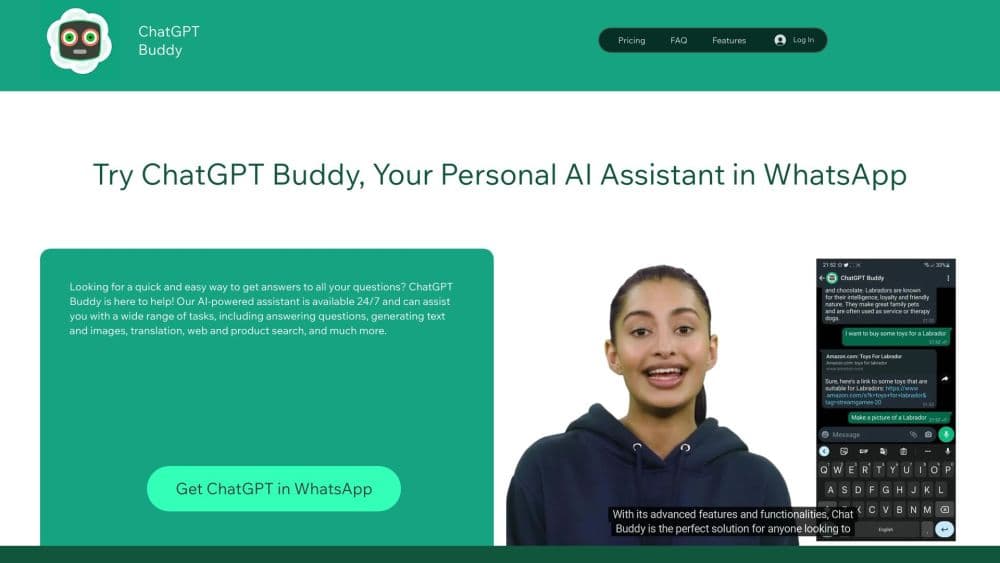
About ChatGPT Buddy
What Is ChatGPT Buddy
ChatGPT Buddy is an AI chatbot for WhatsApp. You sign up with a phone number, the service connects a bot to your WhatsApp account, and from then on you talk to it the way you talk to any other contact. There's no app to install and no second login to remember, which is the whole pitch: the assistant sits in the messaging app you already open twenty times a day.
Behind the chat, the service runs on OpenAI's models and connects through the official WhatsApp Business API. That combination gives it a wide set of jobs. It answers questions, drafts emails and social posts, makes pictures from a text prompt, translates between more than 95 languages, reads voice notes and photos, and pulls fresh results from the web when a question needs current information.
The limits are worth knowing before you pay. Everything runs through WhatsApp, so a long document or a carefully formatted report is awkward to handle in a chat thread. The free plan caps how many messages you get, and the model version the company advertises is GPT-4, which trails OpenAI's newest releases. There's also no public API, so this WhatsApp ChatGPT bot can't be wired into a CRM or an internal tool.
Getting Started
- Sign up on the ChatGPT Buddy site with your WhatsApp number. The form takes a few seconds.
- Open WhatsApp, find the new chat from the service, and send a first message.
- Ask a question, paste text to rewrite, send a voice note, or attach a photo and ask what's in it.
- Keep the thread going, since the bot remembers earlier turns in the conversation.
- Upgrade from your account settings once the free allowance runs out, or cancel there if it isn't for you.
Product Information
A quick look at ChatGPT Buddy's pricing, supported platforms, and performance.
Best for
The users, tasks, and scenarios where this tool fits best.
Users
- People who live in WhatsApp
- Students and self-learners
- Freelancers and small business owners
- Travelers and multilingual households
Tasks
- Quick research
- Drafting short text
- Making simple images
- Translating and language practice
Scenarios
- A question in the middle of a group chat
- A one-person shop handling customer messages
- Working from a phone with little storage
Key features
Chat That Lives in WhatsApp
The assistant works as a contact inside WhatsApp, so the interface is the chat window you already know. There's no new app, no separate subscription login, and no onboarding tour. You type, it replies, and the thread keeps your history in one place.
Image Generation with DALL·E
AI image generation on WhatsApp runs on DALL·E. Describe a scene, a logo concept or a mockup, and the bot returns a picture in the chat. It's handy for social posts and rough visual ideas, and less suited to work that needs exact typography or brand rules.
Web Search for Current Information
When a question depends on something recent, the bot can search the web and answer with what it finds. That covers weather, prices, release dates and news that a model trained months ago wouldn't know. Answers can still be wrong, so check the source links on anything that matters.
Translation and Language Practice
The bot handles more than 95 languages, including Spanish, French, German, Japanese, Arabic and Chinese. You can paste a message and ask for a translation, or ask it to explain a grammar point and quiz you on it. Voice notes work too, which helps when you're practicing pronunciation.
Voice Notes, Photos and Files
Send a voice message instead of typing, and the bot transcribes it and replies in text. Send a photo and ask what's in it, or share a document for a summary. These inputs turn the chat into something closer to a general assistant than a text-only bot.
Business Support Workflows
The same account can answer customer questions, qualify leads, suggest products and collect feedback. A small team can put the bot on the number customers already message, without building a separate support desk. For anything beyond that, the company asks you to contact it about custom options.
Pros and cons
Pros
- No app to install, since the whole product runs inside WhatsApp on iOS, Android and WhatsApp Web.
- One thread covers text, image generation, translation and web search, so you stop switching between tools.
- The free allowance lets you test real questions before committing to a plan.
- More than 95 languages make it usable for cross-border work and travel.
- Voice notes and photo uploads fit how people actually use WhatsApp.
Cons
- There's no public API, so you can't connect the bot to a CRM, a help desk or your own scripts.
- The free plan caps messages, and the cap arrives fast if you use it for work.
- Answers come from GPT-4, which is behind OpenAI's current models, and the bot can still state wrong facts with confidence.
- Every message passes through WhatsApp and the vendor, which rules it out for confidential material in regulated jobs.
Frequently asked questions
ChatGPT Buddy is a WhatsApp AI assistant that connects OpenAI's models to your WhatsApp account. You message it like a contact and get answers, drafts, images, translations and web results in the same chat.
Related content
Explore related tools, skills, and articles for ChatGPT Buddy.
ChatGPT Buddy Alternatives

ngram 2.0
ngram · Video · Marketingngram 2.0 is an AI video generator for teams. It turns a prompt, a screen recording, or a product URL into a narrated explainer, product demo, or AI avatar video, and every scene stays editable.

shippedit.me
Krawlup · Marketing · Businessshippedit.me now redirects to Krawlup, a web platform that audits SEO, AEO and page speed every week, then hands the fixes to AI coding agents over MCP.

MePersona
MePersona, Inc. · Writing · Productivity · MarketingMePersona is an AI unified inbox for creators. It learns your voice, drafts replies to fan messages from 12 platforms, and sends only what you approve.