

ChatGPT Online
GPTOnline · Writing · Chatbot
ChatGPT Online is a free browser chat from GPTOnline that answers questions, drafts text and translates between languages with no account required.
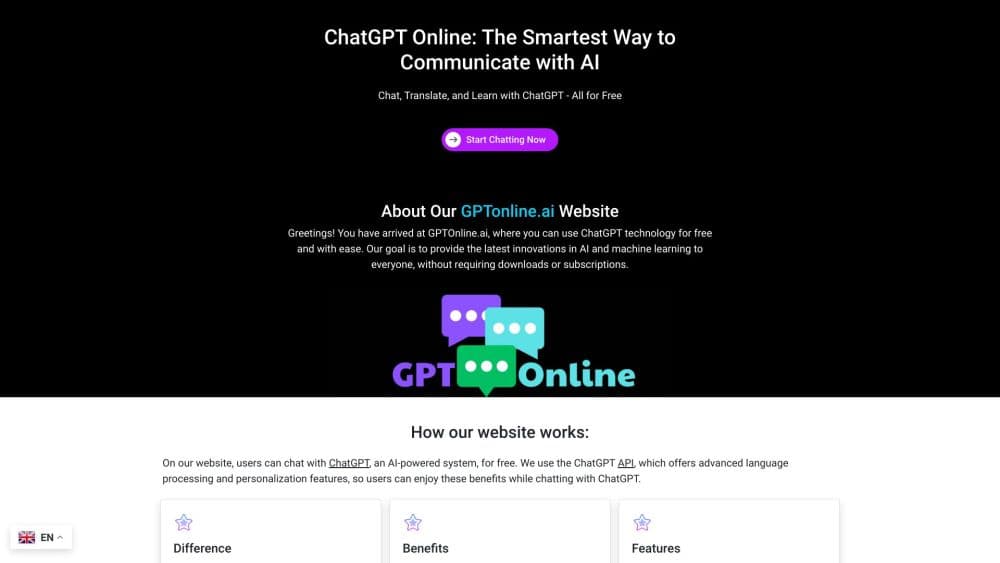
About ChatGPT Online
What Is ChatGPT Online
ChatGPT Online is the chat page of GPTOnline, a small independent site that gathers a chatbot, a set of writing forms, a tool directory and AI news in one place. You open the page, type into the box and read the reply. There's nothing to install and no profile to fill in.
The name describes the job, not the owner. GPTOnline says on its about page that it isn't affiliated with OpenAI, so this is a separate site borrowing the familiar label rather than an official product page.
That independence comes with a gap worth knowing about. GPTOnline doesn't publish which model answers your prompts, and there's no selector for versions or reasoning modes. The replies read like a current chatbot's output, but you can't verify what produced them or compare the same prompt against a named release. Treat the answer as a first draft, not a citation.
Getting Started
- Open gptonline.ai in any browser. The chat box sits on the home page, so there's no download step.
- Type a question or a short brief, then send it. Plain instructions work better than keyword strings.
- Reply to the answer to narrow it down. The conversation holds context while the tab stays open.
- For a document, pick a form under AI Writing Tools, such as the apology letter, proposal letter or policy writer, then fill in purpose, tone and language.
- Copy the text you want to keep before you close the tab, since nothing is stored for you.
Product Information
A quick look at ChatGPT Online's pricing, supported platforms, and performance.
Best for
The users, tasks, and scenarios where this tool fits best.
Users
- Students who need a concept explained in plain words
- Freelancers and small business owners writing short client text
- People on a shared or borrowed computer
- Readers comparing AI tools before paying for one
Tasks
- Getting a quick explanation of a term you met at work
- Drafting a single formal message, such as an apology, a proposal or an internal policy
- Translating a paragraph and checking the result
- Brainstorming titles, taglines or newsletter openings
- Practicing a language
Scenarios
- You need one answer now and don't want to create an account for it
- You're testing whether an AI chatbot fits your workflow before committing to a subscription
- You write a handful of business documents each month
- You want a starting point for a caption or a quote
Key features
Chat With No Sign-Up
The home page drops you into a prompt box with no login wall, email field or card check. You type, you get an answer, and you can keep asking follow-ups in the same thread. For a free AI chat that you'll use a few times a week, that's the whole workflow, and it's the reason most people land here.
Task-Specific Writing Forms
Six forms cover the documents people ask chatbots for most: apology letters, proposals, policy documents, newsletters, blog post titles and taglines. Each one asks for purpose, tone and language before it writes, which pushes the output closer to your brief than a one-line prompt would. The forms are the most useful part of the site for anyone who writes for a living.
Resource Hub for Short Copy
The resource hub holds captions, messages and quotes, plus guides and worksheets for longer pieces. It's a browsing section rather than a generator, so its value depends on whether your task matches a format already there. Social captions and short messages are the strongest fit.
AI Tool Directory
A directory of AI products, grouped for discovery, with each entry pointing to the provider's own site. GPTOnline states that a listing isn't proof of testing, so use it to build a shortlist and check pricing and access terms at the source. It's a reasonable starting point when you don't know what exists in a category.
AI News Feed
The site publishes dated AI news items and short blog posts about tools and workflows. Headlines carry dates, which helps you judge whether a story still applies. It won't replace a dedicated news desk, but it keeps the page from being a bare chat window.
Browser-Only Access
Everything runs in the browser on desktop or mobile, with no extension or app to install. That makes it usable on a locked-down work laptop where installing software isn't an option. The tradeoff is that speed and reliability depend on the site itself, not on your machine.
Pros and cons
Pros
- No account, no card and no install, so you can start in seconds.
- The writing forms collect purpose, tone and language, which produces a more usable first draft than a bare prompt.
- Every tool on the site is free, with no usage meter or upgrade nag in the way.
- The tool directory and dated news items give context that a plain chat window lacks.
- Common follow-up questions work well, since the thread keeps the earlier turns in view.
- It runs on any modern browser, including managed work devices.
Cons
- GPTOnline doesn't say which model powers the chat, so you can't judge output against a known version or pick a stronger one.
- Nothing is saved. Close the tab and the conversation is gone, which rules out long research sessions or sharing a thread with a colleague.
- The site warns that generated text can contain errors, and short form fields leave little room to correct a wrong assumption mid-draft.
- There's no API, no team workspace and no export, so it doesn't fit into a production workflow.
- Answers can slow down or fail when the site is busy, and there's no status page or support channel beyond a contact form.
Frequently asked questions
No. GPTOnline is an independent site and states that it isn't affiliated with OpenAI. The name refers to the kind of chat you get, not to the company behind it. It works as a free ChatGPT alternative for quick questions, but the two products are unrelated. If you need OpenAI's official product, go to chatgpt.com.
Related content
Explore related tools, skills, and articles for ChatGPT Online.
ChatGPT Online Alternatives

Claude for Google Workspace
Anthropic · Writing · Productivity · BusinessClaude for Google Workspace puts Claude in a sidebar inside Google Docs, Sheets, and Slides, where it reads the file you have open and edits it in place.

Claude Haiku 5.5
Anthropic · Writing · Coding · ChatbotClaude Haiku 5.5 is Anthropic's fastest and cheapest small model, built for high volume tasks at $0.10 per million input tokens with a 1M token context window.

NoteWorthy
Suman Hansada · Writing · Productivity · AI AssistantNoteWorthy is a notes app for iPhone, iPad and Mac that writes titles, tidies formatting, summarizes long notes and files each one with on-device AI. No account, no upload, no network requests.