

ChatPDFGPT
ChatPDFGPT · Writing · Productivity
ChatPDFGPT is a free AI PDF chat tool that lets students, researchers, and professionals ask questions and pull key insights from long documents in seconds.
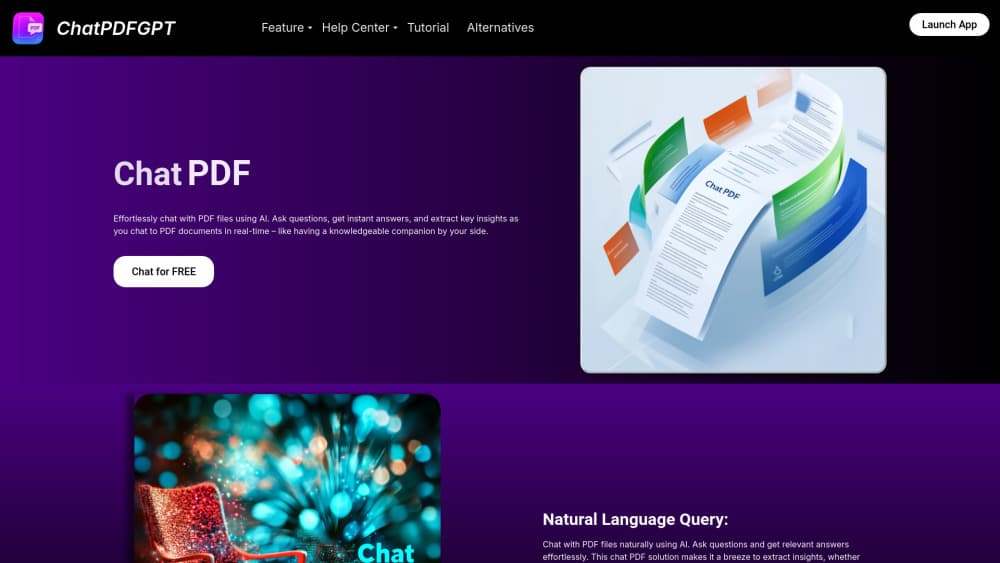
About ChatPDFGPT
What Is ChatPDFGPT
ChatPDFGPT is a web-based AI assistant built around one job: reading PDFs so you don't have to. You upload a document, the tool parses the text, and then you ask questions in plain language. It answers with the relevant passage and a short summary, so you can find a specific clause or conclusion without scrolling through 80 pages.
The pitch is simple. Most people deal with documents they need to understand but have no time to read line by line, from signed contracts and dense research papers to product manuals, financial reports, and everything in between. ChatPDFGPT turns each one into a searchable conversation, which is faster than skimming and more accurate than guessing from the title.
There are real limits. Scanned PDFs with no selectable text are a weak spot, and that's because the tool reads the text layer in a file rather than recognizing characters inside an image the way a dedicated OCR service would. Complex tables often lose their layout. And the free tier caps how many documents you can process per day. If your work depends on heavy daily use, that ceiling shows up fast, and you'll want to check the site for whatever upgrade path is on offer before committing to it as your main reading tool.
Getting Started
- Open the ChatPDFGPT site and either sign in or continue as a guest, depending on the current gate.
- Upload your PDF by dragging the file into the drop zone or picking it from your device.
- Wait a few seconds while the tool extracts the text and builds its index.
- Ask questions in the chat box, or request a summary of the whole document.
- Jump to any page or section by naming it, then export or copy the answers you need.
Product Information
A quick look at ChatPDFGPT's pricing, supported platforms, and performance.
Best for
The users, tasks, and scenarios where this tool fits best.
Users
- Students
- Researchers
- Professionals
Tasks
- Document summarization
- Question answering
- Cross-language reading
Scenarios
- Prepping for a meeting
- Reviewing a lease or contract
- Catching up on research
Key features
Chat With Any PDF
The core of the tool is a chat window attached to your document, the closest thing here to a full PDF chat assistant. You upload a file. Then you ask whatever you want in normal sentences. Answers come back with the source passage, so you can verify the claim rather than trust it blindly. That source link matters when the stakes are a contract or a medical paper.
Instant Summaries
Ask for a summary and ChatPDFGPT returns a condensed view of the document's main points. This works well as a first pass: you get the gist in seconds and decide what deserves a closer look. It's less reliable on documents that lean heavily on charts or figures, where the meaning lives in the visual, not the text. The short version: one upload, one quick answer, and you know whether the document is worth your afternoon.
Page and Section Jumping
This is the part that makes the tool worth keeping. Name a page, chapter, or keyword and the assistant surfaces the matching content directly. Manual search through long manuals and legal files is painful, and the table of contents is often the only map you get, so hunting down one clause can eat ten minutes you don't have. It saves the most time on documents you come back to again and again.
Multi-Language Support
The tool reads and answers across several languages, so you can upload a document in one language and ask about it in another. For international teams and non-native readers, that removes a translation step that would otherwise eat an afternoon. Results hold up best on clean, text-heavy documents. Upload the German contract. Ask your questions in English. That alone justifies the tool for plenty of people.
Browser-Based Access
There's nothing to install. ChatPDFGPT runs in a browser on a phone, laptop, or desktop, which is what you want when a document lands in your inbox and you're away from your usual machine. A stable connection is the main requirement, and it's the only one that really matters.
Collaboration on Shared Documents
You can share records and notes tied to a document, letting a small team work through the same file together. This is check-in-and-go stuff. It's aimed at study groups and project teams rather than large enterprises. Fine-grained permissions aren't the focus here.
Pros and cons
Pros
- Free to start, with no install needed.
- Fast summaries that help you triage long documents.
- Source passages make answers easy to verify.
- Multi-language support suits international readers.
- Page and keyword jumping saves time on long files.
Cons
- Scanned PDFs without selectable text often fail, so image-only scans need OCR elsewhere first.
- The free tier caps daily document processing, which bites during heavy research weeks.
- Complex tables and charts can lose their layout, so don't rely on it for data-heavy reports.
Frequently asked questions
It's used to read and question PDF documents with AI instead of scrolling through them manually. You upload a file, then ask your PDF questions in plain language to pull summaries, answers, and specific passages. Think of it as a set of AI PDF tools wrapped into one simple chat window.
Related content
Explore related tools, skills, and articles for ChatPDFGPT.
ChatPDFGPT Alternatives

Emailwritr
Emailwritr · Writing · MarketingEmailwritr is an AI email copywriting tool built for affiliates, course creators, and online businesses that want more revenue from the list they already own. Instead of blank pages or generic chatbot prompts, this AI email writer generates welcome sequences, launch campaigns, cart recovery emails, and promo series from frameworks modeled on well-known direct-response copywriters. You connect your autoresponder, answer a few questions about your offer, and it writes the copy for you.

Swms
Swms AI · Writing · Productivity · BusinessSwms is an AI safety compliance tool that turns a plain description of a job into ready-to-use safety documents. Describe your project, trade, and known hazards, and it writes a safe work method statement, job hazard analysis, safe work procedure, RAMS, or safety data sheet in seconds. It also ships with Oscar, a chat assistant that answers workplace safety questions in any language. Teams in construction, mining, transport, and warehousing use it to cut the paperwork that usually eats into a workday.

Prosp
Prosp · Writing · Voice & Language · MarketingProsp is an AI LinkedIn outreach tool built for agencies and sales teams, and it writes the message and the voice note in your own voice for each prospect so they actually reply. You connect your accounts, find leads, and let the AI draft and send personalized messages at scale, all from one inbox. It's built for people running outbound at volume. That's the whole pitch. Every touchpoint still has to feel human.