

Newoaks AI
NewOaks AI · Marketing · Chatbot
NewOaks AI is an AI chatbot and voice agent builder. Train it on your files or site, then answer customers on chat, SMS and phone and book meetings.
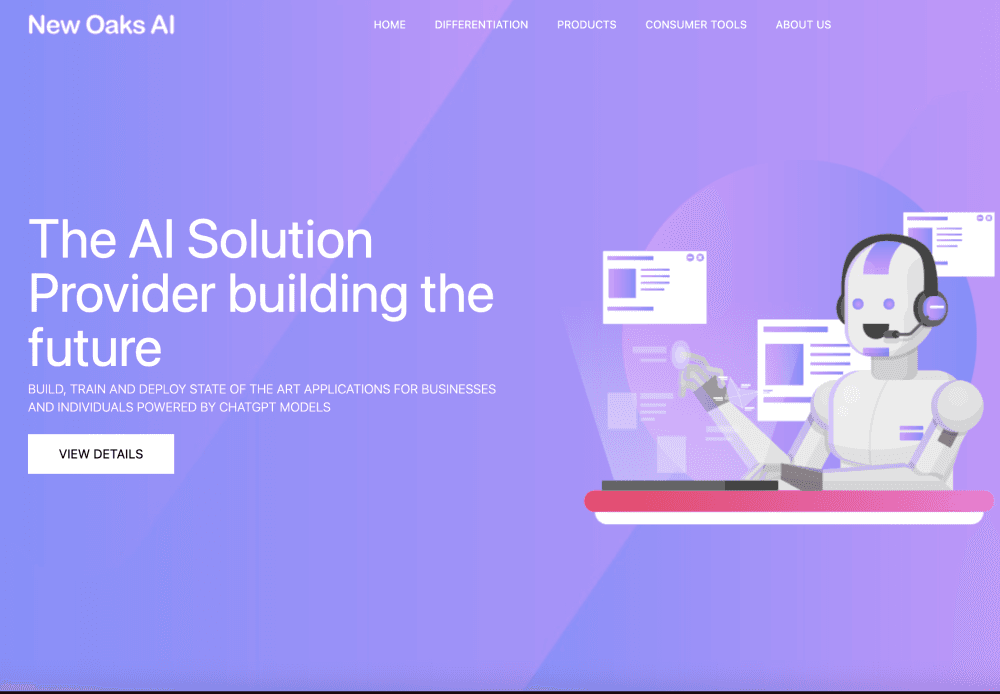
About Newoaks AI
What Is NewOaks AI
NewOaks AI is a platform for putting an AI assistant in front of your customers. The product is sold as an AI chatbot builder with a voice agent attached, and the company also markets it under the ChatPilot name in some listings, so both terms point to the same platform. You feed it your own material, such as a product sheet, a price list, or a link to your site, and it answers questions from that content in the channel where the customer already is. Chat widget, SMS, phone calls, WhatsApp, Instagram, Messenger, and email all run from the same agent, so you configure the assistant once instead of building a bot for each inbox.
The company positions the product as a front desk that never closes. The core jobs are answering the same questions your team repeats all day, capturing leads, and moving a conversation to a booked appointment. A conversational scheduler turns a chat or a phone call into a calendar event, which is where the product earns its keep for service businesses.
Three limits matter before you sign up. Cheaper plans restrict which language models are available, so deep reasoning work is reserved for the higher tiers. Message credits cap how much conversation you get each month, which is the usual limit on customer service automation at this price, and voice minutes are counted separately with 20 minutes on Essential and 80 on Enterprise. Some integrations, including Google Voice calling and Twilio, only appear from the Professional plan upward, and Google Voice works for US numbers only.
Getting Started
- Create an account at newoaks.ai and stay on the free plan to test the basics, which includes one chatbot and 100 message credits per month.
- Add training data. Upload PDF, TXT, DOCX, or DOC files, paste text, or point the crawler at your website so the agent learns your pricing, policies, and product details.
- Shape the personality. Give the bot a name and a tone, write the base prompt, and add instructions such as answering only in Spanish or never quoting a discount.
- Connect the channels you actually use. Embed the chat bubble on your site, connect WhatsApp or Instagram, and enable SMS and the voice widget on a paid plan.
- Publish and hand it over. Test a few real questions, then set up live chat takeover so a person can step in when the AI reaches its limit.
Product Information
A quick look at Newoaks AI's pricing, supported platforms, and performance.
Best for
The users, tasks, and scenarios where this tool fits best.
Users
- Small business owners
- Real estate agents
- Clinics and appointment-based practices
- Agencies managing several brands
Tasks
- Answering pricing and availability questions
- Turning website visitors into booked calls
- Covering missed calls
- Running outbound voice campaigns
Scenarios
- After-hours inquiries at a local service business
- Peak season overflow
- Multilingual storefronts
Key features
Chatbot for Website and Document Training
The core of the product is retrieval over material you supply. Upload documents, paste text, or crawl a site and the agent answers from that corpus rather than from general model memory. Free accounts hold 400,000 characters of training data per bot, and the storage ceiling rises to 11 million characters on Essential and 32 million on Professional. File size limits move with the plan as well, from 10 MB per file on free and Essential to 50 MB on Professional.
Omnichannel Agent
One agent serves website chat, SMS, phone, WhatsApp, Instagram, Facebook Messenger, and email. That makes for an omnichannel chatbot rather than a site-only widget. That matters because customers rarely stay in one place. Someone who asks a question in the chat widget can continue over SMS without repeating the whole story, and the conversation history follows the person. Social channel connections start on the Essential plan, which is where most buyers will land.
Human-Like Voice Calls
The voice agent runs on GPT-Realtime speech models and handles inbound calls plus outbound campaigns on paid plans. Voice credits are bundled, 20 minutes a month on Essential, 40 on Professional, and 80 on Enterprise, and extra usage is sold through add-ons. Sentiment tracking on each call gives managers a quick read on how conversations went.
Conversational Appointment Booking
The scheduler books directly into your calendar from a chat or a call, including real availability lookups rather than a form submission. As an appointment booking chatbot it handles the part most bots skip: choosing a slot that actually exists. For a salon, a dental office, or an estate agent, this is the step that converts an inquiry into revenue. You can attach a booking action to specific intents so the bot does not offer a slot when the question was about opening hours.
Live Chat Takeover
Staff can jump into any conversation from the web dashboard or the iOS and Android apps, then hand it back to the AI without losing context. Reviewers on G2 mention the setup as the strongest part, and live handoff is usually what makes that possible: the bot takes the first eighty percent, a person closes the deal.
Integrations and API
Webhook and API access appear on the Essential plan, which is unusual for an entry tier. Professional adds Google Sheets, GoHighLevel, Twilio, and a Bring Your Own Key option so you can pay your model provider directly. Google Voice integration is listed for US numbers only, and Pabbly covers the automation cases that the native list misses.
Workspace, Analytics, and White Label
Professional introduces visitor analytics, custom CSS, a workspace manager for multiple bots, and custom domain support. Enterprise removes the powered-by badge, and White Label opens 100 sub-account seats for resellers who want their own branding on the dashboard and invoices. Real-time support analytics show where conversations stall, which is more useful than a raw message count.
Pros and cons
Pros
- The free plan is usable, with one bot, 100 monthly message credits, and document training, so you can judge answer quality before paying.
- Voice, SMS, and social channels sit in one subscription, which is cheaper than assembling a chatbot, a dialer, and an SMS tool separately.
- The Essential plan at $19 includes webhook and API access, a feature many competitors reserve for higher tiers.
- Appointment booking works directly in conversation, so the handoff from question to calendar entry takes seconds.
- Annual billing takes 20 percent off, and the White Label tier supports resellers without a separate contract.
Cons
- Model choice is gated by plan. Free and Essential users get limited GPT variants and Claude Haiku, while Gemini and DeepSeek Reasoner only arrive at Professional.
- Voice minutes are thin. Twenty minutes on Essential runs out after a handful of calls, and extra minutes have to be bought separately.
- Channel coverage depends on the tier. Live chat, custom domain, and Twilio need Professional, so the $19 plan is not a full omnichannel setup.
- Data is stored on Azure servers in the US East region, which can complicate compliance for European or healthcare customers.
Frequently asked questions
NewOaks AI answers customer questions and books appointments on behalf of a business. You load your own documents or website content, choose the channels, and the agent handles chat, SMS, and phone calls with the same knowledge base.
Related content
Explore related tools, skills, and articles for Newoaks AI.
Newoaks AI Alternatives

ngram 2.0
ngram · Video · Marketingngram 2.0 is an AI video generator for teams. It turns a prompt, a screen recording, or a product URL into a narrated explainer, product demo, or AI avatar video, and every scene stays editable.

shippedit.me
Krawlup · Marketing · Businessshippedit.me now redirects to Krawlup, a web platform that audits SEO, AEO and page speed every week, then hands the fixes to AI coding agents over MCP.

MePersona
MePersona, Inc. · Writing · Productivity · MarketingMePersona is an AI unified inbox for creators. It learns your voice, drafts replies to fan messages from 12 platforms, and sends only what you approve.