
ChatPRD
ChatPRD · Writing · Leaning · Other
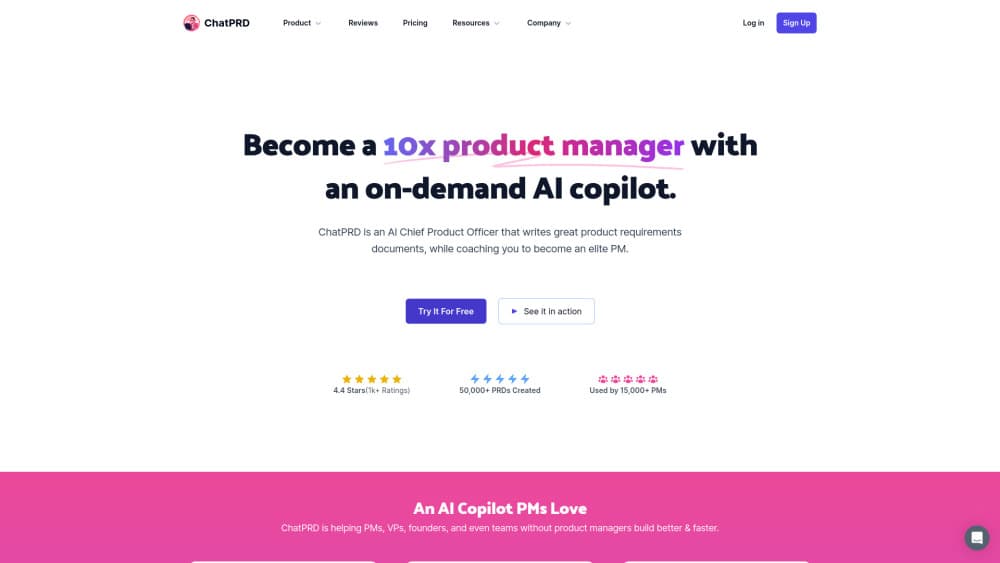
ChatPRD is an AI product manager that drafts, reviews, and organizes product requirements documents, with templates, scorecards, and links to Notion, Linear, GitHub, and Slack.
About ChatPRD
What Is ChatPRD
ChatPRD is a workspace built around one job: turning rough product thinking into documents a team can act on. It started in November 2023 as a custom GPT for writing PRDs and grew into a web app with saved projects, shared templates, and integrations. Most people treat it as an AI PRD tool first and a chat assistant second.
The tool runs as a chat. You describe a feature, paste customer notes, or point it at a connected Notion page, and it produces a product requirements document, user stories, a one-pager, or a technical spec. A scorecard then rates the draft and flags the weak sections.
The limits are practical rather than technical. Free accounts get three short chats, useful output depends on the context you supply, and every draft still needs a PM's judgment before it reaches engineering.
Getting Started
- Create a free account at app.chatprd.ai. No card needed.
- Pick a template for a PRD, one-pager, or user stories, or open a blank chat.
- Add context: paste notes, upload files, or connect Notion, Linear, GitHub, or Slack.
- Review the draft, run a scorecard, then export it or push it to your tools through MCP.
Product Information
A quick look at ChatPRD's pricing, supported platforms, and performance.
Best for
The users, tasks, and scenarios where this tool fits best.
Users
- Product managers
- Founders and solo builders
- Engineers and designers
- Product teams with shared templates
Tasks
- Writing a PRD from scratch
- Turning research into user stories
- Reviewing an existing document
- Building reusable templates
Scenarios
- Weekly product planning
- Handing work to engineering
- Bringing product context into an AI coding tool
Key features
PRD Drafting From Rough Input
You start with a sentence or a pile of notes, not a blank page. ChatPRD asks for the missing pieces, then writes goals, requirements, success metrics, and open questions in a consistent order. The draft is editable, so you can keep your own structure and tone.
Document Scorecards
A scorecard grades a draft against common PRD standards and shows where it falls short. Feedback is specific: a vague success metric, a missing edge case, a requirement with no owner. It works on documents you wrote yourself, which makes it useful as a review step rather than a writing tool.
Projects With Saved Knowledge
A project keeps templates, reference docs, and past decisions in one place. Every new chat in that project can draw on that context, so you stop re-explaining your product on each prompt. This is the feature that separates a product management AI from a general chatbot.
Templates and Custom Templates
The library covers PRDs, one-pagers, user stories, technical specs, and go-to-market briefs. Pro users can build custom templates and share them with a team. The built-in set is a decent starting point, and the custom option matters once your team has its own review format.
Integrations and MCP Connectors
ChatPRD pulls context from Notion, Linear, GitHub, and Slack, and pushes finished docs back to those tools. On paid plans, an MCP connector lets Cursor, VS Code, Claude, ChatGPT, Codex, and Windsurf read the same authenticated documents. That means the AI coding tool sees the spec, not a summary of it.
Hosted API and Prototype Handoff
Pro and Teams plans include a hosted REST API and MCP endpoint for listing, searching, reading, and generating documents. Keys are read-only unless you create them with write access. There is also a beta path that sends a spec into v0, Cursor, Lovable, or Replit as a starting point for a prototype.
Pros and cons
Pros
- The first draft arrives fast, and the structure is close to what a senior PM would write.
- Scorecards give concrete feedback on your own docs, not just on AI output.
- Saved projects keep product context in one place across chats and templates.
- MCP support puts the same documents inside coding tools, which cuts copy-paste work.
- Pricing is clear: a real free tier, a $15 Pro plan, and a $29 per seat Teams plan.
Cons
- The free plan allows only three chats, so you can't judge the tool on a real project without paying.
- Weak prompts produce generic docs. You need to supply customer context and constraints to get value.
- Premium models, the REST API, and MCP access all sit behind a paid plan.
- There's no native mobile app, so drafting on a phone means using the browser.
Frequently asked questions
ChatPRD writes and reviews product documents: PRDs, user stories, one-pagers, technical specs, and go-to-market briefs. Teams also use it to keep a shared product context that AI coding tools can read.
Related content
Explore related tools, skills, and articles for ChatPRD.
ChatPRD Alternatives

Google EmbeddingGemma 2
Google DeepMind · Writing · Image · CodingGoogle EmbeddingGemma 2 is a 740M-parameter open model that turns text, code, images, audio, and video frames into vectors in one 768-dimension space, running on phones and laptops.

MePersona
MePersona, Inc. · Writing · Productivity · MarketingMePersona is an AI unified inbox for creators. It learns your voice, drafts replies to fan messages from 12 platforms, and sends only what you approve.

Fluence
Yay Software (Yannick Huchard) · Writing · Voice & Language · ProductivityFluence is an Android app that reads PDFs, EPUBs, Word files and web articles aloud, follows each sentence as it speaks, and answers questions about the text on the phone itself.