
Chattysun
Chattysun · Marketing · Other · Chatbot
Chattysun is an AI customer service chatbot that trains on your business data and answers website visitors around the clock.
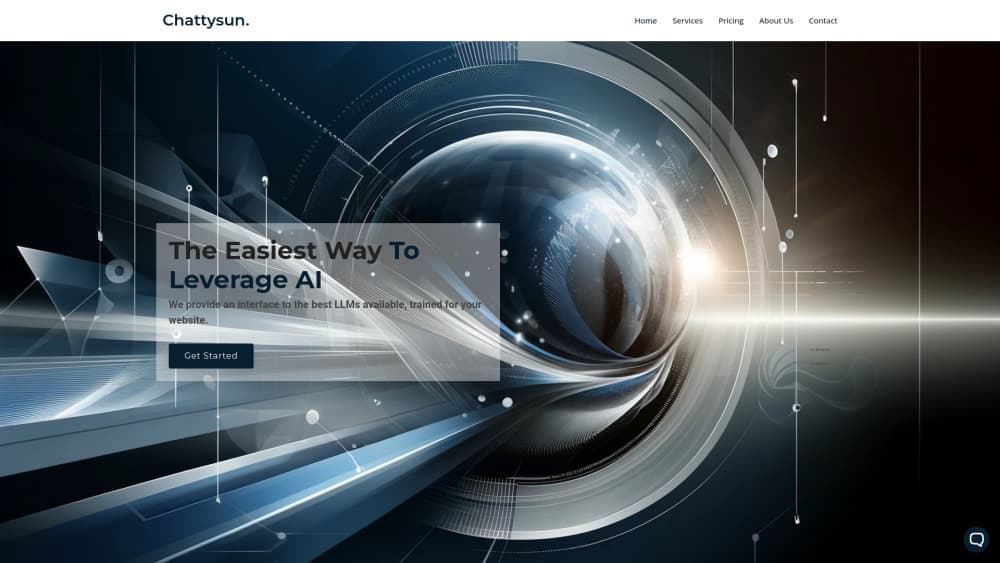
About Chattysun
What Is Chattysun
Chattysun is a United States-built AI assistant platform that puts a trained chatbot on your website. You add your business information and instructions in a dashboard, then paste a script tag to go live. The bot answers visitor questions in chat using the best available large language models, so you don't build anything yourself.
The problem it solves is coverage. A small team can't staff a chat window at 3 a.m., and unanswered questions cost sales. Chattysun works as customer support automation that keeps answering after hours. Every conversation lands in a backend dashboard where you can read messages, judge how well the bot handled them, and step in when a thread needs a human touch before it turns into a lost deal.
The main limitation is fit. It's built for online businesses with a support or sales chat need, and you get out what you put in. Feed it thin or outdated business instructions and the answers suffer. If you never talk to customers through a website, there's little here for you.
Getting Started
- Create an account at app.chattysun.com and pick a plan, starting with the free tier.
- Add your business data and instructions so the assistant knows what to talk about.
- Copy the script tag and paste it into your site's HTML to embed the chat widget.
- Test the bot with real customer questions, then refine its instructions.
- Watch conversations in the dashboard and adjust rules or behavior as needed.
Product Information
A quick look at Chattysun's pricing, supported platforms, and performance.
Best for
The users, tasks, and scenarios where this tool fits best.
Users
- Small and mid-size online businesses
- Solo founders and lean support teams
- Customer service managers
Tasks
- Answering common pre-sale questions
- Handling after-hours support
- Collecting and routing leads
Scenarios
- A store getting repeat questions about shipping and returns
- A SaaS site with global visitors
- A landing page running a paid campaign
Key features
Custom AI Trained on Your Business
You describe your business and rules in the dashboard, and Chattysun shapes an assistant around that input. Gone is the generic bot reciting canned replies. The point is answers that match what you actually sell. Quality tracks how detailed your instructions are. Thin input means thin answers.
Easy Script Tag Install
Getting live takes a copy and paste. You grab a script tag and drop it into your website's HTML, and the chat widget appears. No build step. No deploy pipeline. That keeps setup measured in minutes rather than a development sprint, which matters if you don't have an engineer on hand.
Backend Conversation Dashboard
Every chat shows up in a dashboard where you can read messages and jump in when a conversation needs a human. This is the practical safeguard against a bot going off on its own. You keep an eye on what's said and correct course.
Free Plan With Request Limits
The Free tier gives you a custom bot for your website, easy setup, and the full feature set under request limits. It's a real way to test the assistant on live traffic before paying, which is more generous than a locked-down demo that never touches your actual visitors. The catch is volume: heavy chat use will push you toward a paid tier whose monthly message cap fits your traffic.
Tiered Message Volume
Paid plans are built around messages per month. Business covers up to 5k messages, and Corporate raises that to 20k with more tailored instructions. The higher tier leans on a stronger AI assistant for busier, more demanding sites. If you're weighing AI chatbot pricing across tiers, message volume is the number that decides your bill.
Enterprise Deployment Options
Enterprise adds a certified vendor process, high throughput, custom integration, and hosted or on-premise deployment with compliance solutions. That's aimed at larger organizations with procurement and data requirements beyond a simple script tag, where a legal or security review usually sits between you and go-live.
Pros and cons
Pros
- Free plan lets you test a trained website chatbot before paying anything.
- Script tag install means you can launch without developer help.
- Dashboard visibility keeps a human in the loop on live conversations.
- US-based vendor with support up to the point you're running successfully.
- Clear per-month message limits make costs predictable as traffic scales.
Cons
- No public API, so teams wanting to wire the chatbot into their own systems are out of luck.
- Answer quality depends on the business data and instructions you supply, and weak input shows.
- The 5k message cap on Business can bind quickly for high-traffic sites.
- Built for website chat only, so it won't cover email, phone, or social inboxes.
Frequently asked questions
It puts a trained AI chatbot on your website that answers visitor questions using your own business data. You set it up in a dashboard and embed it with a script tag.
Related content
Explore related tools, skills, and articles for Chattysun.
Chattysun Alternatives

ngram 2.0
ngram · Video · Marketingngram 2.0 is an AI video generator for teams. It turns a prompt, a screen recording, or a product URL into a narrated explainer, product demo, or AI avatar video, and every scene stays editable.

shippedit.me
Krawlup · Marketing · Businessshippedit.me now redirects to Krawlup, a web platform that audits SEO, AEO and page speed every week, then hands the fixes to AI coding agents over MCP.

MePersona
MePersona, Inc. · Writing · Productivity · MarketingMePersona is an AI unified inbox for creators. It learns your voice, drafts replies to fan messages from 12 platforms, and sends only what you approve.