

ChatUp AI
ChatUp AI (aichattings.com) · Other · Chatbot
ChatUp AI is an adults-only AI chat platform for building and talking to custom characters, plus free tools for uncensored image and video generation.
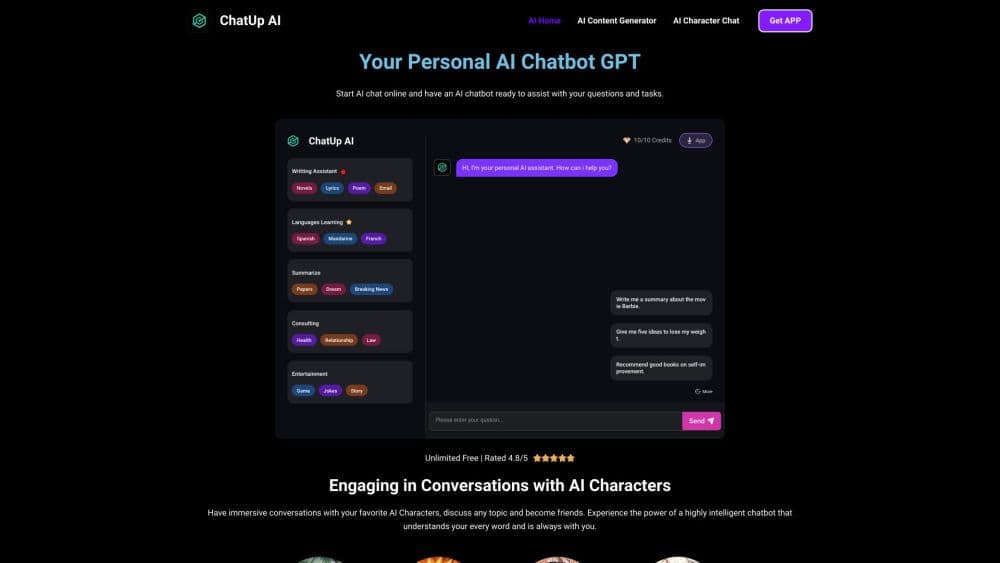
About ChatUp AI
What Is ChatUp AI
ChatUp AI is a browser-based chatbot built around one feature: letting you invent a character and keep talking to it. The site opens straight into a library of prewritten personas, from anime-styled companions to genre roleplay setups, and an AI character generator lets you build your own from body type, hair, face, outfit, and personality traits.
The draw is less a smarter model than a looser one. ChatUp markets itself as an unfiltered platform, so conversations run into themes that mainstream chatbots block. The same interface also carries an uncensored AI image generator that turns text prompts into pictures, plus an AI video generator that animates a still image or builds a short clip from a description.
Two limits shape the experience. First, the service is adult-only, with an 18+ gate on entry, so it's built for private entertainment rather than school or office work. Second, staying anonymous and staying saved are opposites here: no login means no chat history once you close the tab. Worth knowing before you invest an evening in a character.
Getting Started
- Open the official site and confirm you're over 18 at the age gate.
- Browse the character library or start a blank avatar in the character creator.
- Pick body, hair, face, outfit, and personality, then save the character.
- Start chatting, or switch to the image tab and describe a picture you want.
- Subscribe through the linked Boosty page if you want more credits, or export nothing and let the session lapse.
Product Information
A quick look at ChatUp AI's pricing, supported platforms, and performance.
Best for
The users, tasks, and scenarios where this tool fits best.
Users
- Adults who want unscripted character roleplay
- Writers sketching dialogue or scenes
- Visual hobbyists testing image prompts
Tasks
- Building a companion from scratch
- Maintaining an ongoing story
- Making a quick adult-themed image
- Animating a still picture into a short clip
Scenarios
- Late-night entertainment on your phone
- Testing a persona before committing to a story
- Trying an AI art style without paying first
Key features
Character Library and Custom Creation
The site ships with a large catalog of ready-made personas, tagged by type, so you can start a chat in two clicks. Making your own takes more input: body type and size, hairstyle and color, facial features, clothing, then a personality and backstory. That last step matters most, because a character with a thin backstory drifts toward generic replies after a few minutes.
Uncensored Text Chat
Conversations here run without the topic filters you'd hit on mainstream assistants. ChatUp uses that freedom as its selling point, and response quality holds up for improvised AI roleplay. The model does the heavy lifting, not clever prompting. You get what you put in: vague messages get vague answers.
AI Image Generator
The uncensored AI image generator turns a description into a picture, and the site markets it for adult art. It handles realistic and anime styles, and results come back fast when credits are available. Output quality varies by prompt, so specific descriptions of lighting and framing help more than long moody paragraphs.
Image and Text to Video
The AI video generator takes a still picture and adds motion, or builds a short clip from a written description. These are short loops, closer to social media snippets than to edited footage. Don't expect frame control or continuity across shots.
No Signup Entry
Free AI chat no sign up is the headline promise, and it holds: you can open a character, generate an image, or start a video without creating an account. That's the fastest path into the product. The trade-off is total: nothing is saved, so a refresh wipes the conversation. Anyone who wants persistence needs to register and subscribe.
Credit Based Access
Free usage runs on a limited quota, and more comes through subscription offers managed on Boosty. The site doesn't publish a price list, so you have to follow the link to see current packages. That makes budgeting harder than on fixed-price chatbots.
Pros and cons
Pros
- Character creation covers appearance and personality, which supports roleplay far beyond stock chatbots.
- No account needed for a first chat or image, so you can judge the output before spending anything.
- Image, video, and chat sit in one place, which saves hopping between three separate tools.
- Mobile apps for both iOS and Android keep the same characters available on a phone.
Cons
- Nothing persists without an account, so a refresh or a closed tab ends the conversation for good.
- Pricing sits behind an external Boosty page, which means no published rates and awkward budgeting.
- The 18+ focus rules it out for anything professional, and app store versions may carry their own content limits.
- No public API, so you can't connect the model to your own app or workflow.
Frequently asked questions
Yes, up to a point. You can chat with characters and generate images without paying or signing up, but free use runs on a limited quota. More credits come through subscription offers linked from the pricing page.
Related content
Explore related tools, skills, and articles for ChatUp AI.
ChatUp AI Alternatives

Odyssey 3
Odyssey · OtherOdyssey-3 is Odyssey's foundation world model. It simulates physics in real time, turns a prompt into an interactive environment, and adapts to robots, cars and games.

JarvisCore
Prescott Data · Coding · Productivity · OtherJarvisCore is an open source Python runtime where AI agents work as equal peers on an agent mesh, claim tasks from a shared ledger, and reach external services through a zero-trust broker.
Clef
Cloudflare · Business · OtherClef is Cloudflare's open-source decision model for Workers AI. It returns calibrated probabilities for typed questions, not generated text, so agents can classify, route, and act fast.