

Checklistgenerator AI
Manifestly · Writing · Productivity
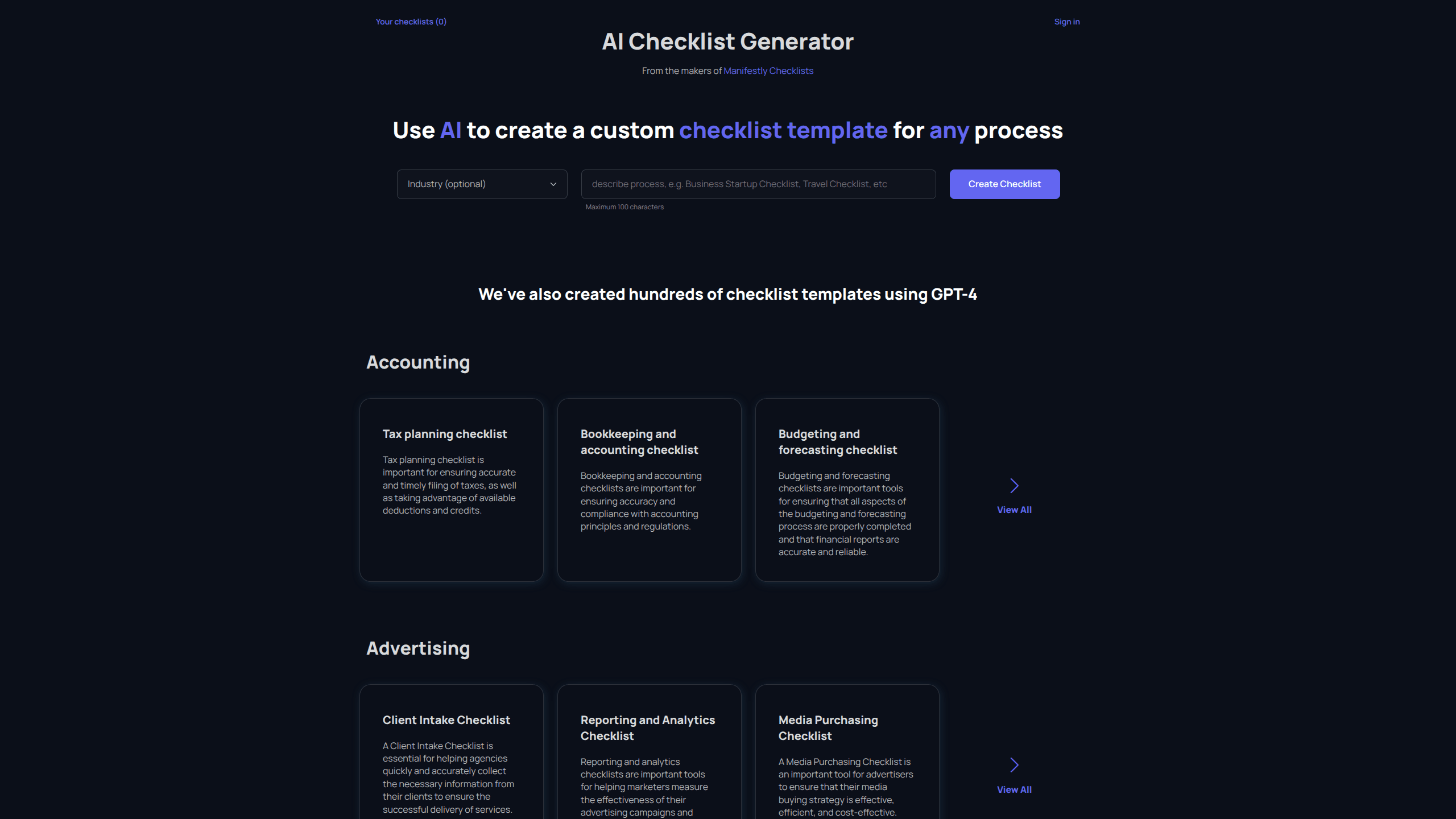
Checklistgenerator AI is a free web tool that writes a custom checklist for just about any process you can name. You type a short description. The generator returns a step-by-step checklist template you can copy, edit, and reuse. It also ships with hundreds of ready-made checklist templates covering industries like accounting, advertising, agriculture, and construction, so you often don't have to generate anything at all.
About Checklistgenerator AI
What Is Checklistgenerator AI
Checklistgenerator AI is a browser-based checklist template generator built by the team behind Manifestly, a workflow and SOP platform. The idea is simple: checklists catch the steps people forget, but writing one from scratch is tedious. This tool removes that friction by letting an AI model draft the first version for you.
You describe the process in a short prompt, and the generator returns a structured checklist you can tweak by hand. The tool caps your input at 100 characters, which keeps prompts focused but means very complex processes need to be built up in pieces.
The library of pre-written templates is the other half of the product. So why generate at all when a template might already exist? Because templates cover common processes, and yours is rarely an exact match. Hundreds of checklists are already published and grouped by industry. They cover common tasks from tax preparation to client intake. If a template fits, you skip generation entirely. The main limit is that output is text you copy out. There's no built-in project manager, no team assignment, and no due-date tracking unless you move the checklist into a tool like Manifestly.
Getting Started
- Open checklistgenerator.ai in any browser. No account or download is needed to start generating.
- Type a short description of your process, up to 100 characters, into the generation box.
- Generate the checklist and read through the returned steps.
- Edit any steps that miss your workflow, then copy the checklist into your notes, docs, or task app.
- Browse the industry libraries first if you'd rather start from a finished template that someone else already wrote and refined for your field rather than a blank prompt.
Product Information
A quick look at Checklistgenerator AI's pricing, supported platforms, and performance.
Best for
The users, tasks, and scenarios where this tool fits best.
Users
- Small business owners who need a repeatable process written down fast, and don't want to pay for a project management suite to get it.
- Operations and office managers documenting recurring tasks, provided the checklist is short enough to describe in 100 characters.
- Consultants and freelancers building client-facing checklists, who can start from an industry template and adjust the wording.
Tasks
- Drafting a first-pass checklist for a process you know well but haven't formalized, like month-end close or new-hire onboarding.
- Turning a vague goal into concrete steps you can hand to someone else.
- Standardizing a task across a team. Everyone follows the same sequence, then you export it into a workflow tool.
Scenarios
- You're onboarding a new employee and need an orientation checklist by end of day.
- You're launching a project and want a pre-flight checklist before the kickoff meeting.
- You're auditing a recurring process and need a written standard to compare against.
Key features
Prompt-to-checklist generation
The core feature takes a plain-language description and returns a structured checklist. You don't need to know prompt engineering. You don't pick from menus either. You just type what the process is, and the tool drafts the steps. It's the fastest way to get from "we should have a checklist for this" to an actual list.
Hundreds of ready-made industry templates
The site hosts published checklists across fields like accounting, advertising, agriculture, and consulting. Each one is written out and free to read. When a template already matches your task, this saves you the generation step and gives you a vetted starting point that reflects common practice in that industry.
Built-in browsing by industry
Templates are grouped into industry sections rather than dumped in one list. If you work in construction, you can jump straight to punch lists and pre-construction checklists instead of scrolling past unrelated entries. The organization makes the library usable even as it grows.
Copy-and-reuse output
Generated checklists come out as text you can copy into whatever tool you already use. There's no lock-in, and no export format to fight with. You can drop the list into a doc, a spreadsheet, or a task manager and keep editing it there.
No-signup access
You can generate a checklist without creating an account. That lowers the barrier for anyone who just wants one list and doesn't want another login to remember. It also makes the tool easy to test before committing to anything. Try it once.
Parts of the Manifestly workflow
Checklistgenerator AI comes from the Manifestly team. If the raw text isn't enough, Manifestly adds the pieces this tool leaves out: recurring runs, role-based assignments, reminders, and audit history. The generator is the drafting layer. Manifestly is the running layer.
Pros and cons
Pros
- Free to use with no account required, so you can test it in seconds.
- Covers many industries with pre-written templates, cutting the work when a match exists.
- Generated checklists are plain text, easy to copy into any app you already use.
- Backed by a team that builds a full workflow product, so there's a clear path if you outgrow the generator.
Cons
- The 100-character prompt limit means long or multi-stage processes have to be built up in pieces.
- There's no editor, team sharing, or progress tracking inside the tool, so the output is only a starting draft.
- Pricing and API details for the generator itself aren't published, so enterprise users should confirm support directly.
Frequently asked questions
The generator is free and works without an account. You can create checklist templates and copy them out at no cost. Paid plans only come into play if you move into Manifestly for ongoing workflow management.
Related content
Explore related tools, skills, and articles for Checklistgenerator AI.
Checklistgenerator AI Alternatives

Emailwritr
Emailwritr · Writing · MarketingEmailwritr is an AI email copywriting tool built for affiliates, course creators, and online businesses that want more revenue from the list they already own. Instead of blank pages or generic chatbot prompts, this AI email writer generates welcome sequences, launch campaigns, cart recovery emails, and promo series from frameworks modeled on well-known direct-response copywriters. You connect your autoresponder, answer a few questions about your offer, and it writes the copy for you.

Swms
Swms AI · Writing · Productivity · BusinessSwms is an AI safety compliance tool that turns a plain description of a job into ready-to-use safety documents. Describe your project, trade, and known hazards, and it writes a safe work method statement, job hazard analysis, safe work procedure, RAMS, or safety data sheet in seconds. It also ships with Oscar, a chat assistant that answers workplace safety questions in any language. Teams in construction, mining, transport, and warehousing use it to cut the paperwork that usually eats into a workday.

Prosp
Prosp · Writing · Voice & Language · MarketingProsp is an AI LinkedIn outreach tool built for agencies and sales teams, and it writes the message and the voice note in your own voice for each prospect so they actually reply. You connect your accounts, find leads, and let the AI draft and send personalized messages at scale, all from one inbox. It's built for people running outbound at volume. That's the whole pitch. Every touchpoint still has to feel human.