

Cherry Studio AI
CherryHQ · Coding · Other
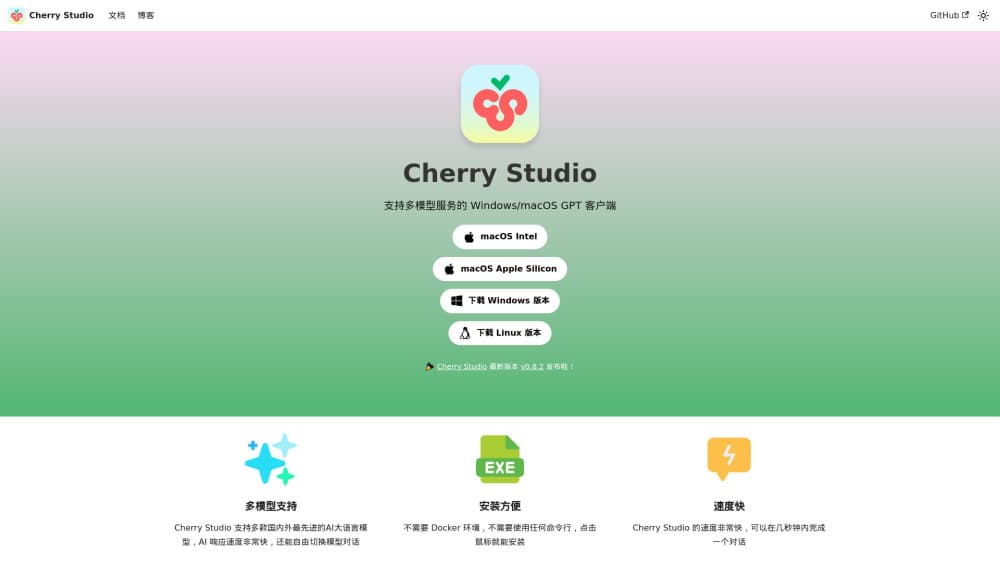
Cherry Studio AI is a free desktop client that connects frontier and local models in one window, with AI agents, a knowledge base, and image generation built in.
About Cherry Studio AI
What Is Cherry Studio AI
Cherry Studio AI is a desktop client that brings many large language models into a single workspace. You install it on Windows, macOS, or Linux, connect the providers you already pay for, and chat with several models at once from one window. The project is open source under the AGPL 3.0 license, and it stores your conversations and files on your own machine rather than in a company cloud.
The app grew past a simple chat box. Version 2.0, stable since August 2026, rebuilt it around AI agents that read files, run commands, and finish multi-step tasks, plus a knowledge base that searches your own documents before the model answers. A visual agent or web service that speaks the Model Context Protocol can plug in as a tool, and scheduled tasks let an agent run on its own, like a daily news briefing.
The main limit is that you supply the models. Cherry Studio ships no API keys and earns nothing on your token bill, so the quality of answers depends on the providers you connect. The most capable frontier models cost money through their own APIs, and running everything locally takes a machine that can handle it. The free app is the shell, not the fuel.
Getting Started
- Download the installer for your system from the official Cherry Studio site and run it. No coding setup is required.
- Open Settings and add a model provider, either with an API key for a cloud service or by linking a local runtime like Ollama.
- Pick an assistant from the built-in library or create your own, then start a chat. You can send one question to several models and compare the answers side by side.
- Add documents to a knowledge base if you want answers grounded in your own files, then switch that base on for the conversation.
- Build or import an agent when you need more than chat, and export conversations or back them up through WebDAV when you want a copy.
Product Information
A quick look at Cherry Studio AI's pricing, supported platforms, and performance.
Best for
The users, tasks, and scenarios where this tool fits best.
Users
- Multi-model power users
- Privacy-conscious users
- Developers and agent builders
- AI enthusiasts who want to experiment
Tasks
- Comparing model answers
- Chatting with your own documents
- Running multi-step agent jobs
- Generating images from text
- Translating and drafting text
Scenarios
- Researching a topic across sources
- Keeping AI work off the cloud
- Automating a recurring briefing
Key features
Multi-model conversations
Cherry Studio AI works as a multi-model chat hub that sends one question to several LLMs at the same time and shows the answers together. You compare how OpenAI, Anthropic, Gemini, and others handle the same prompt without copying text between apps. Providers you already subscribe to plug in through their own API keys, and local models from Ollama or LM Studio sit in the same list. It's the feature that makes the app useful on day one, before you build anything custom.
Knowledge base with RAG
The knowledge base stores your documents and searches them before the model replies, so answers come from your files instead of the model's general training. You load PDFs, Office files, images, and web pages, and the app handles the retrieval behind the scenes. For anyone working from a fixed set of references, that grounding cuts down on made-up answers. The trade-off is setup, since a useful base takes time to fill and tune.
AI agents and MCP tools
Version 2.0 centers on agents that read files, run commands, and work through multi-step tasks on the page. Through the Model Context Protocol, an agent connects to outside tools such as a database, Notion, or GitHub, and calls them to get work done. Each connection works like an MCP server that hands the agent a specific capability. You can also deploy an agent as a bot on Slack-style channels or run it on a schedule. This is where the app leaves plain chat behind, and it rewards users willing to configure tools.
Local model support
Cherry Studio AI runs models through Ollama, LM Studio, or a similar local runtime, so you can keep everything on your own hardware. That suits people who want to test open models from Hugging Face or keep private data off the internet. The catch is real: local models need a capable machine with enough memory, and they won't match the frontier systems. Cloud and local models live in the same interface, so you can mix them.
AI drawing panel
A dedicated drawing panel turns a natural-language description into an image, with the same provider setup you use for chat. It gives the app a visual side without a separate subscription. Quality follows the model you point it at, so the results range from quick mockups to finished art depending on what you connect. For social posts, slide backgrounds, or concept work, it saves a step.
Custom assistants and interface
The app ships with hundreds of preset assistants covering writing, coding, and translation, and you can build your own with saved prompts and settings. Custom CSS, list or bubble layouts, and reorderable sidebars let you shape the workspace to your taste. Small touches add up here, since a tool you use every day should feel like yours. Preset assistants also give newcomers a useful starting point instead of a blank prompt box.
Pros and cons
Pros
- Connects frontier cloud models and local models in one window, so you don't juggle apps to compare answers.
- Free and open source under AGPL 3.0, with data kept on your machine by default.
- Built-in knowledge base, agents, MCP tools, and image generation cover work beyond plain chat.
- Runs on Windows, macOS, and Linux with no environment setup, so a download is enough to start.
- Deep customization, from custom CSS to preset assistants, fits power users who want control.
Cons
- You bring your own API keys, so capable frontier models cost money through each provider, and privacy depends on which endpoints you reach.
- Local models need a strong machine and won't match the best hosted systems, which limits the fully offline path.
- The agent, MCP, and knowledge base features take time to configure, so beginners may find the learning curve steep.
- Enterprise use and formal support sit behind paid options, so the free app is aimed at individuals and small teams.
Frequently asked questions
Cherry Studio AI is an open-source desktop client that connects many large language models in one app. It supports multi-model chat, AI agents, a knowledge base, image generation, and translation, and it runs on Windows, macOS, and Linux. Your data stays on your own machine by default.
Related content
Explore related tools, skills, and articles for Cherry Studio AI.
Cherry Studio AI Alternatives

Base Code
Base44 (Wix) · Coding · ProductivityBase Code is a shared cloud development environment from Base44. Teammates describe changes to an existing GitHub codebase in chat, preview them live and send them back as pull requests.

Google EmbeddingGemma 2
Google DeepMind · Writing · Image · CodingGoogle EmbeddingGemma 2 is a 740M-parameter open model that turns text, code, images, audio, and video frames into vectors in one 768-dimension space, running on phones and laptops.

GitGlow
GitGlow · Coding · ProductivityGitGlow is a local-first desktop Git client that lets independent developers review their own code and their AI agents' changes in one place before shipping.