
Child Book Create
Childbook.ai · Writing · Image
Child Book Create is an AI children's book creator that turns an idea or a finished story into a personalized children's book with consistent characters. Export a PDF or order a printed copy.
About Child Book Create
What Is Child Book Create
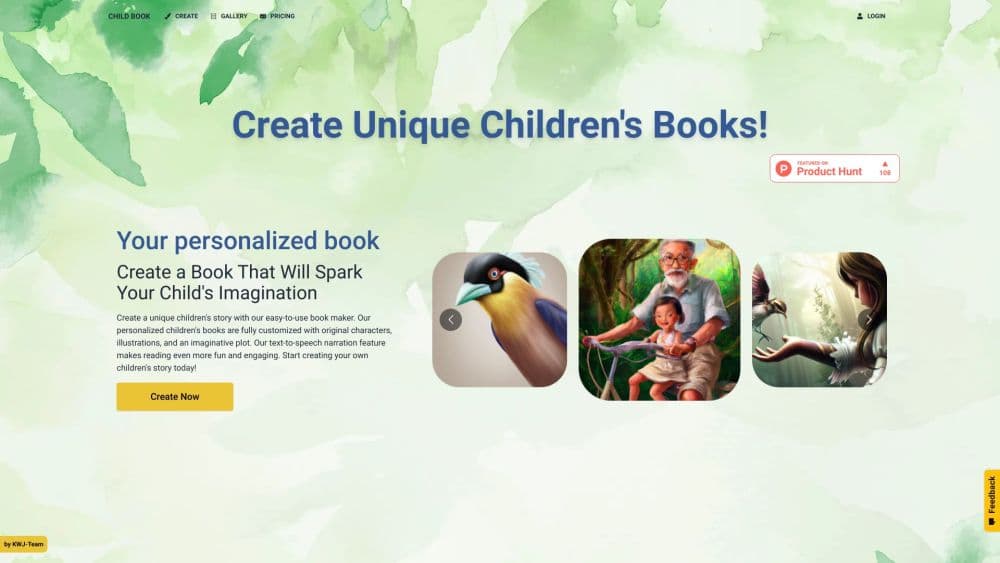
Child Book Create, known as Childbook.ai on the web, is a platform for making illustrated children's books with AI. You start from a short idea, a full manuscript, or a ready-made template, and the tool writes the story, designs the characters, and illustrates each page. What separates it from a plain image generator is consistency: a character keeps the same face and outfit from the cover to the last page.
The problem it addresses is that most AI art tools produce isolated pictures. You get a nice illustration, then a second one that looks nothing like the first. Childbook treats the book as one project, so a single character carries through an entire story. For a parent who wants their child drawn as the hero, or an author who needs 30 pages that match, that continuity is the point.
There are limits worth knowing up front. There's no free tier, so you pay before you see a full book. Page counts cap at 32 on the entry plan and 40 on higher ones, which suits picture books but not chapter books. And the monthly credits, rather than unlimited use, decide how much you can produce.
Getting Started
- Go to childbook.ai and pick a starting point. Choose Create a Book to write from an idea, Illustrator to bring your own text, or a template for a ready-made adventure.
- Describe the story or import your text. A short description is enough for a full draft, and you can paste a manuscript you wrote yourself.
- Create the characters. Define their look in words or upload a photo to turn a real child into the book's hero.
- Generate the book. Childbook produces the story, illustrated pages, cover, and page layout in one pass.
- Edit and deliver. Rewrite text, regenerate single illustrations, then export the PDF or order a printed softcover.
Product Information
A quick look at Child Book Create's pricing, supported platforms, and performance.
Best for
The users, tasks, and scenarios where this tool fits best.
Users
- Parents and gift-givers
- Children's authors and illustrators
- Self-publishers and small studios
Tasks
- Turning a bedtime story into a real book
- Making a personalized birthday gift
- Illustrating a story you already wrote
- Producing a small run for a classroom or a local event
Scenarios
- Finishing a gift the night before a birthday
- Keeping a series visually consistent
- Testing whether a story works before printing
Key features
Consistent Characters Across the Book
Childbook builds characters meant to stay recognizable from the cover to the final page, which is the feature that separates it from tools that output one-off images. You create a character from a written description or by uploading a photo, and the same appearance holds across every scene. When one illustration misses, you can regenerate just that page instead of the whole book. That continuity is what makes the result read as a story rather than a stack of unrelated pictures.
Story and Illustration Generation
You can start from a blank idea or a finished manuscript, and the tool fills in the rest. Give it a short description and it drafts the story, characters, children's book illustration, and page layout together. If you already have the text, the Illustrator path keeps your words and generates artwork to match each page. Either way, the output is a full book with a cover, not a set of loose images.
Templates and Ready-Made Stories
A catalog of ready-made story worlds lets you skip the blank page entirely. You pick a design, map your characters onto it, and build a custom storybook in minutes. For repeat creators, this AI storybook generator saves the slowest part of the process. You can also commission a private template for a business, or build one yourself, with self-serve plans starting at $15/mo.
Editing and Regeneration
The book stays editable after generation. You can rewrite text, regenerate individual illustrations, and adjust the layout, cover, and artwork. This matters because AI output rarely lands right the first time, and being able to fix one page without rebuilding the project keeps the work moving. Regeneration is also where the monthly illustration credits get spent, so a plan with more credits means more room to iterate.
Digital PDF and Print Options
Finished books export as a complete, print-ready PDF you can share or keep. If you want something physical, you can order a printed copy, and the Premium plan includes a $20 monthly credit toward a softcover, with shipping billed separately. Digital export is the faster route for a last-minute gift, while print suits anything meant to be held and kept.
Personalization from Photos
You can turn a photo into a personalized character and place that character throughout the book. This is what makes the product work as a gift: instead of a generic hero, the story stars a specific child. The character is built once and reused across every page, so the personalization holds up through the whole book rather than on the cover alone.
Pros and cons
Pros
- Character consistency is designed in, so the hero looks the same on every page instead of shifting between illustrations like most AI art tools.
- You can start from a photo and make a real child the lead character, which turns the book into a personal gift.
- Both digital and print delivery are offered, so the same project can be a quick PDF or a printed softcover.
- Templates let you skip writing from scratch and generate a personalized book in minutes.
- Higher tiers add a commercial license and watermark-free output for people selling their books.
Cons
- There's no free plan, so you can't generate a full book without paying first. That makes trying it a decision rather than a free experiment.
- Page limits of 32 to 40 pages per book suit picture books but rule out longer chapter books.
- Monthly credits cap your output, so heavy use means either waiting for the next cycle or paying for a higher tier.
- The API and bulk workflows sit behind a separate custom plan, so teams that need automation can't get it from the standard subscription.
Frequently asked questions
It turns a story idea or an existing manuscript into a complete illustrated children's book, including the text, characters, illustrations, cover, and page layout. You can then export a PDF or order a printed copy.
Related content
Explore related tools, skills, and articles for Child Book Create.
Child Book Create Alternatives

Google EmbeddingGemma 2
Google DeepMind · Writing · Image · CodingGoogle EmbeddingGemma 2 is a 740M-parameter open model that turns text, code, images, audio, and video frames into vectors in one 768-dimension space, running on phones and laptops.

MePersona
MePersona, Inc. · Writing · Productivity · MarketingMePersona is an AI unified inbox for creators. It learns your voice, drafts replies to fan messages from 12 platforms, and sends only what you approve.

Fluence
Yay Software (Yannick Huchard) · Writing · Voice & Language · ProductivityFluence is an Android app that reads PDFs, EPUBs, Word files and web articles aloud, follows each sentence as it speaks, and answers questions about the text on the phone itself.