

ChildSafe Media
ChildSafe Media · AI Assistant · AI Detection
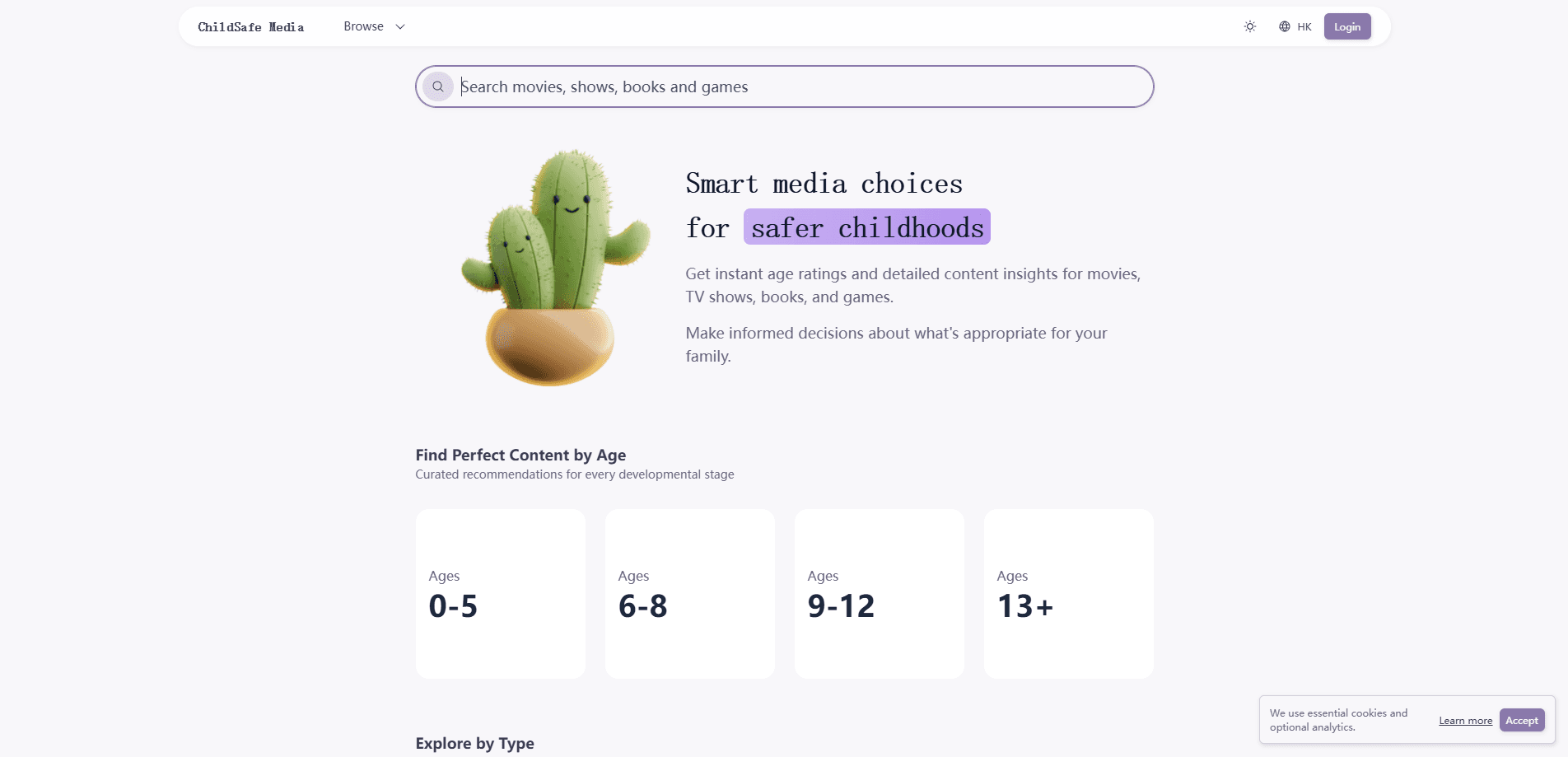
ChildSafe Media is a free web platform that gives parents age ratings for kids and detailed content insights for parents across movies, TV shows, books, and games. Instead of one blunt rating, it breaks down violence, language, scary moments, sexual content, and educational value so you can judge what fits your own child. It runs in any browser. No account needed. The whole thing stays free, with no paywalls.
About ChildSafe Media
What Is ChildSafe Media
ChildSafe Media is a family media guide built around a simple idea: every child is different, so a single number rarely tells you enough. You look up a title, and the site shows a recommended age alongside a breakdown of what's actually in it. That covers movies, TV shows, books, and games in one place.
The platform goes past basic ratings. For each title it rates categories like Sex & Nudity, Violence & Gore, Profanity, Alcohol, Drugs & Smoking, and Frightening Scenes on a five-point scale, then adds plain-language notes on what parents should know. A Roblox page, for example, flags online communication with strangers and in-game purchasing, not just a single age badge. It's a short brief, not a wall of labels.
The downside is scope. ChildSafe Media is a reference tool, not a parental control app. It won't block content, set time limits, or filter what your kid opens on a device. So treat it as a parental guide to media you consult beforehand, not the device settings you apply afterward.
Getting Started
- Open childsafe.media in any browser. No sign-up needed. No download either.
- Browse by age band (0–5, 6–8, 9–12, 13+) or by type: movies, TV shows, books, or games.
- Search for a specific title you're considering, or start from the featured picks.
- Read the age recommendation and the category scores, then check the "What Parents Need to Know" notes.
- Use the blog articles for practical topics like switching from YouTube Kids or managing Roblox chat.
Product Information
A quick look at ChildSafe Media's pricing, supported platforms, and performance.
Best for
The users, tasks, and scenarios where this tool fits best.
Users
- Parents of young kids who want a quick safety read before turning on a new movie or show.
- Caregivers and grandparents who need a fast, jargon-free breakdown of what a title contains.
- Parents of tweens and teens weighing games like Roblox or Fortnite that mix play with social contact.
Tasks
- Checking whether a movie or show is safe for kids before a family night.
- Comparing a book's themes and maturity level against your child's age.
- Vetting a game for online communication, in-game spending, and scary content before you allow it.
Scenarios
- A rainy weekend when you're picking something to watch together and want no surprises.
- A child asking for a title their friends are into, and you need a quick, balanced read.
- Building a family media plan with age-appropriate choices instead of guessing.
Key features
Age Ratings Across Four Media Types
ChildSafe Media covers movies, TV shows, books, and games under one roof. You don't have to switch between separate apps and review sites, and each title gets a recommended age from 0–5 up to 13+ that you can compare at a glance. That single range keeps searches for kid-friendly movies and safe games in one place. Why does that matter? Because most families check a mix of media in a single evening.
Category-by-Category Content Insights
The core of the platform is a breakdown that scores Sex & Nudity, Violence & Gore, Profanity, Alcohol, Drugs & Smoking, and Frightening Scenes on a five-point scale. Prose notes explain what each score means in practice, such as how a chat filter can be worked around in a competitive game. It reads like a short brief, not a wall of labels.
"What Parents Need to Know" Summaries
Each title page pulls the details into a few sentences aimed at parents. You get the heads-up on risks that a rating alone hides, like player-to-player chat or hidden costs. There's also a "What Kids Can Learn" note that points to the upside, so the page isn't only about warnings.
Age-Band and Media-Type Browsing
You can start from an age band and then narrow by media type, which suits parents who think in terms of "what works for my nine-year-old" rather than a specific title. The homepage surfaces a mix of popular picks across ages to spark ideas. It's low effort. You don't need to know a title name to find age-appropriate content.
Editorial Blog for Media Decisions
Beyond title pages, the blog tackles real family questions: moving a child from YouTube Kids to regular YouTube, Roblox privacy settings, summer screen plans, and reading versus screens. Posts are dated and written for parents, not tech reviewers. The guidance links the ratings tool to day-to-day choices.
No Account, No Paywall
The whole platform works without signing up, and there are no subscriptions or hidden fees. You can look up a title in under a minute, then close the tab. No login. No upsell. That friction-free access matters when you're standing in a store or mid-negotiation over screen time.
Pros and cons
Pros
- Free with no account, no subscription, and no paywall to reach the content insights.
- Covers movies, TV, books, and games together, so one lookup covers most family media requests.
- Category scores and parent notes add context that a single age badge leaves out.
- Age-band browsing makes it easy to find age-appropriate content without knowing a title.
- Blogs and title pages are written in plain language for non-technical parents.
Cons
- It doesn't block, filter, or limit content, so it can't replace a parental control app on the device.
- Coverage depends on titles already in its database, so newer or niche releases may be missing.
- The library has no category tag for the product itself, so there's no clear "type" label in its own listing.
Frequently asked questions
It's a free reference site where parents check age ratings and content details for movies, TV shows, books, and games before letting a child watch, read, or play. You look up a title, read the breakdown, then decide.
Related content
Explore related tools, skills, and articles for ChildSafe Media.
ChildSafe Media Alternatives

Iplan AI
Iplan AI · Productivity · AI AssistantIplan AI is an AI travel planner that turns a few trip details into a full day-by-day itinerary in seconds. You answer questions about your destination, interests, budget, and travel companions, and the tool builds a plan you can edit, share, and carry with you on any device. It targets travelers who want a solid draft without spending hours in spreadsheets and browser tabs. Think of it as an itinerary generator that does the tedious part for you.

Screenhelp
Screenhelp · Productivity · AI AssistantScreenhelp is an AI screen assistant that turns a single keyboard shortcut into real-time help. You press Ctrl+Shift+Space, it captures what's on your screen, and it streams an answer into a private panel in about two seconds. Think of it as an AI screenshot helper you trigger on demand. It runs on Mac, Windows, and the web, starts free with 30 answers a month, and stays invisible during screen sharing on Zoom, Teams, and Google Meet.

Rainbow
Rainbow · AI AssistantRainbow is an AI weather forecast app built around short-term precipitation nowcasting. Its engine pushes min-by-min rain and snow predictions up to four hours ahead, blending live satellite and radar feeds into hyperlocal forecasts. The app adds live rain radar, a seven-day outlook, precipitation alerts, home-screen widgets, and a hurricane tracker, and it runs on both Android and iOS with a free tier plus paid upgrades.