

Chirp: AI for Apple Watch
Jonathon Lau · Voice & Language · Marketing
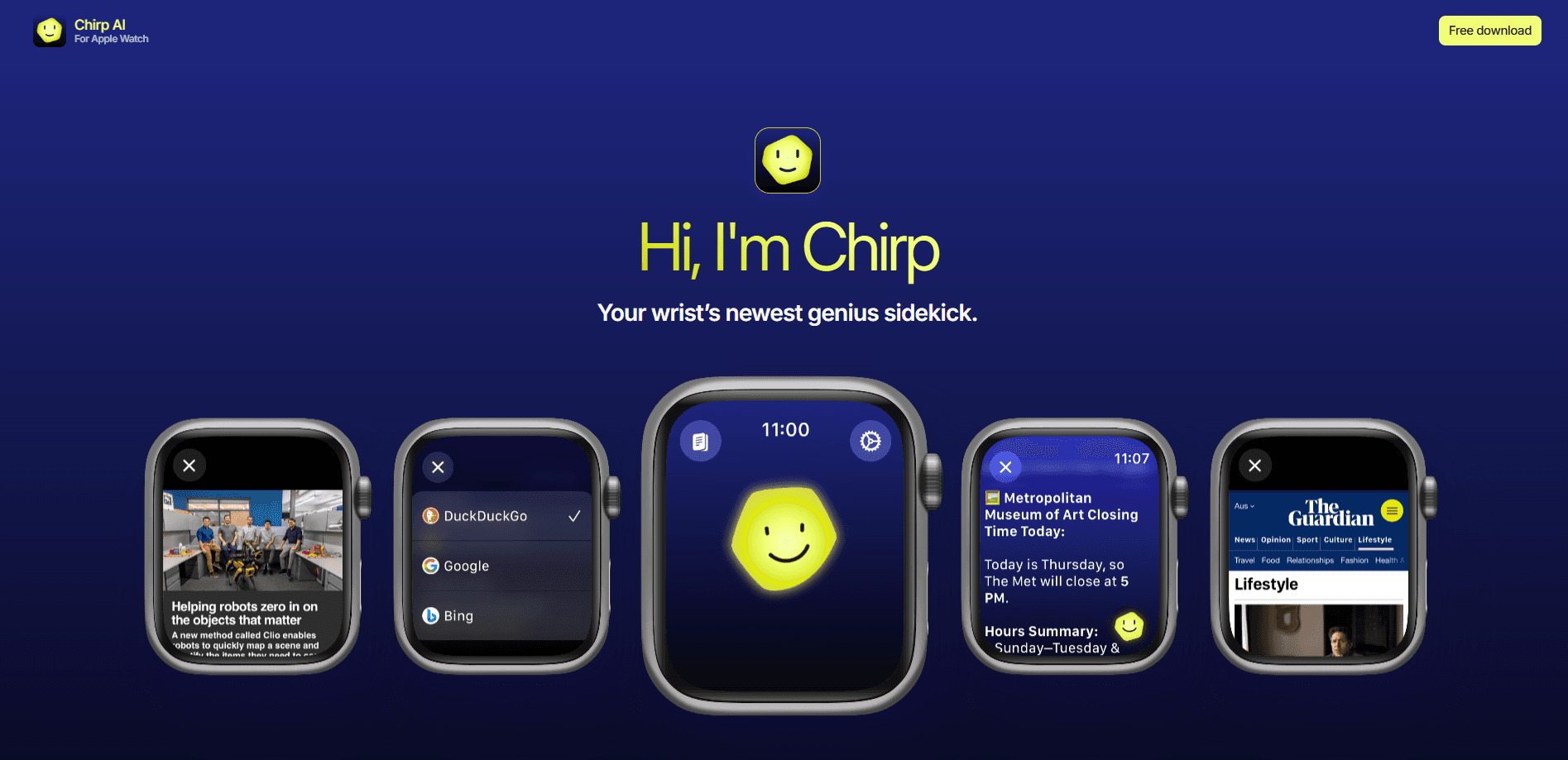
Chirp is a free voice AI assistant for Apple Watch. Talk naturally, get spoken answers, run live web searches, and draft messages without reaching for your phone.
About Chirp: AI for Apple Watch
What Is Chirp: AI for Apple Watch
Chirp is a voice AI chat app built only for Apple Watch. You speak, and it answers out loud. The pitch is speed and hands-free use: no phone in your hand, no keyboard, no screen full of text. You raise your wrist, ask, and listen.
As a Siri alternative, it aims at a specific moment, the one where your phone is buried in a bag or you're walking, cooking, or driving, where typing isn't an option. Chirp leans on Apple Watch's microphone and speaker to make that moment productive. It also runs standalone, so it keeps working when your phone is out of range.
Three things shape whether Chirp fits. It's free to download, with no subscription mentioned on the App Store listing, so cost isn't the barrier. It's built for watchOS 13.0 and later and ships as a watch app rather than an iPhone app you mirror. And it's an indie product from a single developer, Jonathon Lau, so the feature set stays tight instead of sprawling.
Getting Started
- Open the App Store on your Apple Watch or iPhone and install Chirp on the Watch.
- Launch the app and grant microphone and speech permissions so it can hear you.
- Pick one of the five voices that suits how you want answers read back.
- Speak your question or request and wait for the spoken reply.
- Ask a follow-up, since Chirp keeps context from the previous exchange.
Product Information
A quick look at Chirp: AI for Apple Watch's pricing, supported platforms, and performance.
Best for
The users, tasks, and scenarios where this tool fits best.
Users
- Commuters and walkers
- People who dislike typing on a watch
- Multilingual users
- Shoppers and planners who need quick facts
Tasks
- Drafting messages and emails
- Looking up facts and how-tos
- Getting directions
- Summarizing something you just heard or read
- Brainstorming out loud
Scenarios
- Cooking with messy hands
- A walk or run outdoors
- A noisy room
- A last-minute message while driving
Key features
Voice-first chat with context
You talk, Chirp answers out loud, and it remembers what came before. That context keeps follow-ups natural instead of forcing you to repeat the subject each time. Answers come back fast, which suits the short exchanges you have on a watch. The whole loop is speech in, speech out, with no reading required.
Five expressive voices
Chirp ships five lifelike voices, so you pick the one that reads best for you. The choice matters over long sessions, when a flat, robotic tone gets tiring. Voice quality is one of the app's stated strengths, pitched as natural rather than clipped. You stay in control of how the assistant sounds back.
Live web search with sources
When a question needs current information, Chirp runs a live web search on Apple Watch and answers with sources. That lifts this watchOS voice assistant above one frozen at its training date. You can browse full pages on the Watch when a snippet isn't enough. For facts, schedules, and how-tos, that combination covers most quick lookups.
Messages and email drafting
You dictate as you normally would, and this AI that drafts messages formats the text, then sends it. That turns a watch into a tool for real replies, not just a notification screen. It covers texts and emails in one flow. The benefit is speed: you finish a message in the time it takes to speak it.
Maps and browser handoff
Chirp connects to Maps for directions and to the browser for anything longer than a glance. You ask for a place and open Maps at once for turn-by-turn. When the answer needs reading, it hands off to the browser rather than forcing it onto a small screen. The app acts as a launcher as much as an answerer.
Forty-plus languages
Chirp supports 40+ languages for both speaking and listening, so you can use it in the language you think in. That widens the audience well past English-only assistants. Speech recognition and playback both follow that range, not just the menu text. It's a reason to pick Chirp if English isn't your first tongue.
Pros and cons
Pros
- Free to download, so you can try a watch-first assistant at no cost.
- Hands-free by design: speak and listen without touching your phone.
- Live web search with sources keeps answers current.
- 40+ languages for both speech and playback.
- Runs standalone on Apple Watch, so it works when your phone doesn't.
Cons
- Watch-only, so there's no iPhone or desktop version if you want one.
- Rating pool is still small, with 24 ratings at 4.58, so long-term reliability isn't well tested.
- Rated 17+, which is higher than many utility apps and may block younger users.
- Paid plans aren't listed, so it's unclear how costs stay covered over time.
Frequently asked questions
Yes. Chirp is free to download on the App Store, and the listing shows no subscription. That makes it easy to test before you rely on it. If pricing changes later, the App Store page is where the change would appear.
Related content
Explore related tools, skills, and articles for Chirp: AI for Apple Watch.
Chirp: AI for Apple Watch Alternatives

Foley
Hanamori Labs, LLC · Voice & Language · Productivity · AI AssistantFoley is a voice to-do list that turns a spoken sentence into a filed task, complete with project, date and time, then helps you plan the day around what is already there.

HireKey
HireKey · Voice & Language · Productivity · LeaningHireKey is an AI job search copilot built by a former tech recruiter. It checks role fit, tailors resumes, runs interview practice and tracks every application.

Fluence
Yay Software (Yannick Huchard) · Writing · Voice & Language · ProductivityFluence is an Android app that reads PDFs, EPUBs, Word files and web articles aloud, follows each sentence as it speaks, and answers questions about the text on the phone itself.