

Chord Identifier
Chord Identifier · Voice & Language
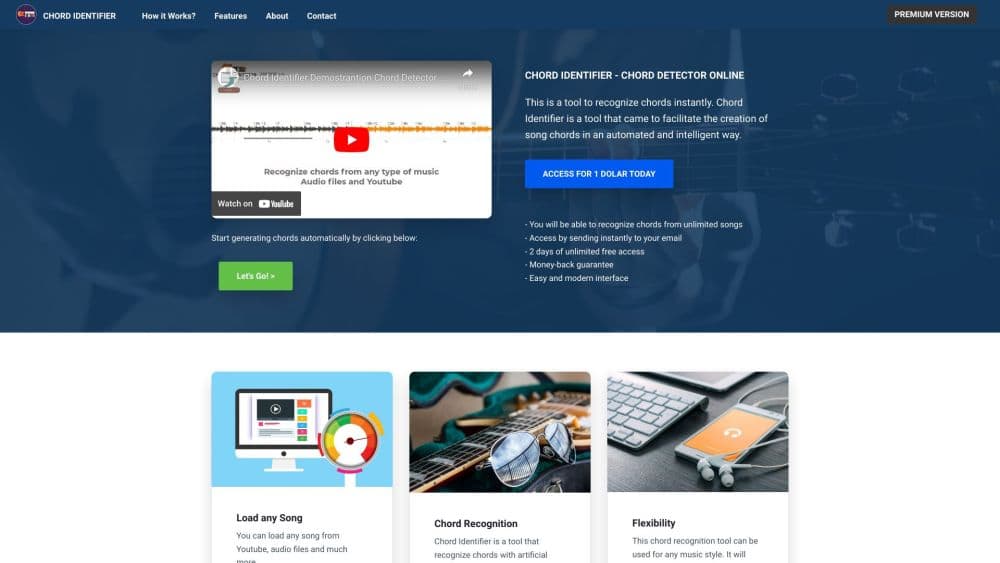
Chord Identifier is a browser-based AI tool that listens to a song and maps its chords onto a timeline you can follow, using MP3 uploads, YouTube links, microphone input, or a direct audio URL.
About Chord Identifier
What Is Chord Identifier
Chord Identifier is a chord finder for people who want the chord names in front of them instead of guessing by ear. It works as an online chord identifier in the simplest sense: you give it audio, it gives you a progression lined up against the waveform, and you play along. No install, no DAW, no plugin chain.
The tool covers the common cases: a file on your laptop, a video on YouTube, a riff you play into your phone mic, or a track hosted somewhere else on the web. Chord recognition runs in the browser, so the workflow stays short. Free users get a ten second preview of each track, which is usually enough to judge whether the detection is close.
Accuracy depends on the recording. Clean acoustic takes, single instrument tracks, and well separated mixes come out strong. Dense productions with heavy distortion, layered synths, or washed-out reverb can confuse any chord detector, and this one is honest about that limit. Premium adds advanced detection and rare chord support for the harder material.
Getting Started
- Pick a source on the home page: upload an MP3 or WAV, paste a YouTube link, open the microphone tool, or enter an audio URL.
- Let the processing run. Detection takes a few seconds for a short clip and longer for a full track.
- Read the chord timeline against the waveform, and loop the parts you want to learn.
- Save or export the result. Premium unlocks full song chords, chord diagrams, and PDF or TXT files.
Product Information
A quick look at Chord Identifier's pricing, supported platforms, and performance.
Best for
The users, tasks, and scenarios where this tool fits best.
Users
- Guitarists learning covers
- Pianists working without sheet music
- Beginners and casual players
Tasks
- Identify chords from audio
- Pulling chords from a YouTube video
- Checking your own playing
Scenarios
- Learning a song the night before rehearsal
- Working out a progression you half remember
- Teaching or explaining harmony
Key features
Four Audio Sources in One Tool
Chord Identifier accepts MP3 and WAV uploads, YouTube links, live microphone input, and direct audio URLs. The same engine handles all four, so you do not relearn the interface when the source changes. Free accounts can preview every source before committing to a subscription.
Chords Mapped to the Waveform
Detection output is not a flat list. Chords sit on a timeline aligned with the waveform, so you can see where a change lands and loop that section. For practice this matters more than raw accuracy numbers, because you can hear the transition while you watch it.
Guitar and Piano Pages
The site splits guitar and piano into dedicated pages. A guitar chord identifier view and a piano chord identifier view run on the same detection engine but present results for the instrument you actually play. Premium adds chord diagrams for guitar shapes.
Exports for Practice and Sharing
Premium members can export results as PDF or TXT. That covers printing a chart for a lesson, dropping chords into a notes app, or sending a progression to a bandmate who does not use the tool.
Local History
History stores your last three processed songs in the browser, on your own device. Nothing needs an account to come back to, and recent work is one click away when you reopen the site.
No Install, No Account for a First Try
The free path requires nothing but a browser. You can upload audio and run chord recognition without signing up, which makes it easy to test the tool on a song you already know well.
Pros and cons
Pros
- Works from a browser with no install, plugin, or DAW session.
- Four input types cover most real situations, including YouTube and mic.
- Free preview on every source makes the accuracy check cheap.
- PDF and TXT exports fit lessons, rehearsals, and sharing.
Cons
- Free tier stops at a ten second preview, so full song chord identification needs the $9.99 monthly or $79 yearly plan.
- YouTube and microphone input sit behind Premium, which limits the free trial to file and URL uploads.
- Dense mixes with distortion or heavy effects can produce wrong chord names, and there is no manual correction editor.
- History keeps only three songs and lives in local browser storage, so clearing site data wipes it.
Frequently asked questions
Yes, with a limit. Anyone can run chord recognition on a ten second preview of a track without an account. Full song chords, unlimited songs, diagrams, and exports require Premium at $9.99 per month or $79 per year.
Related content
Explore related tools, skills, and articles for Chord Identifier.
Chord Identifier Alternatives

Foley
Hanamori Labs, LLC · Voice & Language · Productivity · AI AssistantFoley is a voice to-do list that turns a spoken sentence into a filed task, complete with project, date and time, then helps you plan the day around what is already there.

HireKey
HireKey · Voice & Language · Productivity · LeaningHireKey is an AI job search copilot built by a former tech recruiter. It checks role fit, tailors resumes, runs interview practice and tracks every application.

Fluence
Yay Software (Yannick Huchard) · Writing · Voice & Language · ProductivityFluence is an Android app that reads PDFs, EPUBs, Word files and web articles aloud, follows each sentence as it speaks, and answers questions about the text on the phone itself.