

ChordCreate
ChordCreate · Voice & Language
ChordCreate is a browser-based AI chord progression generator. You describe a key, genre, mood and tempo in plain language, then hear the result, edit it in a sequencer and export it as MIDI.
About ChordCreate
What Is ChordCreate
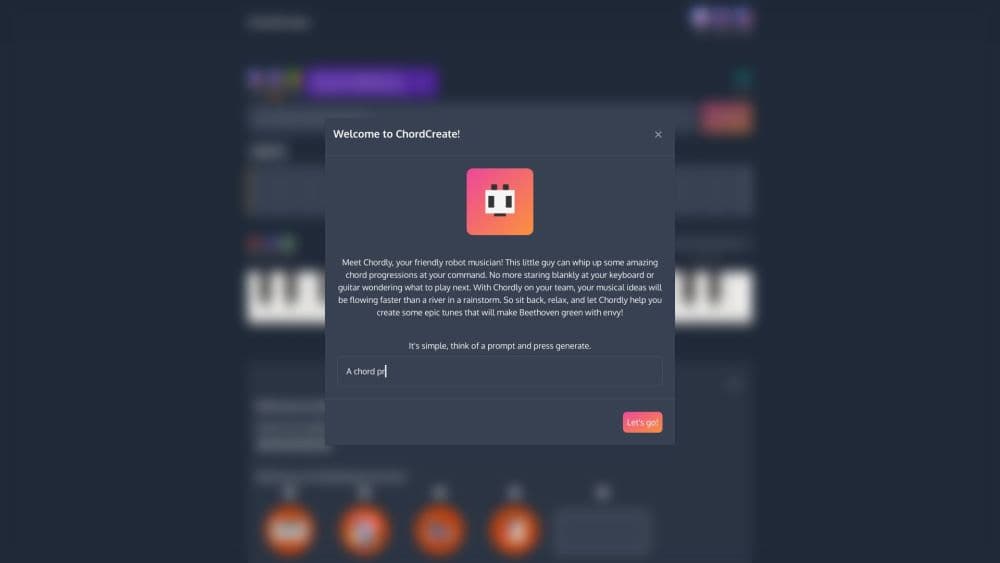
ChordCreate is a browser-based songwriting tool for people who know the feel they want but not the chords. You type a description into a single text box, something like "a dreamy lo-fi progression in A minor around 80 BPM", and the tool returns a progression that lands in a piano-roll style sequencer. From there you can play it, rearrange it and edit single notes.
The tool generates harmony only. It won't write drums, a bassline or a melody, and it doesn't run as a plugin inside Ableton or Logic. What it does offer is speed: you go from a sentence to chords you can hear in a few seconds, without opening a DAW or knowing any theory.
The free tier is generous in one specific way. You can generate progressions without creating an account, which is unusual in this category. MIDI and WAV export, the humanise option and the full instrument list sit behind the paid plan at $5.99 a month, or a free 24-hour day pass that doesn't ask for a card.
Getting Started
- Open chordcreate.com in a desktop or mobile browser. No signup is needed to generate a first progression.
- Type what you want into the prompt field. Include a key, a genre, a mood and a tempo if you know them, and add chord qualities such as 7ths when the style depends on them.
- Press Generate. The chords appear as blocks in the chord sequencer, ready to play back.
- Grab the blocks to reorder them, delete the ones that don't work, and add your own. Switch instruments and loop the sequence until the movement feels right.
- Subscribe if you need the file. Export sends the progression out as MIDI for Logic, Ableton, FL Studio or any other DAW.
Product Information
A quick look at ChordCreate's pricing, supported platforms, and performance.
Best for
The users, tasks, and scenarios where this tool fits best.
Users
- Songwriters stuck on harmony
- Bedroom producers who write in a browser
- Beginners and music students
Tasks
- Turning a description into chords
- Breaking a harmonic rut
- Building loops for house, lo-fi or pop
- Getting editable MIDI into a DAW
Scenarios
- Late-night sketching away from the studio
- Writing on a laptop with no plugins
- Harmony practice
Key features
Prompt to Chords
The whole interface is a text field and a Generate button. You describe key, genre, mood and tempo in ordinary words, and the AI chord progression generator builds a progression aimed at that brief. A fast and accurate toggle trades waiting time for how closely the result follows a detailed prompt. The output is a starting point, not a finished arrangement, and rewriting one line of the prompt usually moves it closer.
Chord Sequencer
Every result lands in a chord sequencer where chords sit as blocks on a timeline. You can drag them into a new order, remove the weak ones, add chords of your own and zoom in to edit individual notes. Sequence history keeps earlier versions, so an experiment you regret is one click from being undone. This is the part that turns a generated idea into something you'd actually use.
Playback, Tempo and Time Signature
Chords play back in the browser on several instruments, and the loop runs at whatever BPM and time signature you set. Hearing a progression at 70 and then at 128 BPM changes how it reads, which is why the tempo control matters more than it sounds. You can sit on a four bar loop until the movement either works or clearly doesn't.
MIDI and WAV Export
Export is the paid feature most people come for. MIDI gives you editable notes for any DAW, and WAV gives you audio when you just need to hear the idea somewhere else. Both sit behind the $5.99 monthly plan, so budget for it if the file matters to your workflow.
Humanise and Instrument Choice
The humanise switch loosens the timing and velocity so chords stop sounding mechanically quantised. The full instrument list also unlocks on the paid plan, which matters if you want a Rhodes or a guitar-ish part rather than a plain piano. These are small controls with a large effect on whether a sketch sounds like music.
Free Theory Tools
Three tools sit outside the generator and need no account: an interactive circle of fifths, a labelled virtual piano and a chord finder that shows notes, playback and inversions for any chord. The chord finder is the useful one when a generated symbol like Fmaj7#11 leaves you unsure what to play. They also work as a quick reference while you write, which makes the site a reasonable browser-based music tool beyond the prompt box.
Pros and cons
Pros
- Fast path from a sentence to audible chords, with no install and no account needed to try it.
- Editing goes deeper than most prompt tools: block reordering, note level changes and sequence history.
- Free theory tools, including a chord finder and circle of fifths, are useful on their own.
- Export covers both MIDI and WAV, which suits producers and people who only need audio.
- Clear pricing: one $5.99 monthly plan and a free 24-hour day pass with no card.
Cons
- Harmony only. No drums, bassline or melody, so a full backing track needs another tool.
- MIDI and WAV export are locked behind the subscription, which stings if you only want one file a month.
- No plugin version, so the last step into your DAW is always a manual file drag.
- Prompt quality drives results. Vague briefs come back with the same safe diatonic chords you could guess yourself.
Frequently asked questions
It generates chord progressions from a written description and lets you edit, loop and export them. Songwriters use it to find harmony for a melody, producers use it for quick sketches, and learners use it to hear how chords move.
Related content
Explore related tools, skills, and articles for ChordCreate.
ChordCreate Alternatives

Foley
Hanamori Labs, LLC · Voice & Language · Productivity · AI AssistantFoley is a voice to-do list that turns a spoken sentence into a filed task, complete with project, date and time, then helps you plan the day around what is already there.

HireKey
HireKey · Voice & Language · Productivity · LeaningHireKey is an AI job search copilot built by a former tech recruiter. It checks role fit, tailors resumes, runs interview practice and tracks every application.

Fluence
Yay Software (Yannick Huchard) · Writing · Voice & Language · ProductivityFluence is an Android app that reads PDFs, EPUBs, Word files and web articles aloud, follows each sentence as it speaks, and answers questions about the text on the phone itself.