

Chromehunt AI Extensions
ChromeHunt · Other
ChromeHunt is an AI Chrome extension finder that searches the Chrome Web Store, reads each listing's permissions, and scores how safe and actively maintained the add-on is.
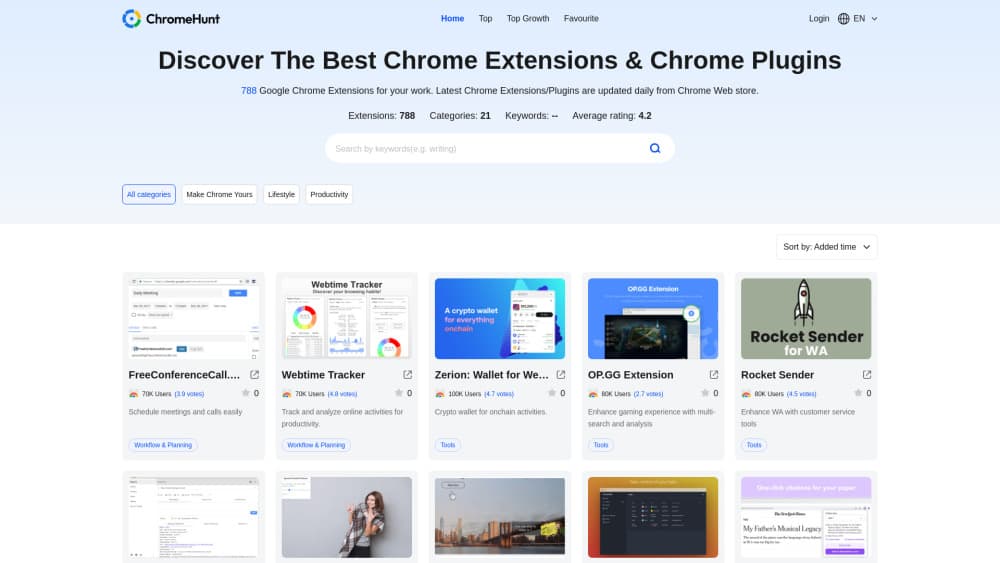
About Chromehunt AI Extensions
What Is ChromeHunt
ChromeHunt puts a search layer in front of the Chrome Web Store and changes the way you shop for browser add-ons. Think of it as a Chrome plugins finder with a permission check attached. You describe the job in a sentence, and it returns a short list of tools built for that job. Under the list sits a safety check: the service reads each candidate's manifest file, notes which data it can reach, and looks at how often the developer ships updates.
Google's own Chrome Web Store search leans on titles and install counts. That works when you already know the name of the tool. It falls apart on requests like "JSON formatter with a dark theme" or "tab manager that doesn't touch my history." ChromeHunt aims at that gap, and it screens results at the same time, so you end up with a shortlist of safe Chrome extensions instead of twenty open tabs to compare by hand.
One limit is worth stating early. Ratings come from public signals, meaning the manifest, the update history and user reviews. ChromeHunt doesn't run a line-by-line code audit, so a clean score is a useful filter, not a guarantee. The counters on its homepage (145K extensions scanned, 8,200 threats flagged) are the vendor's own numbers and I couldn't verify them independently.
Getting Started
- Open chromehunt.app in a desktop browser. A first search doesn't need an account.
- Type the task in plain words, for example "screenshot tool that saves straight to Google Drive."
- Open a result and read the permission summary and safety notes before you touch the install button.
- Install from the official Chrome Web Store listing the site links to, so updates keep arriving through Google's channel.
Product Information
A quick look at Chromehunt AI Extensions's pricing, supported platforms, and performance.
Best for
The users, tasks, and scenarios where this tool fits best.
Users
- People who install extensions often
- Non-technical users
- Anyone setting up someone else's browser
Tasks
- Finding a tool from a vague description
- Auditing what you already run
- Vetting an AI extension before sign-in
Scenarios
- Setting up a fresh work laptop
- Research sessions with too many tabs
- Recommending tools to a team
Key features
Plain-Language Search
ChromeHunt works as an AI Chrome extension finder rather than a keyword box. You type a sentence, and the service maps it to a set of candidates. The difference shows on compound requests: ask for "formatter for JSON with dark mode" and you get formatters, not every extension with the word "format" in its title.
Permission Scanning From the Manifest
Every candidate gets its manifest.json read before it reaches your results. Permissions such as reading data on all websites, access to clipboard history, or background network requests get flagged in the listing summary. That's the part most people skip when they install in a hurry, and it's the part that decides how much damage a bad extension can do.
Safety Ratings Built From Three Signals
The result is an extension safety rating drawn from developer history, update frequency and real user reviews. Those three signals catch different problems. A long developer history speaks to intent, update frequency speaks to maintenance, and reviews speak to what happens after install. None of them is conclusive alone, which is why the score combines them.
Dead Project Detection
Extensions that haven't been updated in 12 months or more get marked. That matters more than it sounds. Abandoned add-ons still work, which is exactly why people keep them installed long after the developer walked away, and an unmaintained extension with broad permissions is a soft target once a browser API changes.
Noise Filtering
The service claims it drops around 90% of irrelevant matches before you see them. In practice that means fewer pages of results that mention your keyword in the description while doing something else entirely. A narrower list is easier to compare, and comparison is where most install decisions actually get made.
Screening for AI Extensions
AI extensions deserve separate attention because chat sidebars and page summarizers usually ask for access to all sites plus page content. That's the exact combination ChromeHunt flags first. If you plan to use one with a work account, run it through a separate browser profile and check the permission line before you log in anywhere.
Pros and cons
Pros
- Cuts search time on vague requests that store search handles badly.
- Permission summaries are readable without developer knowledge.
- Flags abandoned extensions, which the official store barely surfaces.
- Free to use, with no paid tier listed on the site.
- Useful as a pre-install check even when you already know which tool you want.
Cons
- Covers the Chrome Web Store only, so Firefox add-ons are out of scope.
- Ratings are automated and can be wrong in both directions, flagging clean tools and passing weak ones.
- No code audit behind the score, so a high rating isn't proof of safety.
- Traffic and threat counters come from the vendor, and the catalog isn't guaranteed to be exhaustive.
Frequently asked questions
Yes. The site describes the service as free and doesn't list a paid plan or a subscription tier. You can search, read permission notes and compare candidates without paying.
Related content
Explore related tools, skills, and articles for Chromehunt AI Extensions.
Chromehunt AI Extensions Alternatives
BinkBink
BinkBink · OtherBinkBink is a free online game platform and AI game maker that lets anyone turn a short text description into a playable browser game. You can jump into hundreds of community-made games. Or describe your own idea and play it in seconds, then share it with friends. Want to create your own game? You don't need to code. No engine setup, no download, no hassle.

Audiogen
Audiogen Inc. · OtherAudiogen is an AI music generator built by Audiogen Inc., a small research team that spent about 2.5 years training its own generative music model and designing a web interface around it. Instead of a plain text box, this AI music tool turns the timeline into a beginner-friendly Generative Audio Workstation, or GAW, where inpainting, extending, remixing and stem editing work more like painting on a canvas. The product is still in beta, so access runs through a waitlist or an invite. Paid plans aren't published yet.

Aiml API
AIMLAPI OÜ · OtherAiml API is a unified AI model API that puts more than 1000 models from OpenAI, Google, Anthropic, and others behind one endpoint and one bill. You write code against a single OpenAI-compatible schema, then switch between chat, image, video, and audio models by changing a model string. It suits developers and small teams who want multi-model access without juggling a dozen separate provider accounts, and it removes the usual billing headache that comes with testing several vendors. One key covers it all.