

ClawCloud
ClawCloud · Other
ClawCloud is a Singapore cloud host that sells low-cost VPS and VDS servers, runs a Kubernetes-native app platform, and hosts managed OpenClaw AI assistants.
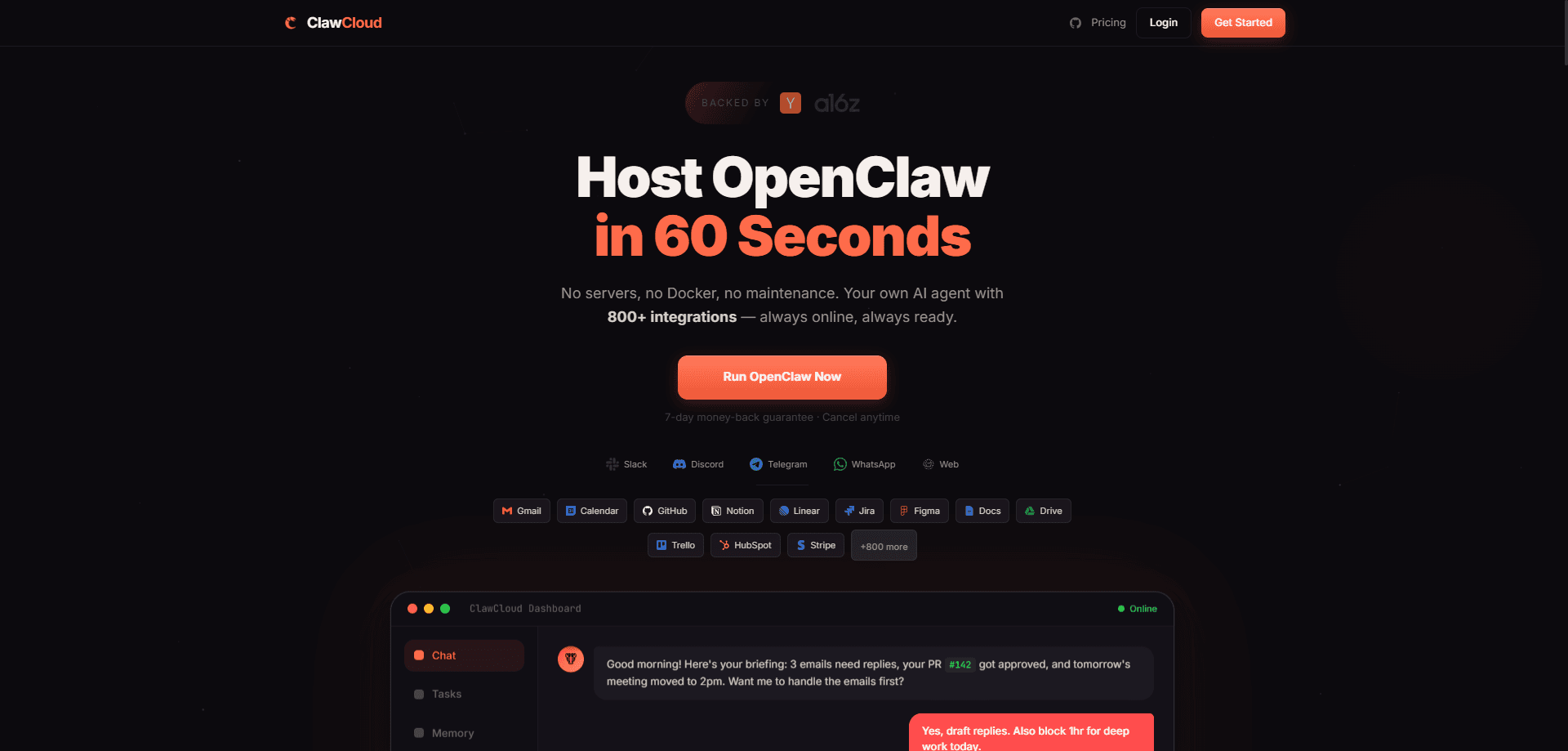
About ClawCloud
What Is ClawCloud
ClawCloud started selling servers in April 2024 from Singapore, and it has stayed close to that business: raw compute at a low monthly price. The catalog covers cloud VPS for developers from $3.50 per month, dedicated VDS machines, Windows boxes, game servers and China-optimized routing. Machines sit in Singapore, Hong Kong, Japan, Indonesia, the US, Germany and the UK, which puts a lot of capacity within reach of Asian users.
For people working with AI, two adjacent products matter more than the spec sheet. ClawCloud Run takes a Docker image, exposes a port, and returns a public URL with HTTPS, billed by credits instead of a fixed plan. OpenClawCloud is a managed home for OpenClaw, the open-source assistant that browses the web, edits files and replies on Telegram, WhatsApp, Slack or Discord. ClawCloud provisions the virtual machine and the model access, so the assistant is answering messages minutes after you sign in.
The limits are worth knowing before you pay. This is infrastructure: you pick instance sizes, manage secrets and watch the credit meter yourself. OpenClawCloud has been running at capacity, with new sign-ups and plan upgrades paused while more hardware comes online. VPS plans bill monthly, and there is no hourly option for short experiments.
Getting Started
- Sign up with an email address or a GitHub account. ClawCloud Run hands eligible GitHub users a monthly credit, so no card is needed to test the platform.
- Choose what you need: a VPS or VDS instance in one of the listed regions, a Run workspace, or an OpenClawCloud plan.
- Pick an image and size the machine. Linux templates cover the usual distributions, Windows images cost more, and app templates skip the manual install.
- Connect the way you prefer. Servers take an SSH key, while OpenClawCloud opens a chat panel that mirrors the official OpenClaw interface.
- Finish the setup. Attach a domain to the public IP, or add your own model keys if you plan to bill inference to your own provider.
Product Information
A quick look at ClawCloud's pricing, supported platforms, and performance.
Best for
The users, tasks, and scenarios where this tool fits best.
Users
- Developers who want a cheap Linux box
- Small teams that want an AI assistant without a sysadmin
- Game server admins
Tasks
- Hosting a Dockerized backend
- Keeping an assistant online all day
- Regional staging environments
Scenarios
- A first paid server for a side project
- A shared assistant for a five-person studio
- Serving users in mainland China
Key features
Low-cost VPS and VDS instances
Cloud VPS plans start at $3.50 per month with dedicated CPU, memory and storage, so neighboring tenants don't eat your throughput. ClawCloud advertises up to 40,000 IOPS and 1 Gbps of BGP bandwidth, with a 99.975% uptime target. VDS takes the same idea to larger machines for teams that need sustained load.
Managed OpenClaw hosting
OpenClawCloud handles AI agent hosting for you. It provisions a virtual machine with OpenClaw already installed, preloaded skills and access to GLM-4.7 or GLM-5, with Claude Sonnet credits added on the Pro plan. The control panel is the real OpenClaw interface inside an iframe, so the official documentation still applies. You can bring your own keys at any point.
ClawCloud Run
This is a Kubernetes-native platform for containers. You push an image, expose a port, and get a live URL, with CRDs and APIs underneath so the behavior stays predictable for anyone who has run a cluster. Free workspaces cap at 4 vCPU and 8 GB, and paid plans raise the ceiling.
Backups and DDoS protection included
Daily automatic backups let you restore a VPS to any point in the last 30 days, and basic DDoS protection is free on every server. For a small project, that removes two add-ons you would otherwise buy elsewhere.
Seven regions across three continents
Singapore, Hong Kong, Japan, Indonesia, the US, Germany and the UK cover most latency needs, with a China-optimized line for mainland traffic. Picking a region near your users matters more than picking a bigger plan.
Credits, BYOK and referrals
ClawCloud Run bills by credit, and OpenClawCloud adds referral days: one day of compute per signup, capped at 50, plus half of a referred friend's first payment as balance credit. Teams that already pay an inference provider can plug in their own keys and skip the bundled models.
Pros and cons
Pros
- Entry pricing under $4 per month for a real VPS, with dedicated resources instead of shared bursts.
- OpenClaw hosting removes the setup work that stops most people from running an agent.
- Daily backups, DDoS protection and IPv6 come with standard plans rather than as paid extras.
- Regions in Asia and Europe keep latency reasonable for users outside the US.
- Alipay sits alongside cards and PayPal, which makes payment practical for buyers in China.
Cons
- No hourly billing, so a two-day test costs the same as a full month.
- OpenClawCloud sign-ups are paused at capacity, which means you may wait for a slot.
- The API story is thin on the VPS side, so automation has to run through the web console.
- Support runs on tickets only, with no phone or live chat channel listed.
Frequently asked questions
Renting servers and running AI workloads. The VPS and VDS line covers websites, APIs and game servers, ClawCloud Run hosts containers, and OpenClawCloud runs an OpenClaw assistant for you.
Related content
Explore related tools, skills, and articles for ClawCloud.
ClawCloud Alternatives

Odyssey 3
Odyssey · OtherOdyssey-3 is Odyssey's foundation world model. It simulates physics in real time, turns a prompt into an interactive environment, and adapts to robots, cars and games.

JarvisCore
Prescott Data · Coding · Productivity · OtherJarvisCore is an open source Python runtime where AI agents work as equal peers on an agent mesh, claim tasks from a shared ledger, and reach external services through a zero-trust broker.
Clef
Cloudflare · Business · OtherClef is Cloudflare's open-source decision model for Workers AI. It returns calibrated probabilities for typed questions, not generated text, so agents can classify, route, and act fast.