
Cleft
Cleft AI · Writing · Productivity
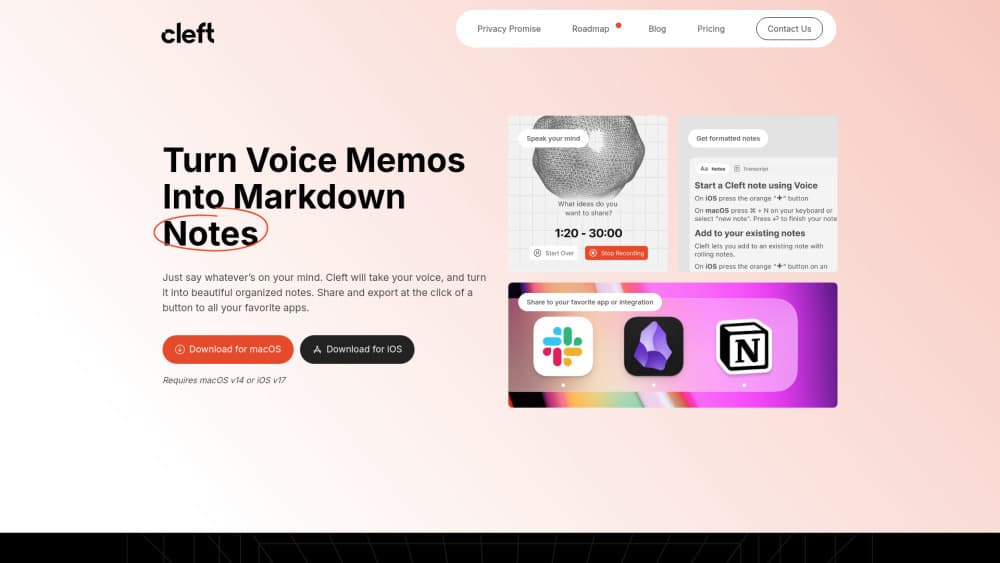
Cleft is an AI voice notes app for iPhone, iPad, and Mac that turns speech into clean, structured notes with on-device transcription.
About Cleft
What Is Cleft
Cleft is a voice notes app built for people who think out loud. You hit record, talk through an idea, and Cleft turns the ramble into a structured note with a summary, action items, and a full transcript. The app runs on Apple devices and keeps transcription on the device rather than sending your audio to a server.
It solves a specific problem. Most note apps assume you'll sit down and type, which is exactly the friction that kills a half-formed thought. Cleft flips that: capture first, organize never. And it was built by people with ADHD, Autism, and Dysgraphia specifically for users who lose ideas between thinking them and writing them down.
The limitation is device lock-in. Cleft is an Apple voice notes app only. There's no Android or web version, so if your team spans platforms, only the Apple users can capture directly. You also need an iCloud account for sync across devices, and the free tier caps recording length.
Getting Started
- Install Cleft from the App Store and open it on your iPhone, iPad, or Mac.
- Grant microphone access and, for hands-free use, enable Siri and Shortcuts.
- Tap record and talk through a thought. Speak naturally, since the transcription keeps up with normal talking speed.
- Review the generated note. Cleft pulls out main points and actions, and you pick the shape you want.
- Send the finished note to Notion, Apple Notes, Obsidian, or another app you already use.
Product Information
A quick look at Cleft's pricing, supported platforms, and performance.
Best for
The users, tasks, and scenarios where this tool fits best.
Users
- Writers and creators who brainstorm out loud and want drafts in text without typing them
- People with ADHD, Autism, or Dysgraphia who lose ideas before they can write them down
Tasks
- Turning a spoken brainstorm into a structured article draft or outline
- Capturing action items from a meeting or a phone call
Scenarios
- Recording a thought while driving via CarPlay with no screen taps
- Grabbing a quick idea on a walk or in the shower-adjacent rush before it disappears
Key features
On-Device Transcription
Cleft transcribes your voice directly on the device rather than uploading audio to a server, which is the reason it keeps working offline. Recordings sync across your Apple devices only when you reconnect. For anyone who records private reflections or client notes, that's the feature that decides the purchase.
Structured Notes From Rambles
The app doesn't just produce a transcript. It finds the structure inside what you said, pulling out main points and action items and letting you pick the shape of the final note. So what do you actually get? A summary, the actions, and the full transcript sit in one place, so you get something usable instead of a wall of raw text.
Capture Across Apple Devices
Cleft runs on iPhone, iPad, Mac, Apple Watch, and CarPlay. That spread matters more than any single feature. Voice notes are only useful if you can take them wherever the thought lands. Start on your wrist, finish on your Mac, and the note follows through iCloud.
Export to Your Existing Tools
Finished notes move into Notion, Apple Notes, Apple Reminders, Apple Journal, Obsidian, Bear, Craft, Drafts, Ulysses, Logseq, and more. Markdown export keeps formatting intact for writers who want to keep editing. You don't have to abandon the system you already run. That's rare among voice notes apps.
Voice-First Search and Shortcuts
Spotlight Search finds any note instantly from anywhere on the device. Siri and Shortcuts let you search notes, get summaries, and export by voice. Keyboard shortcuts handle navigation without leaving the keys. Together they remove the tapping that slows capture down.
Privacy-First Storage
Transcription happens on device and storage is encrypted, so your audio and text aren't sitting in a third-party cloud you can't audit. The app is upfront about this rather than hiding it in a settings page, which is why privacy is a headline reason people pick it over cloud-first rivals.
Pros and cons
Pros
- On-device transcription keeps recordings working offline and away from a remote server.
- The structure extraction turns spoken rambles into summaries and action lists you can actually use.
- Broad Apple capture surface, including Apple Watch and CarPlay, fits how people move through a day.
- Deep export options mean notes land in Notion, Obsidian, Reminders, and a dozen other tools.
- A genuinely accessible build shaped by users with ADHD, Autism, and Dysgraphia.
Cons
- Apple only. There's no Android or web app, so cross-platform teams can't standardize on Cleft.
- The free tier limits recording length, and useful integrations like Notion auto-send sit behind Cleft Plus.
- Sync depends on iCloud, so a non-Apple workflow won't work at all.
Frequently asked questions
Yes, Cleft has a free tier you can start with right away. The paid Cleft Plus plan unlocks longer recordings, note customization, and automation features like Notion auto-send. You can try the free version before deciding whether Plus is worth it.
Related content
Explore related tools, skills, and articles for Cleft.
Cleft Alternatives

Emailwritr
Emailwritr · Writing · MarketingEmailwritr is an AI email copywriting tool built for affiliates, course creators, and online businesses that want more revenue from the list they already own. Instead of blank pages or generic chatbot prompts, this AI email writer generates welcome sequences, launch campaigns, cart recovery emails, and promo series from frameworks modeled on well-known direct-response copywriters. You connect your autoresponder, answer a few questions about your offer, and it writes the copy for you.

Swms
Swms AI · Writing · Productivity · BusinessSwms is an AI safety compliance tool that turns a plain description of a job into ready-to-use safety documents. Describe your project, trade, and known hazards, and it writes a safe work method statement, job hazard analysis, safe work procedure, RAMS, or safety data sheet in seconds. It also ships with Oscar, a chat assistant that answers workplace safety questions in any language. Teams in construction, mining, transport, and warehousing use it to cut the paperwork that usually eats into a workday.

Prosp
Prosp · Writing · Voice & Language · MarketingProsp is an AI LinkedIn outreach tool built for agencies and sales teams, and it writes the message and the voice note in your own voice for each prospect so they actually reply. You connect your accounts, find leads, and let the AI draft and send personalized messages at scale, all from one inbox. It's built for people running outbound at volume. That's the whole pitch. Every touchpoint still has to feel human.