

CLI Manager
Solhun · Coding
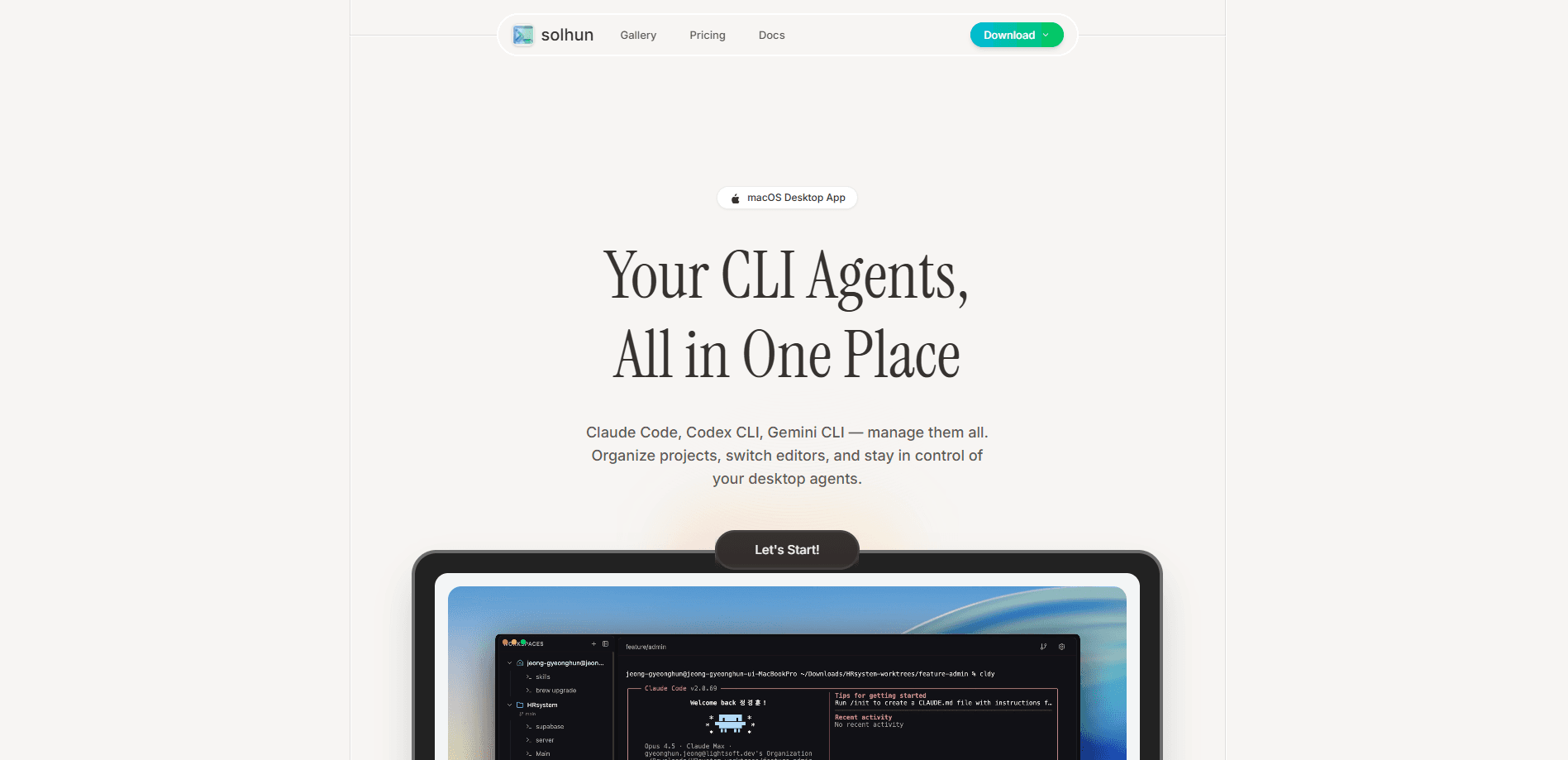
CLI Manager is a macOS desktop application that lets developers run Claude Code, Codex CLI, and Gemini CLI from a single dashboard instead of juggling separate terminal windows. It groups your AI CLI agents together, lets you rename each one by role, and switches your projects between editors like Cursor or VS Code with one click. The app is open source, keeps everything on your machine, and is Apple notarized.
About CLI Manager
What Is CLI Manager
CLI Manager is a workspace for developers who lean on more than one AI coding agent. Instead of opening a terminal for Claude Code, another for Codex CLI, and a third for Gemini CLI, you get one window where every agent and project lives side by side. The point is simple: stop losing context when you hop between tools.
It solves a problem that grows as soon as you adopt a second agent. Each CLI tool has its own terminal, its own history, and its own quirks, and mixing them gets messy fast. CLI Manager treats them as a single managed set, so activating an agent, sorting projects into groups, and jumping into your editor all happen from the same screen.
The biggest limit is platform. Right now it's macOS only. Windows is listed as coming soon, but Linux isn't on the roadmap yet, so if you're on a Linux box or a Windows machine today, this tool won't help you. It also manages CLI tools you've already installed rather than replacing them, so you still need Claude Code, Codex CLI, or Gemini CLI configured on your system first.
Getting Started
- Download the app from the official Solhun site and install it on your Mac.
- Open CLI Manager and add your CLI tools. Claude Code, Codex CLI, Gemini CLI, and similar tools all work, and there's no vendor lock-in.
- Rename each agent to match its role, like "Frontend Dev" or "Backend API", so parallel workflows stay readable.
- Group related projects into folders and pin the ones you use most to the top of the sidebar.
- Pick your editor under Settings so a single click opens any project in Cursor, VS Code, or another tool.
Product Information
A quick look at CLI Manager's pricing, supported platforms, and performance.
Best for
The users, tasks, and scenarios where this tool fits best.
Users
- Developers running multiple AI agents
- Solo builders who live in the terminal
- Mac-based teams standardizing tooling
Tasks
- Managing parallel agent work
- Reviewing agent output
- Switching projects between editors
Scenarios
- Running a frontend agent and a backend agent at once on different branches, then merging when both are done.
- Tracking which local port belongs to which project while several services are running.
- Launching a repeated setup, like a dev server plus tests, from a saved terminal template instead of retyping the commands.
Key features
All CLI Agents in One Dashboard
CLI Manager shows every installed agent, along with your projects, in a single window. You activate agents, give them nicknames, and move between them without opening new terminals. It's a macOS developer tool built around one idea. That idea: stop juggling windows. If you already run three AI coding tools, this feature replaces the chaos.
Role-Based Agent Naming
You can rename each agent to reflect what it does, like "Design Review" or "Backend API". That sounds minor until you're running several at once and can't tell which terminal is which. Naming by role makes a multi-agent workflow legible at a glance. Small touch, big payoff.
One-Click Editor Switching
Configure your preferred editor once, then open any project in Cursor, VS Code, or another tool with a single click. No more dragging files into the right window or re-opening the same folder twice. The app also handles terminal file links, which you can turn off in Settings if the editor keeps stealing focus.
Git Worktree Parallel Workflows
The app acts as a git worktree manager so you can run agents on separate branches at the same time. Create, distribute, and merge branches from the UI, then clean up worktrees when you're finished. This is the workflow that keeps multiple agents from stepping on each other's changes. No command memorization required.
Diff Review for Agent Changes
A header button opens a review of what an agent changed, and you can select lines and send comments back to the terminal with the file and line number attached. For worktrees, the comparison runs against the branch point, so uncommitted edits and new files show up too.
Usage Limits and Status Detection
Starting with v1.7.0, CLI Manager uses official agent hooks to detect session status instead of guessing from terminal output. It separates "waiting for approval" from "done" with an amber indicator and a desktop notification, and shows your Claude Code and Codex usage limits as reported by the provider.
Port and Terminal Templates
You can track ports across projects so you always know which service runs where, and save favorite commands and agent setups as templates. Both features cut the small, repeated setup work that eats into a coding session. Worth it.
Local-Only, Apple Notarized
CLI Manager doesn't send your data anywhere. Everything is processed locally, and the app is Apple notarized, which matters if you're the kind of developer who won't run a tool that phones home.
Pros and cons
Pros
- Runs Claude Code, Codex CLI, and Gemini CLI together without vendor lock-in, so you're not tied to one provider.
- Worktree management and diff review make parallel agent workflows practical instead of a manual Git chore.
- Everything stays local and the app is Apple notarized, which keeps your code and prompts off external servers.
- Core features are free, so you can test the workflow before committing to anything.
- Official agent hooks give more accurate session status than scraping terminal output.
Cons
- macOS only right now, so Windows and Linux users can't use it. Windows is promised, but Linux isn't on the roadmap, which rules out a lot of servers and dev machines.
- It manages tools you've already installed rather than bundling them, so you still need to set up each CLI agent yourself first.
- The changelog and docs mix in Korean text in places, which is rough if you don't read Korean.
Frequently asked questions
It's a macOS desktop app that manages multiple AI CLI agents, like Claude Code, Codex CLI, and Gemini CLI, along with your projects, from one dashboard. It adds project organization, editor switching, and Git worktree management on top of the tools you already run.
Related content
Explore related tools, skills, and articles for CLI Manager.
CLI Manager Alternatives
Forefront
Forefront · CodingForefront is a web platform for building with open-source AI. It lets you fine-tune leading open-source language models on your own data, evaluate how they perform, and run them through an API or export them to host yourself. Developers who want the convenience of a closed-source platform but insist on owning their models and data are the target audience here.

Startkit
StartKit.AI · CodingStartkit is a boilerplate for building AI SaaS and AI wrapper products. Think of it as an AI startup boilerplate with the boring parts already wired up: authentication, Stripe and Lemon Squeezy payments, usage limits, transactional email, and an AI API starter that talks to OpenAI, Anthropic, Groq, or Llama. You clone the repo, set your price, and start on the part of your product that people actually pay for. It's Next.js under React and Tailwind, so most of the boilerplate code already feels familiar.
Testim
Tricentis · CodingTestim is an AI-powered test automation platform for building and running end-to-end tests across web, mobile, and Salesforce applications. It leans on machine learning to keep tests stable when an interface changes, so teams spend less time fixing broken selectors. Not bad for an automated testing tool you can start using today. You create tests by recording actions in a browser, then optionally add JavaScript when you need more control. It's a solid pick for busy QA teams.