

ClickMoat
ClickMoat · Marketing
ClickMoat is click fraud protection software for Google Ads. It sorts suspicious clicks from real ones using IP, device, and VPN signals, then blocks, flags, or monitors them and exports evidence.
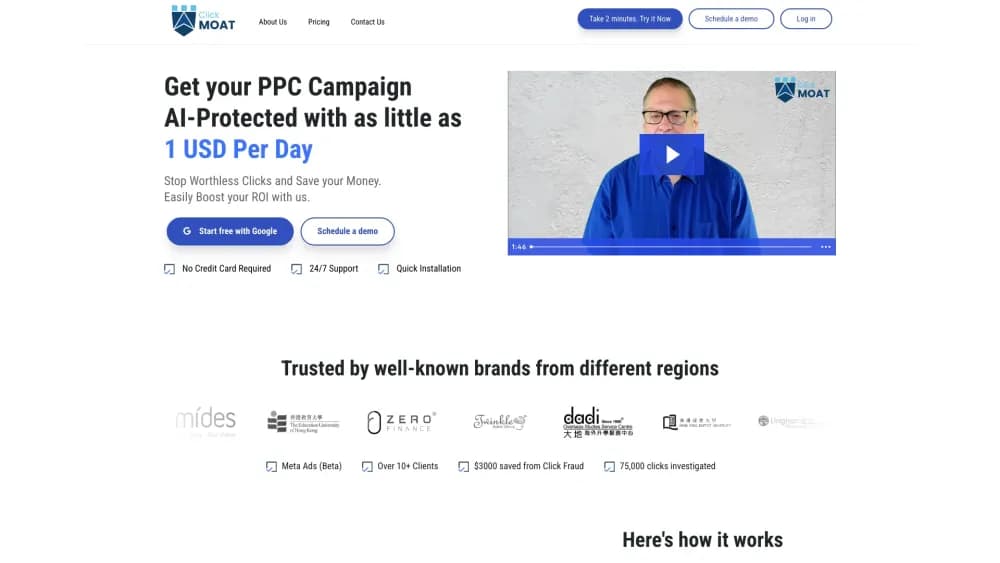
About ClickMoat
What Is ClickMoat
ClickMoat is a paid traffic protection tool for teams that spend money on Google Ads. It sits next to your ad account, watches the clicks that arrive, and separates what looks like real demand from what looks like ad fraud. The output is a working list: campaigns worth a second look, rules you can switch on, and reports you can hand to finance.
The product started from a simple complaint. Ad platforms report totals, not quality. A campaign can look healthy on cost per acquisition while a chunk of its clicks come from the same device, the same VPN range, or a referrer that makes no sense. ClickMoat gives you a view into that layer and a way to act on it without waiting for a platform review.
Two limits matter before you sign up. It is an extra layer, not a replacement for Google's own invalid traffic filtering. And today the protection runs on Google Ads only. Meta Ads is labeled as coming soon, and TikTok sits on the roadmap with no confirmed date.
Getting Started
- Request access at clickmoat.com. Setup is guided and no card is required for the first conversation.
- Connect your Google Ads account and the domains you want tracked. The setup keeps your campaign structure in view so the labels match what your team already uses.
- Watch the traffic view for a few days. Compare campaigns, keywords, devices, locations, and referrers to see where suspicious clicks cluster.
- Turn on protection rules. VPN and proxy traffic can be blocked, device frequency can be sent to review, and referrer anomalies can be monitored.
- Export the report. Share it with finance, or use it as the basis of a refund conversation with Google Ads.
Product Information
A quick look at ClickMoat's pricing, supported platforms, and performance.
Best for
The users, tasks, and scenarios where this tool fits best.
Users
- PPC managers running steady paid search campaigns
- Agency owners with several client domains
- Finance and operations staff who sign off on ad spend
Tasks
- Finding which campaigns attract suspicious clicks
- Blocking VPN and proxy traffic
- Preparing a refund request
Scenarios
- Ecommerce campaigns with thin margins
- Lead generation accounts
- Agencies auditing a new client account
Key features
Campaign level click quality
The main screen compares legitimate and suspicious clicks across campaigns and keywords, not just as one account total. That breakdown is what turns click fraud detection into a budget decision instead of a monthly guess. You can see whether the waste sits in one campaign, one keyword group, or across everything. The naming follows Google Ads conventions, so nobody has to learn a second vocabulary.
A rule engine with visible outcomes
Protection is built from rules, and every rule shows its action and priority in the same list. The available actions are block, flag, and monitor, which lets you match the response to your confidence. A clear VPN hit can be blocked outright. A device frequency pattern with more ambiguity can go to review instead. Nothing fires silently.
Signals that cover the usual fraud patterns
The rule set works from IP frequency, device frequency, VPN and proxy detection, geolocation, user agent, referrer, time pattern, and custom thresholds. Those signals catch the common shapes of ad fraud: one device clicking repeatedly, a cluster of clicks from a hosting range, or traffic that arrives at 3am from a region you don't sell to. Custom rules cover the cases your team knows better than any preset.
An investigation view for the messy cases
When a number looks wrong, the investigation view lets you filter clicks by campaign, device, location, referrer, and network signal in one place. This is the part that replaces a spreadsheet and three browser tabs. You follow the trail from a spike down to the individual clicks behind it, then decide whether a rule is warranted.
Reports built for a refund conversation
Suspicious traffic is easier to argue about when it's documented. ClickMoat exports reports that show the rule, the signal, and the decision behind each action. Finance gets a shared view with the media team, and the same file can go into a refund request with Google Ads. That documentation step is usually where in house teams give up.
Google Ads first, roadmap in the open
The live product covers Google Ads, and the site states plainly that Meta Ads protection is still in development while TikTok has no confirmed date. That honesty is useful when you plan a stack. If most of your budget sits on Meta, this isn't the tool for you yet. If Google is the main channel, the current scope covers the work.
Pros and cons
Pros
- The rule engine keeps every action visible, so you can explain a block to a client or a finance lead without digging through logs.
- Campaign and keyword level breakdowns answer the question that matters, which is where the waste sits rather than how much of it there is.
- Exportable evidence makes a refund request with Google Ads a document exercise instead of an argument from memory.
- Setup is guided and human supported, including a Slack channel, which shortens the first week for teams without a dedicated analyst.
- Coverage claims stay modest: the site labels Meta as coming soon instead of implying support that isn't live.
Cons
- No published pricing. You have to talk to the team before you know whether the cost fits a small account.
- Google Ads only for now. Teams running most of their budget on Meta or TikTok get little value until those platforms ship.
- No public API. Automation around the data means manual exports, which is a real limit for teams that pipe everything into a warehouse.
- It works alongside Google's own invalid traffic filtering, so you still rely on the platform for the actual credit or refund decision.
Frequently asked questions
ClickMoat watches the clicks coming into your Google Ads campaigns and separates the ones that look suspicious from the ones that look like real demand. You then apply rules that block, flag, or monitor that traffic, and export the evidence.
Related content
Explore related tools, skills, and articles for ClickMoat.
ClickMoat Alternatives

ngram 2.0
ngram · Video · Marketingngram 2.0 is an AI video generator for teams. It turns a prompt, a screen recording, or a product URL into a narrated explainer, product demo, or AI avatar video, and every scene stays editable.

shippedit.me
Krawlup · Marketing · Businessshippedit.me now redirects to Krawlup, a web platform that audits SEO, AEO and page speed every week, then hands the fixes to AI coding agents over MCP.

MePersona
MePersona, Inc. · Writing · Productivity · MarketingMePersona is an AI unified inbox for creators. It learns your voice, drafts replies to fan messages from 12 platforms, and sends only what you approve.