

Clico
Clico · Other
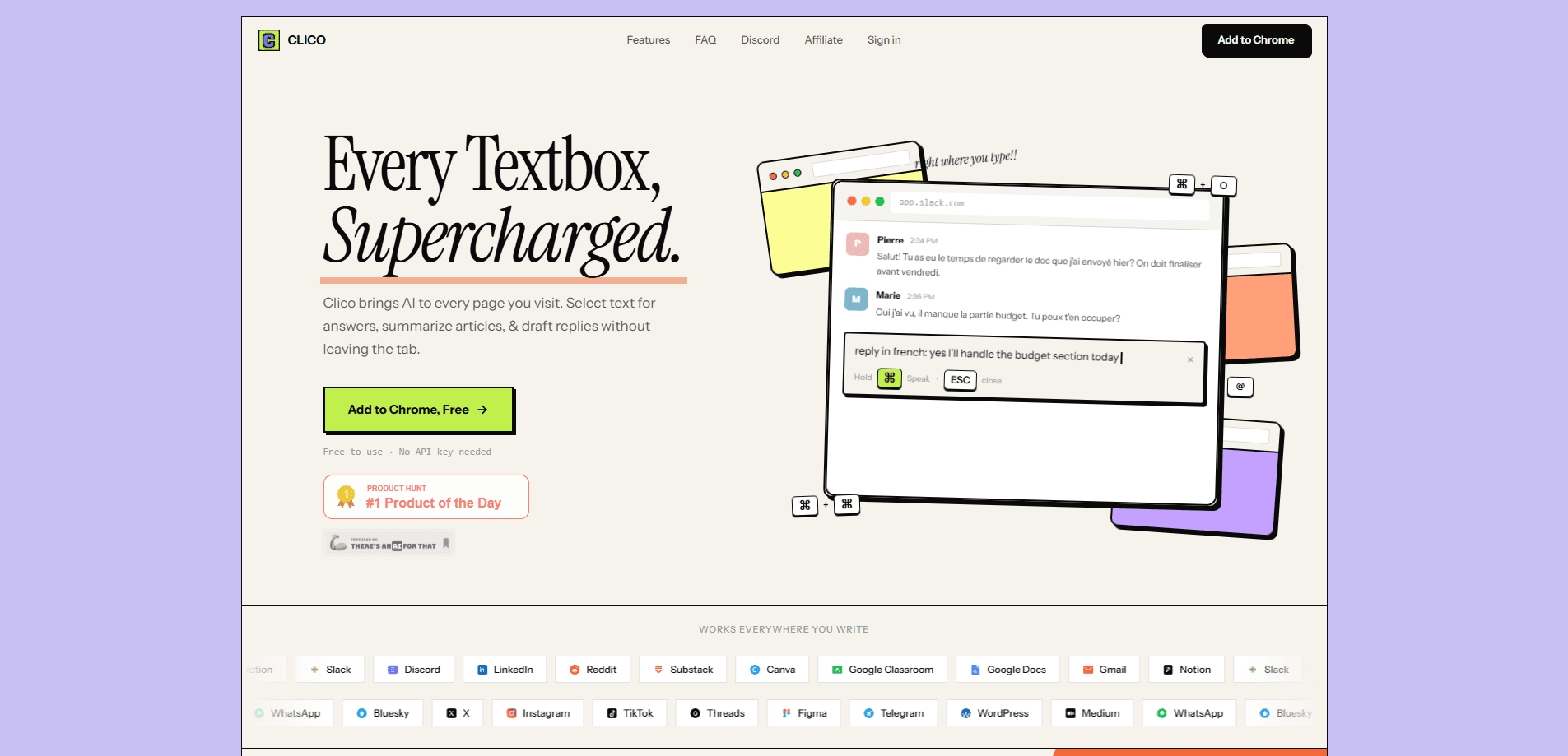
Clico is an AI studio that works as a deep research AI, an AI image generator, and an AI writing assistant in one conversation. You ask a question the way you'd say it out loud, and Clico searches the web, checks the sources, and keeps the citations attached to the answer. It runs as a web app, a browser extension AI for Chrome, and a desktop app for Mac, so the same conversation follows you across tabs and machines. The AI research tool does most of the heavy lifting.
About Clico
What Is Clico
Clico is a productivity suite built around a single chat that can research, write, and make media. Instead of juggling one tool for sources and another for visuals, you keep one thread going and switch between tasks inside it. The pitch is continuity: you start with a question, drop in a reference photo, and end up with a finished image or video without losing the earlier context.
The product leans hardest on deep research. Why does that matter? Because most AI tools hand you an answer and walk away. Clico searches the web, opens the useful pages, compares what it finds against files you upload, and keeps citations linked to the claims they support. For anyone writing a thesis, a report, or a client brief, that traceable trail is the main draw. People using it day to day mention exactly this: one user said Clico has been "unexpectedly clutch" while writing a thesis, and another pointed to not having to jump between tabs.
The biggest limitation is how it meters usage. Everything runs on credits that are shared across Web, the Chrome extension, and the Mac desktop app. Video generation needs a paid plan, free accounts get 200 credits a month, and the image and video estimates on the pricing page are approximations, not guarantees. Heavy media creators will hit the ceiling fast unless they move up a tier. Plan ahead.
Getting Started
- Create a free Clico account at app.tryclico.com, or install the Chrome extension and desktop app for Mac.
- Ask your first question in plain language, or attach a file, image, or video to give the chat something to work with.
- Let Clico open and compare sources, then read the answer with its citations intact.
- Switch modes inside the same thread when you want to generate or edit an image, or move to video on a paid plan.
- Save the conversation, share it as a single page with messages, source links, and images together, or reopen it later to summarize or continue.
That's the whole loop.
Product Information
A quick look at Clico's pricing, supported platforms, and performance.
Best for
The users, tasks, and scenarios where this tool fits best.
Users
- Students and researchers
- Writers and marketers
- Cross-tab workers
Tasks
- Deep research questions
- Photo editing by description
- Prompt building from references
Scenarios
- Writing a long document over several sessions
- Turning a research finding into a visual
- Sharing a finished piece of work
Key features
Deep Research With Citations
Clico runs web searches, opens the pages it deems useful, and cross-checks them against files you upload. The key difference is that citations stay linked to the answer, so you can trace any claim back to its source. It's built for people who need to defend what they wrote, not just generate text fast.
Image and Video Generation
You can just describe it. You can create images and videos from a prompt or from a reference, then tell Clico what to keep or change. The AI video generator takes a prompt or a picture and brings it into motion. Simple as that. Finished images and videos download without a watermark, which is a small thing that matters if you plan to use them anywhere public. Video generation is limited to the Pro and Max plans. That's the catch.
Natural-Language Photo Editing
Upload a photo and describe the edit in plain words. Keep the subject, change the style, remove a distraction, or swap the setting. The demo on Clico's site shows a sunset photo turned into an illustrated poster with the car, person, and composition preserved, which is the kind of edit that usually takes a real editing session. No layers. No masks.
A Chat That Carries Across Tabs
The Chrome extension puts Clico into the text boxes and pages you already use, so you don't bounce between a separate AI tab and your work. The desktop app for Mac and the web app share the same account and credits. Users describe this as a real time and attention saver.
Persistent Conversation History
Every conversation is saved and can be reopened in Web. Ask for a summary, rewrite the useful part, or keep going. Because the earlier messages are still there, you skip the setup you'd normally repeat in a fresh chat. No re-explaining. Ever.
Shared Output Pages
When work is done, Clico can package a conversation into one shareable page with the messages, source links, and available images together. That's useful for handing off research or showing a collaborator how you reached a conclusion. Good for teams. Better for clients.
Pros and cons
Pros
- Research keeps citations attached to answers, so sources are verifiable rather than lost in a feed. That's rare.
- One thread handles research, writing, and media, which cuts down on switching between tools.
- Works across Web, a Chrome extension, and a Mac desktop app under one shared credit balance.
- Free plan includes 200 credits a month and image generation, so you can evaluate it without a card.
- Generated images and videos download without a watermark.
Cons
- Credits are shared across every client, so heavy image or video use drains the balance quickly.
- Video generation is locked behind Pro and Max, and free accounts can't touch it at all.
- No API is documented, so teams wanting to wire Clico into their own tools have nothing to connect to yet. Not ideal for builders.
- Image and video generation counts are estimates, not guaranteed output totals, which makes cost planning fuzzy.
Frequently asked questions
Clico is an AI studio that handles web research, writing, image generation, photo editing, and video generation inside a single conversation. You move between those tasks without leaving the thread or losing earlier context.
Related content
Explore related tools, skills, and articles for Clico.
Clico Alternatives
BinkBink
BinkBink · OtherBinkBink is a free online game platform and AI game maker that lets anyone turn a short text description into a playable browser game. You can jump into hundreds of community-made games. Or describe your own idea and play it in seconds, then share it with friends. Want to create your own game? You don't need to code. No engine setup, no download, no hassle.

Audiogen
Audiogen Inc. · OtherAudiogen is an AI music generator built by Audiogen Inc., a small research team that spent about 2.5 years training its own generative music model and designing a web interface around it. Instead of a plain text box, this AI music tool turns the timeline into a beginner-friendly Generative Audio Workstation, or GAW, where inpainting, extending, remixing and stem editing work more like painting on a canvas. The product is still in beta, so access runs through a waitlist or an invite. Paid plans aren't published yet.

Aiml API
AIMLAPI OÜ · OtherAiml API is a unified AI model API that puts more than 1000 models from OpenAI, Google, Anthropic, and others behind one endpoint and one bill. You write code against a single OpenAI-compatible schema, then switch between chat, image, video, and audio models by changing a model string. It suits developers and small teams who want multi-model access without juggling a dozen separate provider accounts, and it removes the usual billing headache that comes with testing several vendors. One key covers it all.