
Cockatoo
Cockatoo Inc. · Writing · Voice & Language
Cockatoo is an AI transcription tool that turns audio and video into text in 90+ languages, adding timestamps, speaker labels, and exportable captions.
About Cockatoo
What Is Cockatoo
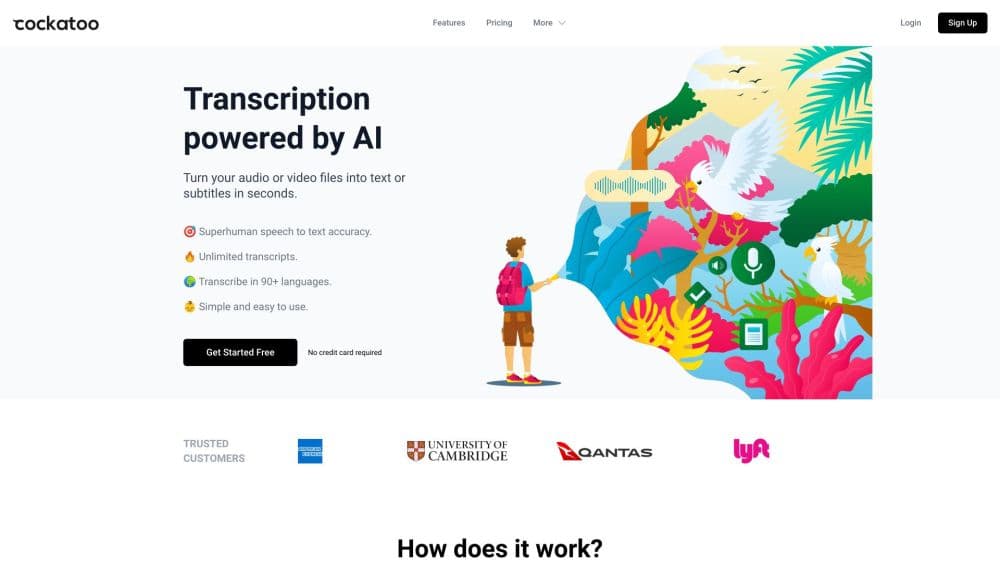
Cockatoo is a web app from Cockatoo Inc. that converts audio and video files into readable text. You upload a recording, and the service returns a transcript with timestamps, speaker labels, and paragraphs in a couple of minutes. It also translates documents across languages and includes Canvas, an AI text editor for writing and revising content. The pitch is speed and accuracy without a steep learning curve: drag a file in, get text out.
It targets the everyday jobs that involve long recordings, like interviews, lectures, podcast episodes, and meeting notes. The service claims up to 99.8% accuracy on clear audio and says one hour of audio transcribes in two to three minutes. Export options cover DOCX, PDF, TXT, and SRT for captions.
Two things shape whether it fits. Accuracy drops with background noise, heavy accents, or people talking over each other, so a transcript still needs a quick review. And the free plan is a trial with limited features, so regular use means a paid subscription.
Getting Started
- Create a free account at cockatoo.com; no credit card is required.
- Drag an audio or video file into the upload box, or pick a format like MP3, MP4, WAV, or OGG.
- Wait for the transcript to process, then open it to check speakers, timestamps, and text.
- Edit the text, or use Canvas to rewrite and polish sections.
- Export the result as DOCX, PDF, TXT, or SRT captions.
Product Information
A quick look at Cockatoo's pricing, supported platforms, and performance.
Best for
The users, tasks, and scenarios where this tool fits best.
Users
- Journalists and interviewers
- Students and researchers
- Podcasters and video creators
Tasks
- Transcribing interviews and meetings
- Captioning video
- Translating documents
- Drafting and editing text
Scenarios
- Clearing a backlog of recordings
- Working across languages
- Turning recordings into written content
Key features
Audio and Video Transcription
Cockatoo accepts a wide range of formats, including MP3, MP4, M4A, MOV, WAV, OGG, OPUS, and MPEG, so you can upload what you already have without converting first. It transcribes both audio and video, and according to the company, one hour of audio takes two to three minutes. The result includes timestamps, speaker labels, and paragraphs rather than a wall of unbroken text.
90+ Languages and Accents
The service handles transcription in more than 90 languages and dialects, and the company says its speech recognition is built to work across English accents rather than only American ones. That matters if your recordings come from international speakers, since many tools degrade on non-American accents. File translation extends the same reach to written documents.
Export to DOCX, PDF, TXT, and SRT
Finished transcripts come out in formats that fit different jobs. DOCX and PDF work for reports and handouts, TXT for plain text pipelines, and SRT for subtitles and closed captions in a video player. Exporting as captions means you do not need a second tool just to subtitle a clip.
Canvas AI Text Editor
Canvas is an AI writing and editing tool built into the same workspace. You can generate text, revise a draft, or clean up a transcript without leaving Cockatoo. For users who turn recordings into articles or summaries, keeping the editor next to the transcript cuts out a copy-and-paste step.
File Translation
Beyond speech, Cockatoo translates documents. It supports PDF, DOCX, PPTX, XLSX, and TXT files and covers 90+ languages. This suits users who receive reports, contracts, or slides in another language and want a readable version without a separate translation service.
Encrypted Cloud Storage
Every account includes encrypted cloud storage for your files: 2 GB on the free plan and 2 TB on Pro, with 2 TB per person on Team. Storing recordings and transcripts in the cloud means you can reopen and re-export them later instead of keeping everything on your own drive. Paid plans also add team sharing and centralized billing.
Pros and cons
Pros
- Handles both audio and video in a long list of formats, so you rarely need to convert a file before uploading.
- Transcription and file translation sit in the same tool, covering spoken and written content in one place.
- SRT export turns a transcript into captions for a video player without a separate subtitling tool.
- Speaker labels, timestamps, and paragraphs make long recordings easier to skim and quote.
- Encrypted cloud storage keeps files available to reopen and re-export later.
Cons
- Accuracy falls with background noise, strong accents, or overlapping speakers, so most transcripts still need an editing pass.
- The free plan is limited and low on storage, so anything beyond light use means a paid subscription.
- It is a web app, so there is no desktop or mobile app for offline work.
- Translated documents can still read awkwardly in specialized or technical fields, where a human review is safer.
Frequently asked questions
Cockatoo turns audio and video into text. You upload a recording and get a transcript with timestamps, speaker labels, and paragraphs, which you can then edit, translate, or export as DOCX, PDF, TXT, or SRT captions. It also translates documents and includes an AI text editor called Canvas.
Related content
Explore related tools, skills, and articles for Cockatoo.
Cockatoo Alternatives

Google EmbeddingGemma 2
Google DeepMind · Writing · Image · CodingGoogle EmbeddingGemma 2 is a 740M-parameter open model that turns text, code, images, audio, and video frames into vectors in one 768-dimension space, running on phones and laptops.

MePersona
MePersona, Inc. · Writing · Productivity · MarketingMePersona is an AI unified inbox for creators. It learns your voice, drafts replies to fan messages from 12 platforms, and sends only what you approve.

Fluence
Yay Software (Yannick Huchard) · Writing · Voice & Language · ProductivityFluence is an Android app that reads PDFs, EPUBs, Word files and web articles aloud, follows each sentence as it speaks, and answers questions about the text on the phone itself.