
Coddy: Learn Coding & Python
Coddy · Coding
Coddy is a gamified coding app that teaches Python, JavaScript, SQL and AI prompting through short, hands-on lessons, with a built-in editor and an AI tutor for feedback.
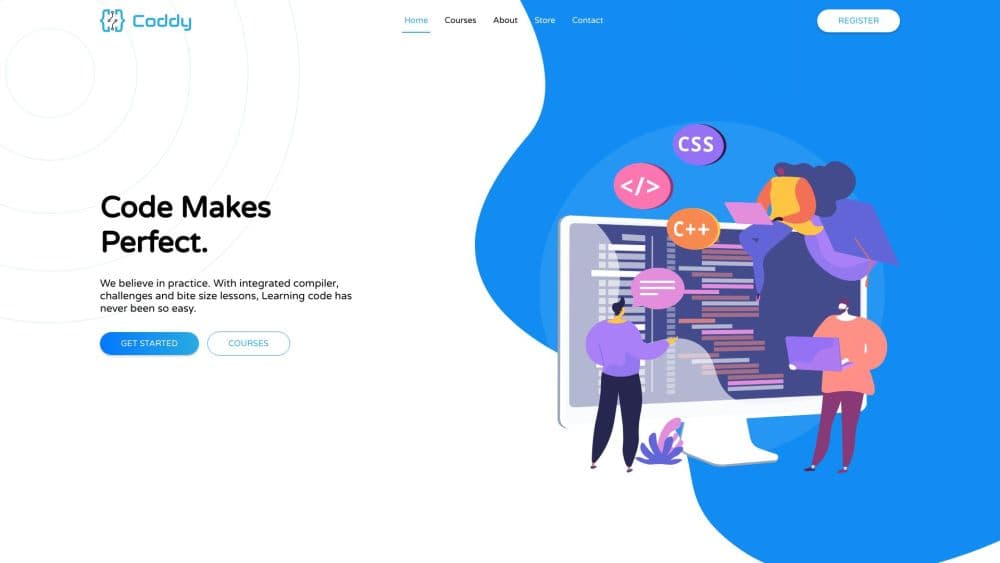
About Coddy: Learn Coding & Python
What Is Coddy
Coddy is a web and mobile app that turns learning to program into a daily habit, in the same way a language app turns vocabulary drills into a routine. Instead of watching lectures, you write real code inside the app, run it, and see what happens. The catalog covers popular languages, web development, data queries and AI prompt engineering under one roof.
The tool targets beginners who want a low-pressure way to start, plus students who need quick refreshers on syntax without setting up a local development environment. Every lesson happens in the browser or on a phone, so you do not install compilers or configure anything before your first line of code.
Its main limitation is depth. The lessons favor short practice loops over project-based mastery, so someone aiming for a professional portfolio will eventually need to move on to larger tools. The mobile app is also iPhone-only on the App Store, and some advanced content sits behind a paid tier.
Getting Started
- Create an account on coddy.tech or download the mobile app for iOS or Android.
- Answer a short onboarding questionnaire about what you want to build so Coddy recommends a starting language.
- Pick a course, such as Python or JavaScript, and open the first lesson.
- Write your answer in the built-in editor, run the code, and use the AI tutor if you get stuck.
- Complete lessons to earn XP and streaks, then download a certificate when you finish a course.
Product Information
A quick look at Coddy: Learn Coding & Python's pricing, supported platforms, and performance.
Best for
The users, tasks, and scenarios where this tool fits best.
Users
- Beginners learning their first language
- Students who need a syntax refresher
- Curious professionals exploring AI prompting
Tasks
- Practicing a language daily
- Testing code snippets quickly
- Earning a shareable certificate
Scenarios
- Commuting or waiting in line
- Preparing for a coding interview
- Deciding what to learn first
Key features
Gamified Lesson Structure
Coddy breaks each course into short challenges that you complete by writing code. Streaks, XP and daily challenges encourage a steady routine rather than marathon sessions. This structure is the main reason the app feels closer to a game than a textbook.
Built-In Code Editor and Playground
An in-browser editor runs your code and shows the output, so you can experiment without installing a toolchain. Playgrounds for Python, JavaScript, SQL and other languages let you test ideas outside a formal lesson. This makes it practical for quick checks on a phone or a borrowed computer.
Bugsy AI Tutor
Bugsy, the in-app AI tutor, answers questions while you work and helps explain why an answer did not pass. Rather than handing over a solution, it is designed to guide you toward the fix, which supports learning over copying.
Wide Language and Technology Catalog
The course list spans Python, JavaScript, TypeScript, HTML, CSS, SQL, Java, C++, C, C#, PHP, Swift, Rust, Ruby, Lua, R, Git, Docker, Kubernetes and more, alongside AI prompt engineering. Covering traditional programming and modern workflow tools in one place helps you move between topics without switching apps.
Automatic Code Checking and Feedback
Every submission is checked automatically, and mistakes come with an explanation rather than a red mark alone. Seeing what went wrong immediately shortens the feedback loop that usually slows beginners down.
Certificates and Progress Tracking
Finished courses produce verifiable certificates you can download and add to a profile, and progress is tracked across courses. For learners who want a visible record of effort, this turns study time into something they can show.
Web and Mobile Access with Offline Mode
Coddy works in a browser and through iOS and Android apps, and an offline mode keeps lessons available without a connection. Being able to start on a laptop and continue on a phone fits learning around a daily schedule.
Pros and cons
Pros
- Turns coding practice into a daily habit through streaks, XP and short challenges.
- Runs code in the browser, so beginners skip local environment setup.
- Covers a broad catalog of languages and technologies, and its courses reach AI prompt engineering.
- The Bugsy AI tutor gives hints and explanations rather than just marking answers wrong.
- Free to start, with verifiable certificates for completed courses.
Cons
- Lessons are short and practice-focused, so they build familiarity rather than deep project skills.
- The iOS app is listed for iPhone only, which limits tablet and desktop users on Apple hardware.
- Advanced content and some features sit behind a paid subscription, so the full catalog costs more than the free tier suggests.
- Gamification can favor streak maintenance over understanding for learners who rush through lessons.
Frequently asked questions
Coddy is a learn to code app for programming and related skills, including a learn Python path, JavaScript, SQL, web development and AI prompt engineering. You work through short interactive lessons and complete each one by writing code.
Related content
Explore related tools, skills, and articles for Coddy: Learn Coding & Python.
Coddy: Learn Coding & Python Alternatives

Base Code
Base44 (Wix) · Coding · ProductivityBase Code is a shared cloud development environment from Base44. Teammates describe changes to an existing GitHub codebase in chat, preview them live and send them back as pull requests.

Google EmbeddingGemma 2
Google DeepMind · Writing · Image · CodingGoogle EmbeddingGemma 2 is a 740M-parameter open model that turns text, code, images, audio, and video frames into vectors in one 768-dimension space, running on phones and laptops.

GitGlow
GitGlow · Coding · ProductivityGitGlow is a local-first desktop Git client that lets independent developers review their own code and their AI agents' changes in one place before shipping.