
Code Conductor
CodeConductor · Coding
CodeConductor is an enterprise AI app development platform that turns plain-language requests into full-stack apps and governed copilots, then ships them with policy checks.
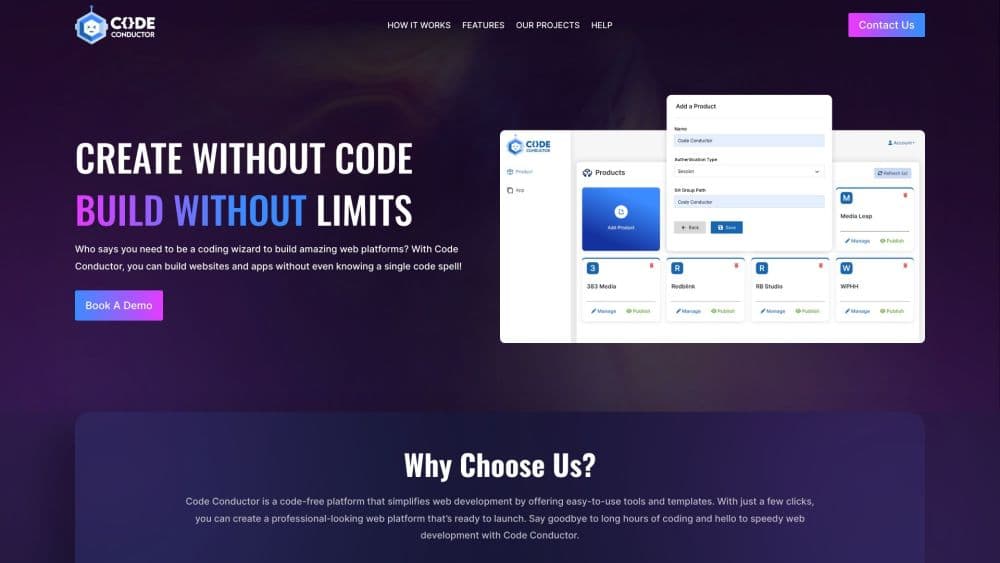
About Code Conductor
What Is CodeConductor
CodeConductor, sometimes written Code Conductor, is a platform for companies that want business teams to build software without handing them a closed black box. You describe an app in App Studio, and the system writes a React and TypeScript front end plus a Spring Boot backend into your own Git repository. A second workspace, Copilot Studio, works as an AI copilot builder: it assembles agents with defined reasoning steps, retrieval, and tool calls. Around both sits a control layer for enterprise AI governance: a policy engine, a model router, and a deployment pipeline that pushes the result to your cloud.
The pitch is aimed at a familiar gap. Business teams have ideas, IT has a ticket queue, and months pass before anything ships. Most tools sold as a no-code app builder close that gap by locking logic inside a proprietary runtime, which engineers refuse to maintain. CodeConductor takes the other route. Generated code is ordinary code, committed to a repo, reviewable in a pull request, and able to run without the platform if you walk away.
Three limits matter before you sign up. Pricing is sales-led, so there's no published rate card and no self-serve free tier. The platform assumes an enterprise stack: Git, CI/CD, a supported backend, and an identity provider. And the governance layer runs on OPA/Rego policies, which is powerful but asks for engineering time before the guardrails do anything useful.
Getting Started
- Talk to sales and scope a pilot. CodeConductor doesn't offer self-serve signup, so onboarding starts with a discovery call and a 4 to 6 week pilot plan.
- Connect your stack. Link identity, data stores, APIs, and observability to the control plane, then pick the app type and backend baseline your team already supports.
- Describe the first app in App Studio. Write the workflow in plain language, review the generated React and Spring Boot code, and open a pull request against your repository.
- Build a copilot in Copilot Studio if the app needs AI. Define the reasoning steps, connect a data source for retrieval, and attach the tools the agent may call.
- Write the policies that gate release. Add OPA/Rego rules for data access, model allowlists, and deployment approval, then promote the build from dev to staging to production.
Product Information
A quick look at Code Conductor's pricing, supported platforms, and performance.
Best for
The users, tasks, and scenarios where this tool fits best.
Users
- Platform and IT teams at mid-size or large companies
- Business and operations teams with workflow ideas
- Security and compliance leads
Tasks
- Turning a manual workflow into an internal app
- Building a copilot grounded in company data
- Standardizing code generation across teams
- Putting AI usage rules in the delivery path
Scenarios
- Replacing a set of spreadsheets and one-off scripts with one maintained internal tool
- Running a short pilot under IT oversight
- Handling regulated workloads in a private environment
Key features
Git-native app generation
App Studio writes React and TypeScript on the front end and Spring Boot on the back end, then commits the result to your repository. Changes arrive as normal commits and pull requests, so code review works the way it already does. There's no proprietary runtime holding the logic, and you can eject without rewriting the app.
Visual copilot builder with fixed reasoning paths
Copilot Studio uses a drag-and-drop chain-of-thought editor. You set step order, branches, decision gates, and model parameters for each step, so an agent follows the path you designed instead of improvising. The same workspace covers retrieval, tool calls, PII detection, and release promotion with canary traffic and rollback.
Policy engine built on OPA and Rego
Policies are versioned files, not a PDF. You write rules for data access, model allowlists, PII handling, data residency, and deployment approval, and the engine enforces them on every request and release. Logs record the actor, action, resource, and outcome, which gives auditors a trail rather than a screenshot.
Model router with bring-your-own keys
The router picks a model per request based on policy, latency, cost, and past success rate, and it can fall back when a provider degrades. It connects to OpenAI, Anthropic, Google Gemini, Meta Llama, Azure OpenAI, AWS Bedrock, Mistral, custom APIs, and on-prem GPUs. Teams that supply their own keys keep billing and data handling with providers they already use.
Multi-target deployment pipeline
One pipeline handles AWS, Google Cloud, Azure, Kubernetes, on-premises hardware, edge workers, Vercel, and private VPCs. It manages secrets, identity federation, and environment drift, and it promotes immutable artifacts through dev, staging, and production with blue-green rollouts. A CLI command can trigger the same pipeline from a terminal.
Design system and component import
You can import a React component library, whether that's Chakra, Tailwind, Material, or an internal system, and drag pre-approved blocks into a page. Visual prop editing and theme sync keep generated screens close to the brand. The point is to stop every team from rebuilding the same button, table, and form.
Harmony memory server for coding agents
Harmony is an MCP memory server that indexes a repository and returns context to agents such as Claude Code, Cursor, and Windsurf. It combines semantic search, symbol resolution, call graphs, and recent changes, then packs the result into a token budget. The first repository is free and doesn't need an account, which makes it the easiest part of the stack to test.
Pros and cons
Pros
- Generated apps are standard React and Spring Boot code in your own repository, so engineers can review, extend, or take over the project without the vendor.
- Policy checks run in the same path as generation and deployment, which catches unapproved models and PII leaks before release rather than after an audit.
- The model router accepts your own keys and local models, so regulated requests can stay inside your VPC or on-prem hardware.
- Component import keeps an existing design system in play, which cuts the rework that usually follows a low-code rollout.
- Deployment covers the major clouds plus Kubernetes, edge, and air-gapped environments from one pipeline.
Cons
- There's no published pricing and no self-serve signup, so evaluating the platform requires a sales conversation and a pilot before you can touch the product.
- The setup assumes Git, CI/CD, an identity provider, and a supported backend. A small team without that base faces a long configuration phase.
- Real governance depends on OPA/Rego rules, which means an engineer has to own policy work before the guardrails do much.
- Customer documentation sits behind a password, so public technical detail is thin until you're in a sales process.
Frequently asked questions
CodeConductor is used to build and ship internal and customer-facing software with AI. Teams describe an app in natural language, get React and Spring Boot code in their Git repository, add AI copilots when needed, and deploy through a governed pipeline.
Related content
Explore related tools, skills, and articles for Code Conductor.
Code Conductor Alternatives

Base Code
Base44 (Wix) · Coding · ProductivityBase Code is a shared cloud development environment from Base44. Teammates describe changes to an existing GitHub codebase in chat, preview them live and send them back as pull requests.

Google EmbeddingGemma 2
Google DeepMind · Writing · Image · CodingGoogle EmbeddingGemma 2 is a 740M-parameter open model that turns text, code, images, audio, and video frames into vectors in one 768-dimension space, running on phones and laptops.

GitGlow
GitGlow · Coding · ProductivityGitGlow is a local-first desktop Git client that lets independent developers review their own code and their AI agents' changes in one place before shipping.