

CodeGPT
CodeGPT · Coding
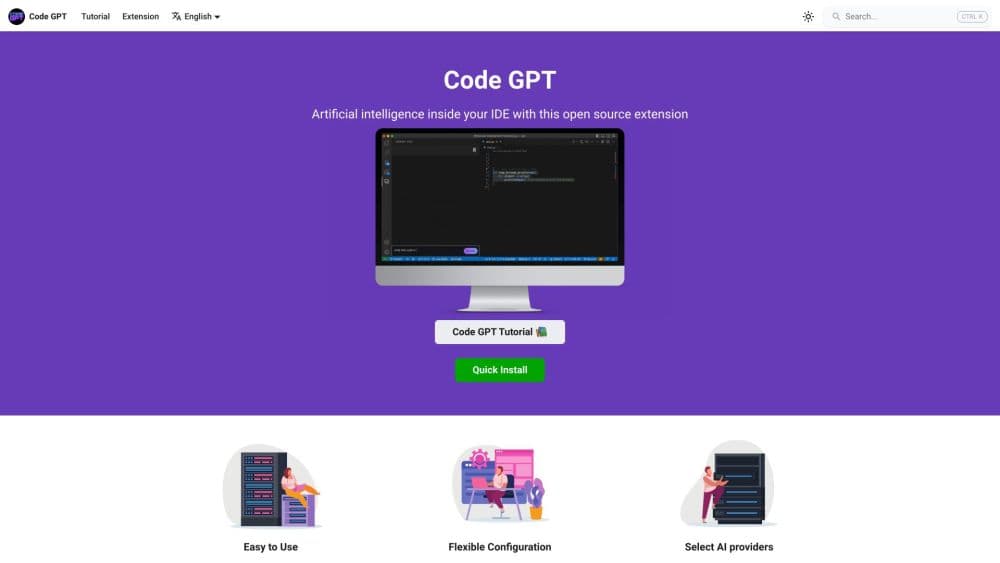
CodeGPT is a model-agnostic AI coding assistant for VS Code, JetBrains, and Visual Studio that plans, edits, and reviews code with Claude, GPT, Gemini, or your own keys.
About CodeGPT
What Is CodeGPT
CodeGPT is an AI coding assistant that plugs into the editor you already use: VS Code, JetBrains IDEs, and Visual Studio. Inside it you chat with a model, get AI code completion as you type, and hand larger jobs to an agent that reads your project, proposes a plan, and writes the edits. That agentic coding mode is where it does more than suggest the next line. The angle is choice. You're not locked to one vendor's model. Point it at Claude, GPT, Gemini, or a local model through Ollama or LM Studio, and swap providers per task.
The pitch is control over both cost and data. Bring your own API keys and the usage bills straight to whoever you already pay, or use CodeGPT's credits if you'd rather not manage keys. For teams that worry about where code goes, local models keep everything on the machine.
Two things shape whether it fits. It's an assistant inside a general-purpose editor, not a purpose-built AI IDE, so the experience depends on the host editor. And the free tier is a daily allowance, not unlimited. Heavy interactive use on premium models pushes you toward a paid plan or your own keys.
Getting Started
- Install the extension from the VS Code Marketplace or the JetBrains Marketplace, then sign in with an account, or connect a provider API key.
- Pick a model. Choose a hosted frontier model, or point to a local model running through Ollama or LM Studio.
- Chat or complete code. Ask questions, request fixes, or let autocomplete suggest lines as you type.
- Run a task in agent mode. Describe a feature or a refactor, review the plan, then approve the diffs one at a time.
- Connect tools if you need them. Add MCP servers for APIs, docs, or databases, and set project rules the assistant follows.
Product Information
A quick look at CodeGPT's pricing, supported platforms, and performance.
Best for
The users, tasks, and scenarios where this tool fits best.
Users
- Developers who already live in VS Code or JetBrains
- Teams with compliance needs
- Cost-conscious solo builders
Tasks
- Writing and refactoring code across files
- Debugging with context
- Documenting and explaining unfamiliar code
- Connecting your editor to outside systems
Scenarios
- Bringing AI into an existing workflow without a new IDE
- Working on code that can't leave the machine
- Trying several models on the same task
Key features
Model-Agnostic Setup
CodeGPT doesn't push you toward one vendor. It connects to Claude, GPT, Gemini, Grok, and open models, either through CodeGPT credits or by using your own API keys across more than a dozen providers. You can switch the model per task while the code stays where it is. That matters because model strengths differ by job, and a tool that locks you to one is a tool you outgrow.
Agent Mode With Editable Plans
The agent reads your codebase first, proposes a plan you can adjust, and only then writes code. It handles multi-step tasks like adding a feature or refactoring a module rather than just suggesting the next line. You stay in the loop: approve each change before it lands, which is the difference between an assistant and an autopilot.
Smart Diff Review
Every change the AI suggests comes with a real-time diff preview. You accept, reject, or edit each one before it touches your files. For anyone wary of an AI quietly rewriting working code, the review step is the feature that makes agent mode usable on a real project.
Code Autocomplete
Autocomplete supplies AI code completion as you type, based on your codebase and project structure. It runs separately from chat and agent tasks, and on the paid plans it's unlimited. Fast inline suggestions are still how most people spend their editing time, so this covers the highest-frequency case.
Bring Your Own Key and Local Models
You can connect directly to your own provider accounts, or run models locally through Ollama, LM Studio, or Docker. BYOK routes usage and billing to providers you already trust, while local models keep source code off external servers. Both options matter to teams that can't send code to a third party by default.
MCP, Rules, and Terminal Access
Model Context Protocol support links the assistant to external APIs, documentation, and databases. Rules let you set coding standards the assistant follows for consistent output. Terminal access lets it run commands, but it waits for your approval before anything changes. Together they turn the editor into a place where agents can do real work under your control.
Pros and cons
Pros
- Works inside VS Code, JetBrains, and Visual Studio, so you don't adopt a new editor to get AI help.
- Model choice is genuinely open, including local models and more than a dozen key providers, which avoids single-vendor lock-in.
- The free tier is a daily allowance with no trial clock, so you can evaluate it over time rather than in one window.
- Agent mode pairs planning with an approval step, which keeps you in control of what actually changes.
- BYOK sends billing to providers you already pay, and local models keep code on your own machine.
Cons
- It's an assistant layered on a general-purpose editor, not a dedicated AI IDE, so the agent experience depends on how well the host editor integrates it.
- Agent mode can burn through tokens quickly on complex tasks, and the free daily allowance runs out fast if you lean on premium models.
- Local model quality lags hosted frontier models, so privacy and top-tier output often pull in opposite directions.
- Some advanced capabilities sit behind the paid plans, and premium usage on the Team tier is metered through pooled credits.
Frequently asked questions
CodeGPT adds an AI assistant to your code editor. You use it to chat about code, get completions as you type, and hand multi-step tasks to an agent that reads your project, proposes a plan, and applies edits you approve. It runs inside VS Code, JetBrains, and Visual Studio.
Related content
Explore related tools, skills, and articles for CodeGPT.
CodeGPT Alternatives

Base Code
Base44 (Wix) · Coding · ProductivityBase Code is a shared cloud development environment from Base44. Teammates describe changes to an existing GitHub codebase in chat, preview them live and send them back as pull requests.

Google EmbeddingGemma 2
Google DeepMind · Writing · Image · CodingGoogle EmbeddingGemma 2 is a 740M-parameter open model that turns text, code, images, audio, and video frames into vectors in one 768-dimension space, running on phones and laptops.

GitGlow
GitGlow · Coding · ProductivityGitGlow is a local-first desktop Git client that lets independent developers review their own code and their AI agents' changes in one place before shipping.