

CodeBox AI
CodeBox AI · Coding
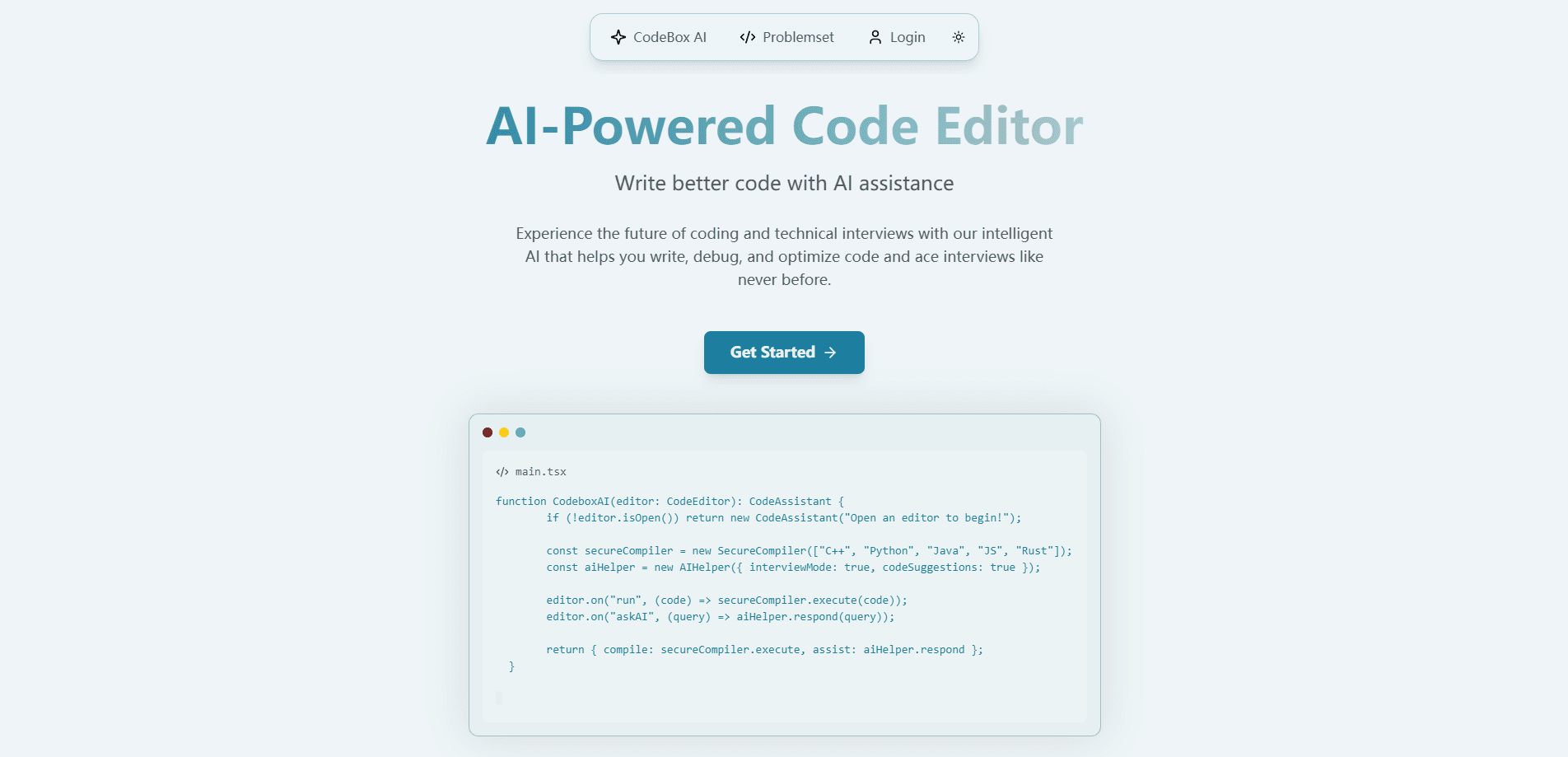
CodeBox AI is an AI code editor and interview prep platform. It runs your code in secure sandboxes, offers real-time AI help, and lets you practice mock interviews.
About CodeBox AI
What Is CodeBox AI
CodeBox AI is a cloud coding platform that combines a browser-based code editor with AI help and technical interview practice. You write and run code in isolated sandboxes, so a stray command or an infinite loop stays contained instead of touching your own machine. The AI returns suggestions, analysis and reviews for the code on screen.
The pitch is narrow on purpose. Most people find CodeBox AI while prepping for a software interview, and the platform leans into that: real questions pulled from top tech firms, an AI interviewer that runs a mock session, and a strict mode that mimics the pressure of an online assessment. Students learning a first language get the same editor with instant feedback attached.
There are limits worth knowing before you sign up. The language list is short compared to a full IDE, and every sandboxed feature depends on an internet connection, so it is not an offline tool. Pricing has shifted since launch, so check the current plans on the site rather than trusting an old figure.
Getting Started
- Sign up at the CodeBox AI site and open the editor from your account
- Pick a supported language, such as Python, JavaScript, Java, C++ or Rust
- Write your code, then ask the AI for suggestions, error analysis or a review
- Run it in the sandbox to see output, then keep the version you want to save
- Switch on strict mode and work through company-specific interview questions with the AI interviewer
Product Information
A quick look at CodeBox AI's pricing, supported platforms, and performance.
Best for
The users, tasks, and scenarios where this tool fits best.
Users
- Job seekers prepping for coding interviews
- Computer science students
- Self-taught developers
- Working engineers brushing up on fundamentals
Tasks
- Mock technical interviews
- Algorithm practice
- Code review and debugging
- Multi-language testing
- Learning a new syntax
Scenarios
- A student in a dorm with a weak laptop
- A candidate a week out from an onsite
- A self-taught coder stuck on a bug
- Trying a language you do not use daily
Key features
AI Code Assistant
The assistant reads the code in your editor and responds to plain questions. Ask it to explain a failing block, suggest an approach to a problem, or review what you have written, and it answers in context. It covers suggestions, error analysis and code review in one place, which cuts the tab-switching you would otherwise do between an editor and a search engine.
Secure Sandboxed Execution
Every run happens in an isolated environment, so untrusted or experimental code stays away from your own machine. The platform supports several languages through the same execution engine, including Python, JavaScript, Java, C++ and Rust. A high-performance engine returns output quickly, which matters when you are iterating on a problem under time pressure.
Technical Interview Preparation
This is where the product aims most of its energy. You get real interview questions tied to specific companies, plus automated feedback on each attempt. The AI interviewer runs a mock session and pushes back the way a real one would, so you practice explaining your thinking, not just shipping an answer. Company-specific sets cover the style of firms people usually name as their targets.
Strict Mode
Strict mode removes the training wheels. It simulates a real online assessment or interview setting, where you get less help and more pressure. Switching it on is a deliberate way to test whether you can solve a problem cold, which is closer to what the actual round feels like than a relaxed practice run.
Customizable Editor
The editor itself does not have to look like everyone else's. You can adjust themes, font sizes and keyboard shortcuts to a setup your eyes and hands are used to. Small as it sounds, a familiar editing surface lowers friction during long practice sessions.
Multi-Language Sandbox
The sandbox is not locked to one language. You can pick from a set that includes C++, Python, Java, JavaScript and Rust and run each inside the same account. For someone learning a second language or comparing how two languages solve a problem, that saves installing a separate toolchain for each.
Pros and cons
Pros
- Runs code in isolated sandboxes, so experiments stay away from your own system
- Bundles an AI assistant, code review and interview practice in one browser tool
- Company-specific questions and a mock AI interviewer target real interview rounds
- Works with no local setup, which helps on slow or borrowed machines
- Themes, fonts and shortcuts make the editor comfortable for long sessions
Cons
- The supported language list is narrower than a desktop code editor, so some languages are missing
- Cloud-based features need a steady internet connection, which rules out offline work
- Pricing has changed over time, so older figures you find online may not match the current plans
Frequently asked questions
CodeBox AI is an AI-powered code editor and interview preparation platform. It lets you write and run code in secure sandboxes, get AI suggestions and reviews, and practice technical interviews with company-specific questions and an AI interviewer.
Related content
Explore related tools, skills, and articles for CodeBox AI.
CodeBox AI Alternatives

Base Code
Base44 (Wix) · Coding · ProductivityBase Code is a shared cloud development environment from Base44. Teammates describe changes to an existing GitHub codebase in chat, preview them live and send them back as pull requests.

Google EmbeddingGemma 2
Google DeepMind · Writing · Image · CodingGoogle EmbeddingGemma 2 is a 740M-parameter open model that turns text, code, images, audio, and video frames into vectors in one 768-dimension space, running on phones and laptops.

GitGlow
GitGlow · Coding · ProductivityGitGlow is a local-first desktop Git client that lets independent developers review their own code and their AI agents' changes in one place before shipping.