

CodeKidz
CodeKidz · Leaning
CodeKidz is a browser-based AI coding platform that taught kids aged 7 to 15 Python through story-led missions, a talking AI teacher, and badge rewards.
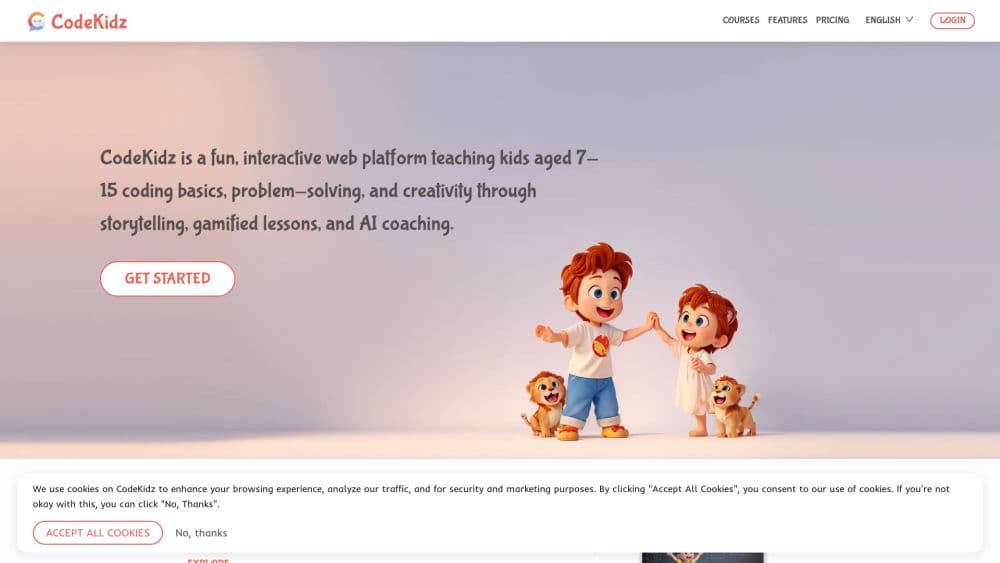
About CodeKidz
What Is CodeKidz
CodeKidz is an online learning platform built around one subject: real programming for children. Lessons run in the browser, the language is Python, and each unit wraps a coding task inside a short story so a kid has a reason to write the next line. An AI teacher sits beside the editor, answering questions in plain language and nudging students when they get stuck. For parents comparing AI coding for kids options, that combination was the pitch: story, voice, and running code in one browser tab.
The product went after a specific gap. Private tutoring gives a child individual attention but costs a lot per hour. Free coding sites cost nothing but leave a beginner alone with an error message. CodeKidz aimed at the middle: automated one-on-one style coaching at a subscription price, with real executable code instead of drag-and-drop blocks. A search for learn Python for kids still returns mostly video libraries, and this was built against that format.
Its limits are worth stating up front. Everything runs on the web, so there's no offline mode and no desktop app. The teaching is machine-driven, which means no live human instructor reviews a child's work. Most kids programming courses lean on recorded video; this one didn't. And the service itself has changed: as of October 2026 the codekidz.ai homepage serves CodeKidz Studio, a studio selling fixed-scope digital work, while the platform's pricing and course pages return 404 errors and the app subdomain no longer resolves.
Getting Started
- Create a parent account at codekidz.ai and add a child profile with an age bracket. The placement questions decide which story chapter opens first.
- Pick a starting track. Python basics is the default, with AI art and storytelling lessons branching off it.
- Let the child work through a mission. The editor runs code in the browser, so output appears as soon as the run button is pressed.
- Use the AI teacher when a mission stalls. It explains the error, asks a guiding question, and only then shows a hint.
- Track progress through the badge shelf and the parent view, which lists completed missions and time spent.
Product Information
A quick look at CodeKidz's pricing, supported platforms, and performance.
Best for
The users, tasks, and scenarios where this tool fits best.
Users
- Parents of kids aged 7 to 10 with no coding background
- Kids aged 11 to 15 who have outgrown Scratch
- Homeschool families
Tasks
- Learning Python syntax for the first time
- Practicing debugging
- Building a first small project
- Filling a school holiday with structured practice
Scenarios
- A 20 to 30 minute after-school slot
- Weekend screen time that a parent wants to count for something
- Classroom enrichment where one teacher can't pace 25 students
Key features
AI Teacher That Talks and Types
The tutor is an AI teacher for kids rather than a chat window bolted onto a video player, and it answers in voice as well as text. Personalities can be switched, so a shy kid and a restless kid get a different tone. Questions are answered in context, meaning it reads the code in the editor before replying. That combination is the main reason the platform felt different from a video course, where a stuck student has nobody to ask.
Story-Led Python Missions
Each chapter is a narrative with a coding problem embedded in it, and the child's solution moves the story forward. The format is gamified coding lessons rather than a video library, which is why the reward loop sits inside the mission instead of after it. Python is the language throughout, with real syntax, indentation, and error messages rather than visual blocks. That choice matters at around age 11, when block editors start to feel like a toy.
Code That Runs in the Browser
The editor executes code server-side and returns output in seconds, so a loop that prints ten lines shows ten lines. Kids see cause and effect immediately, which is the fastest way to make a variable or a loop click. No install, no interpreter setup, no version mismatch on a home laptop.
Personalized Hints Instead of Answers
When a mission fails, the teacher asks a question before offering a fix. It's a deliberate design choice: the goal is a child who can read an error and form a hypothesis. In practice this makes some sessions slower, and kids who just want the answer may find it slow going.
Badges and Digital Rewards
Completed missions unlock badges and small in-platform rewards, and the collection is visible on the child's profile. The reward loop is what holds attention between harder chapters. It's a familiar mechanic, and it works better here than a certificate because it arrives within the session.
Parent Progress View
A separate parent view lists finished missions, current chapter, and time spent, without exposing the child's chat with the tutor as a graded report. It gives a parent a factual picture of use rather than a score, which is the honest unit for a self-paced tool.
Pros and cons
Pros
- Real Python with immediate execution, so skills transfer to school work and later courses.
- Voice-enabled AI tutor gives a beginner an answer at 9pm without booking a lesson.
- Story framing and badges keep younger kids returning without a parent pushing.
- Browser only, so a Chromebook or an old laptop is enough.
- Free entry point with a single low monthly price instead of per-hour tutoring fees.
Cons
- The platform is effectively unavailable: pricing and course pages return 404 and the app subdomain doesn't resolve, so new families can't enroll.
- No live human instructor, which means nobody catches a child's misconception that the AI fails to spot.
- Content and interface are English-only, which rules out younger kids who aren't reading English yet.
- Progress is locked to the platform. There's no export of projects to a local Python setup, so work doesn't carry over to a school course.
Frequently asked questions
CodeKidz is an AI-powered coding education platform for children aged 7 to 15. It taught Python through story-based missions in a browser editor, with an AI teacher providing hints and feedback, plus badges for completed work.
Related content
Explore related tools, skills, and articles for CodeKidz.
CodeKidz Alternatives
Kaggle AI
Google · Coding · LeaningKaggle AI is a community platform where people build, test, and compare machine learning models against shared data. It combines data science competitions, tens of thousands of public datasets, and free cloud notebooks with GPU and TPU access, so anyone with a browser can train a model without buying hardware. Google owns the platform, and joining costs nothing.

Bunch
Bunch AI · Leaning · BusinessBunch is an AI leadership coaching app that turns a few spare minutes a day into real management practice. It hands you one short, personalized tip each day, tracks how you respond, and lets you compare notes with peers inside private groups. The pitch is simple: you lead better by practicing a little, often, instead of sitting through a weekend seminar. Think of it as a leadership training app you actually open.

AI Mock Interview
SQLPad · Coding · LeaningAI Mock Interview is a practice tool built into SQLPad that simulates real job interviews and gives you instant feedback on both what you say and how you say it. You pick a role template or upload a job description, answer questions out loud in real time, and then review a transcript with notes on structure, clarity, and grammar. It's aimed at data professionals prepping for SQL, Python, data engineering, machine learning, and system design roles, and it works entirely in the browser. No install needed.